
Gym settings
Name, subdomain, currency, notifications, and the booking-site switches.
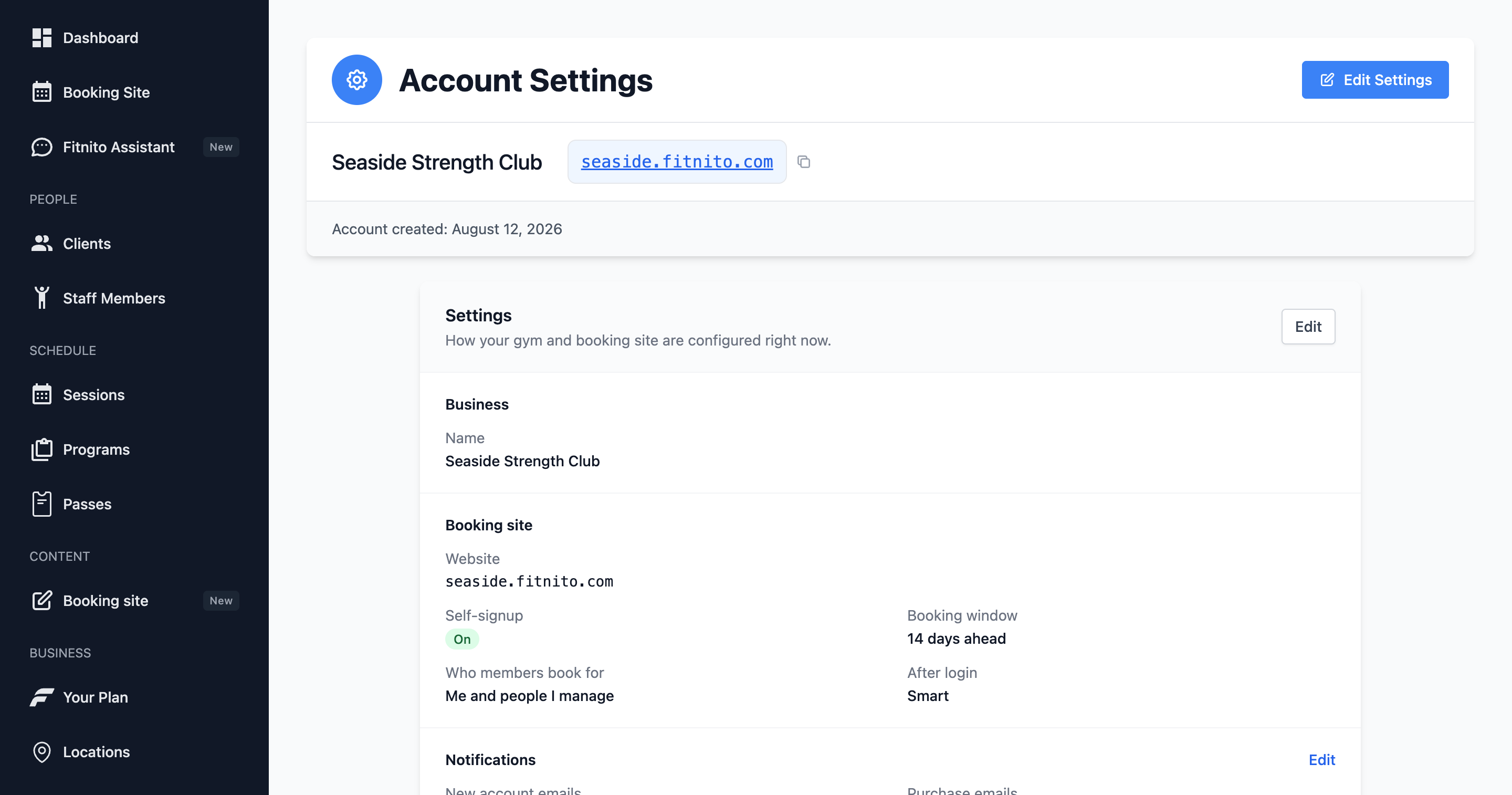
Settings is the gym, not the booking-site copy (that is Content).
You can change
- Gym name and website URL.
- Subdomain (
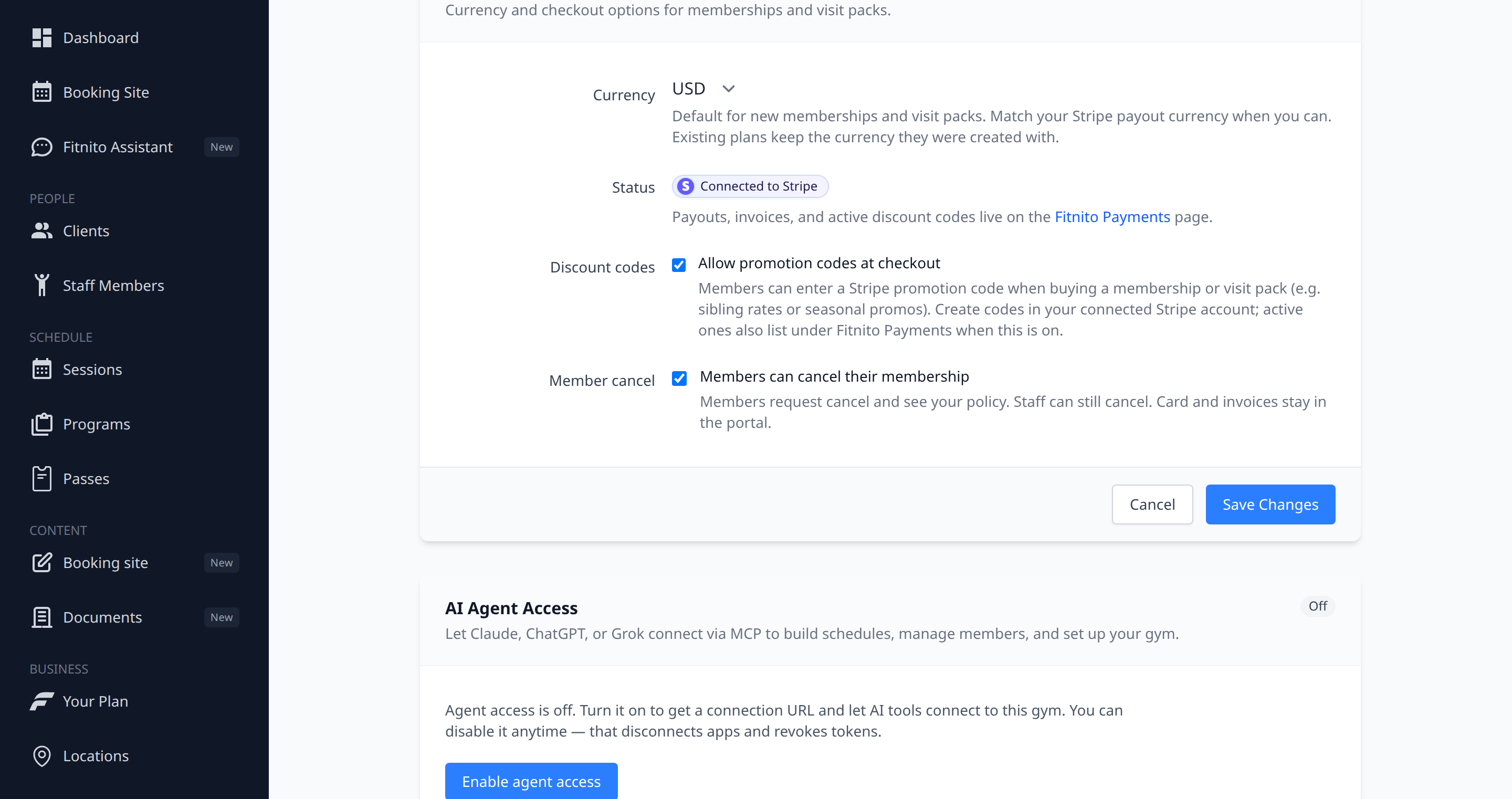
{subdomain}.fitnito.com) — check availability before you save. - Default currency for products.
- Self-signup, booking window, login destination.
- Family booking — Premium. Who members book for sits under that switch.
- Pause a membership — Premium. Optional member self-serve sits under Membership pause.
- Notifications — owner emails (new account, purchase, class booking), plus member booking reminders (Premium).
- Payments, the discount-code toggle, and how members cancel (Stripe portal by default; off, they send you a request).
- AI agent access.
- Member profile fields — Content → Forms and Fields → Profile (Premium). Extras on Profile, and mark the main phone or any extra required on signup and Profile.
The console and booking site follow the browser language. See Use Fitnito in French.
Staff can work the day without opening Settings. Keep the owner password to yourself if you do not want anyone else changing the subdomain or billing.