
Family and dependents
Turn on family booking, then let a parent book for kids from one login. Premium.
Family booking is Premium — paid Fitnito plans and the trial. On the free Starter plan the setting is greyed out and the booking-site Family menu is hidden.
A dependent is another member this person can book for — usually a child. Parents do most of the linking; staff can also create or remove a link.
Turn it on
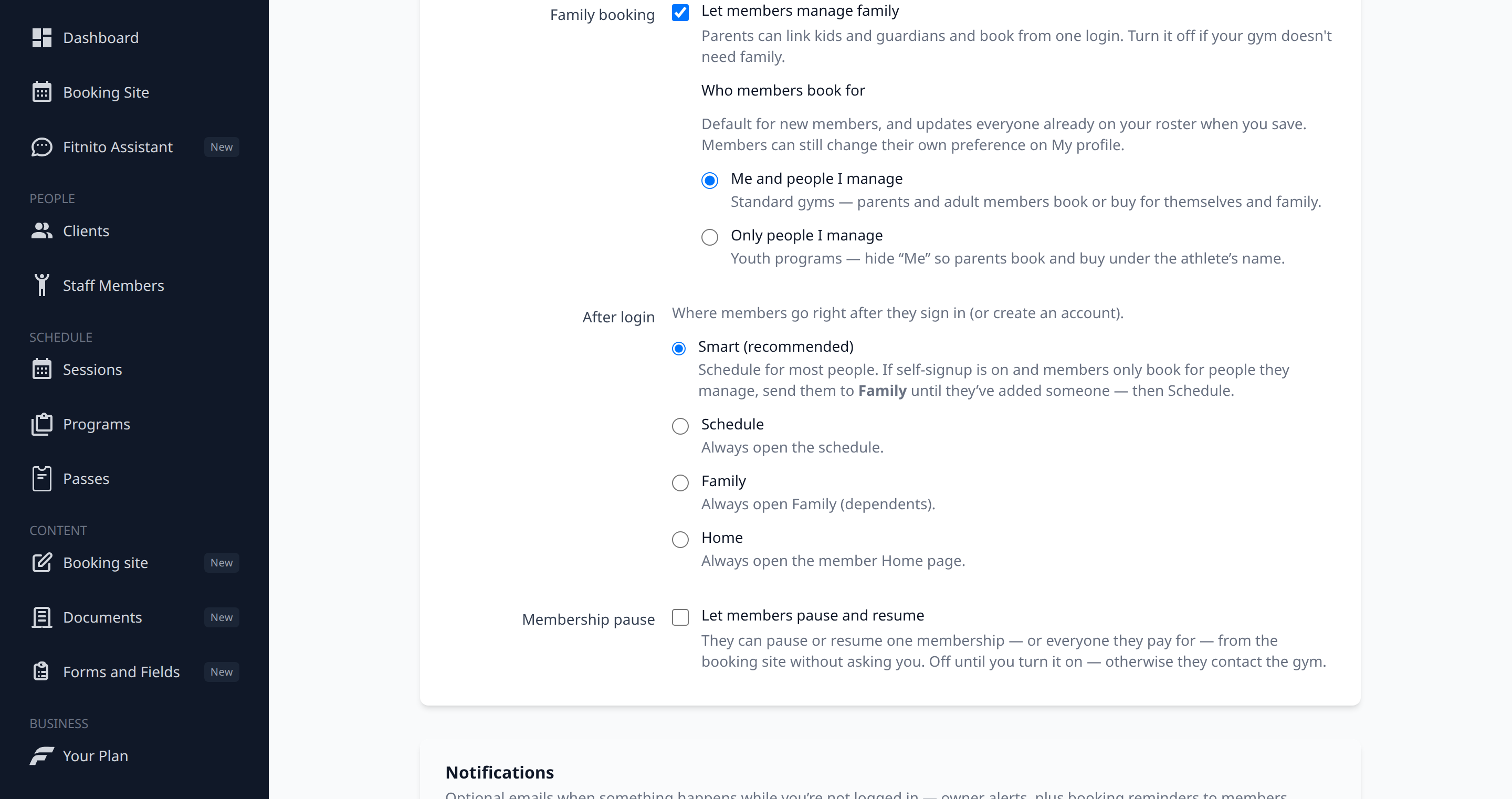
- Open Settings.
- Under Family booking, check Let members manage family.
- Set Who members book for — me + people I manage, or only people I manage (youth programs often want the second). Saving updates the whole roster; members can still change their own preference on Profile.
- Optionally set After login to Family so parents land there first.
Turn the switch off if your gym does not need dependents. Who members book for and the Family login page grey out, and Family leaves the member menu.
How linking works
- Parent creates a kid by name (self-signup) — the link is approved immediately. No child email.
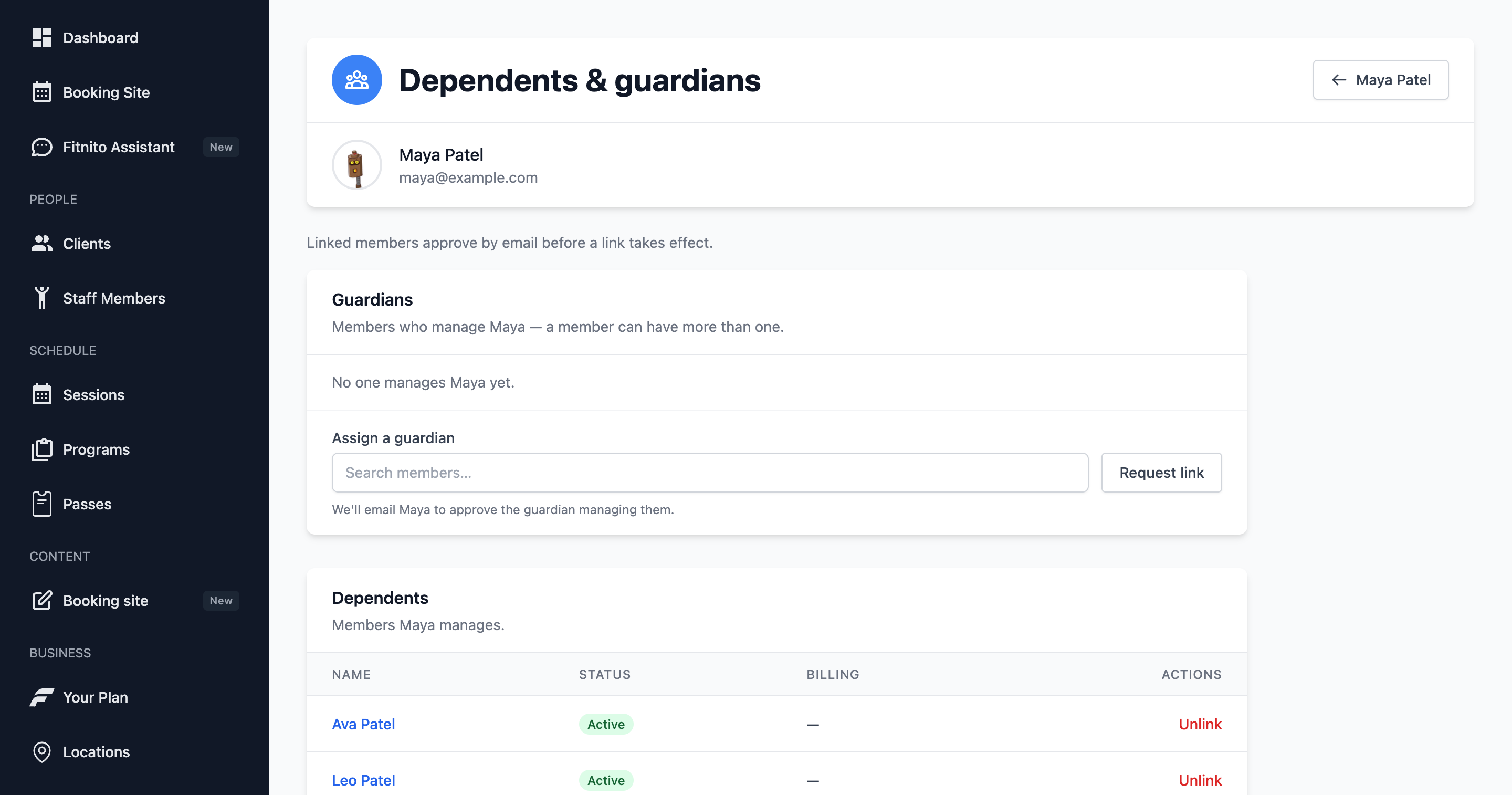
- Link an existing member by email — that person gets an email and must approve (adult dependents).
- Staff creates a link from Clients → (member) → Dependents and Guardians. Staff can also remove a link. Members cannot remove a link themselves; they ask the front desk.
What the parent can do
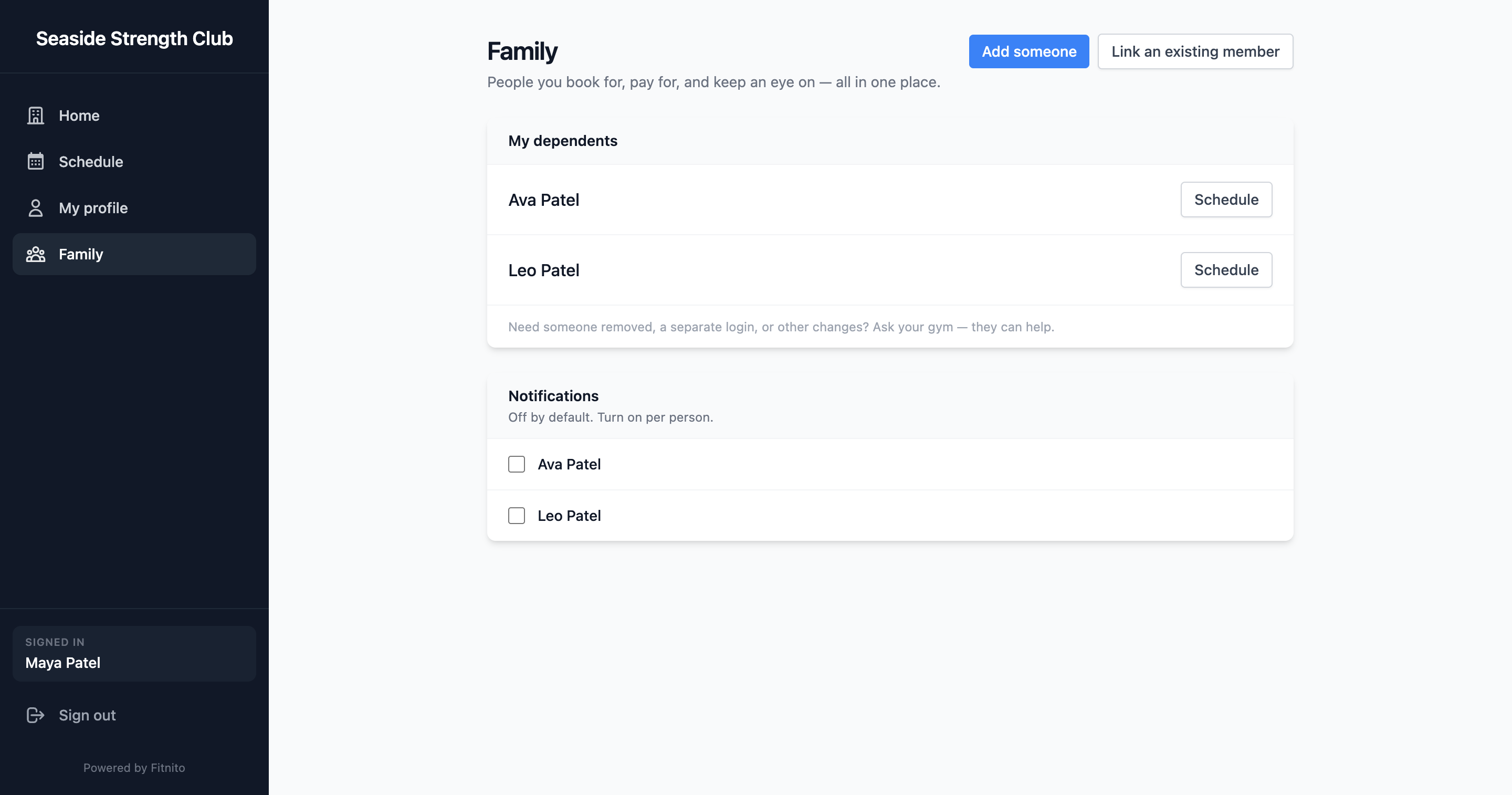
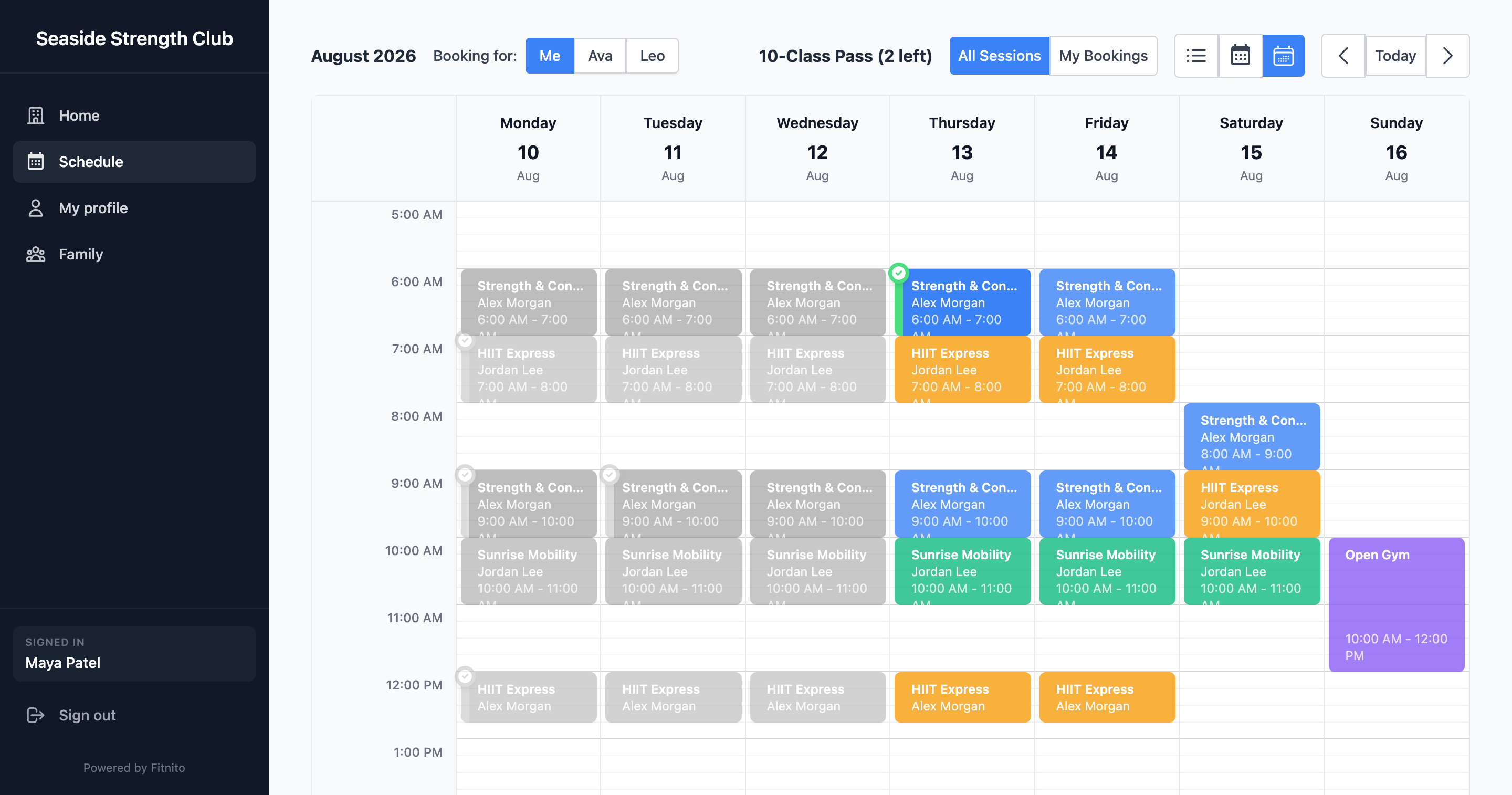
Once approved, the parent can switch who they are booking for on the schedule, edit that person’s extras from Family → Edit profile, see family attendance, opt in to reminder emails for themselves or a child, and (when Fitnito Payments is on) optionally pay the dependent’s charges on one card.
What you still control
Memberships and visit packs stay on each person. A kid needs their own pass or a plan that grants one. Assign those from the kid’s profile, or let the parent buy online if you use Fitnito Payments.
See Your Fitnito subscription to upgrade.