
Family and household memberships in Fitnito
One parent login, a separate profile for each family member, one card to pay. What works today, and what does not. Premium.
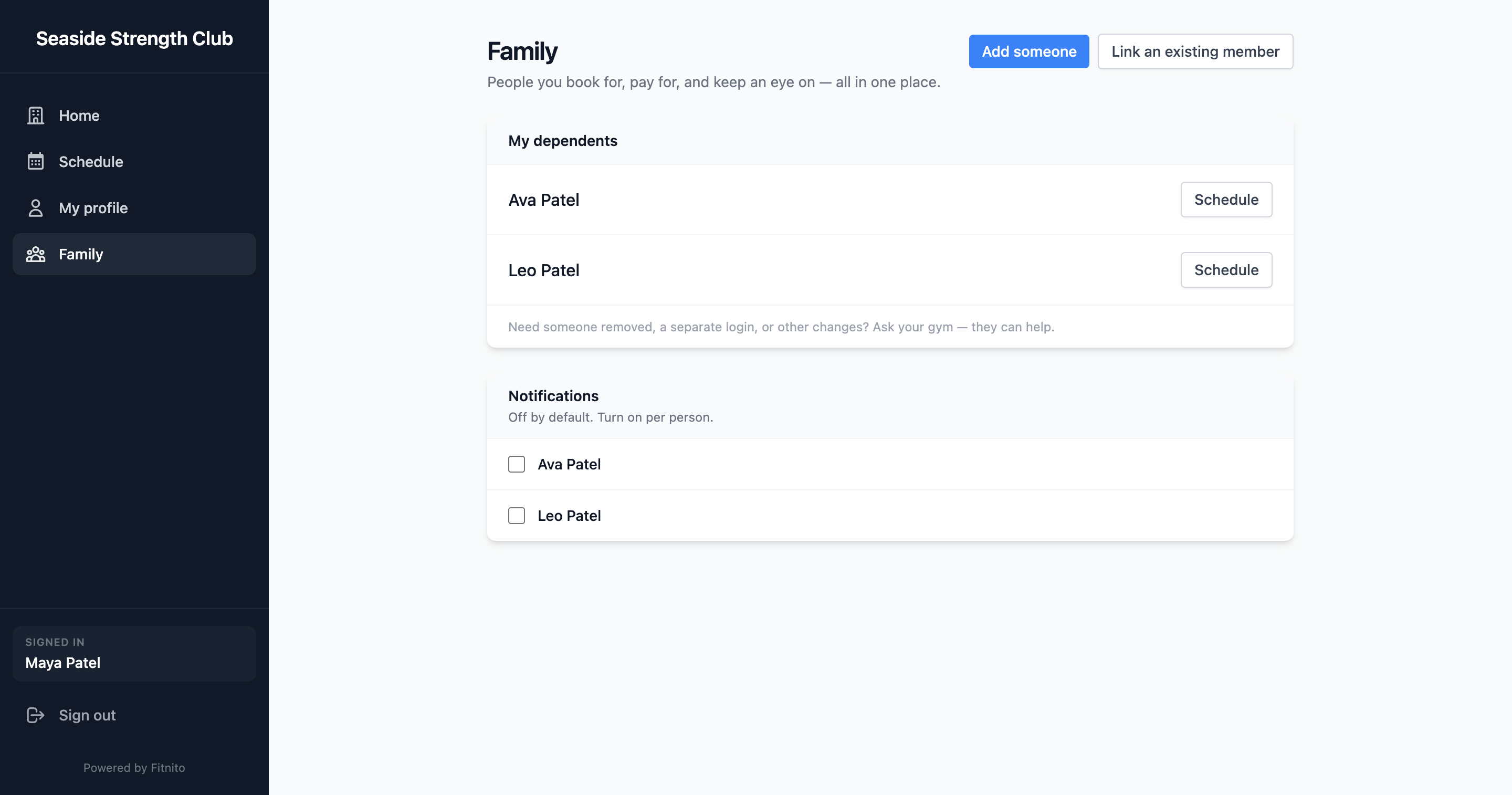
Fitnito handles families as one parent login plus a separate member profile for each person. The parent books for everyone and can pay for everyone. Each person keeps their own pass or membership.
Family booking is Premium — paid Fitnito plans and the trial. Turn it on in Settings → Family booking. Setup steps are in Family and dependents.
How a household is set up
- The parent signs in once. Kids do not need an email or a password.
- A parent can add a child by name on Family. This needs Self-signup on in Settings. If it is off, staff add the child and link them to the parent.
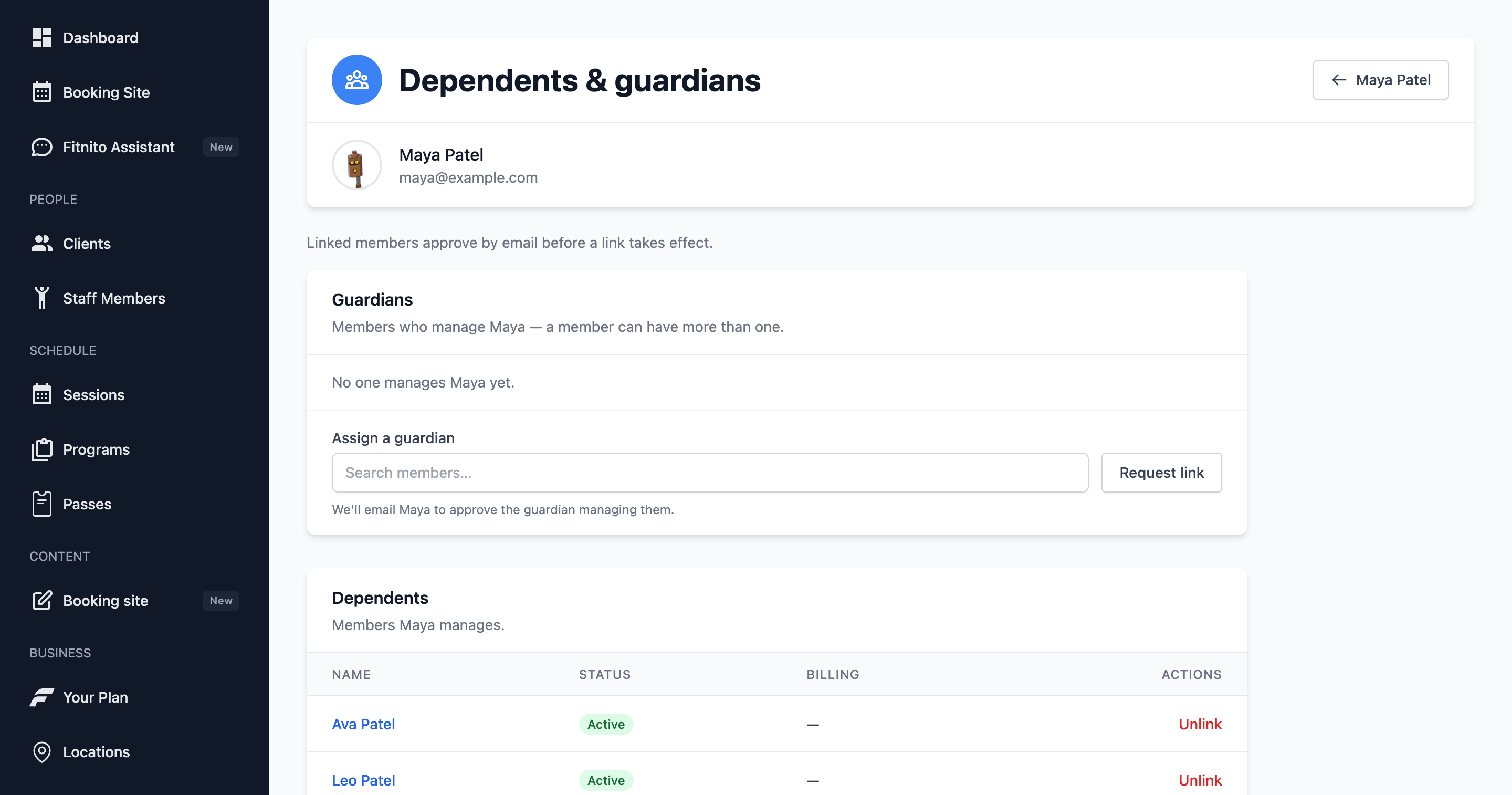
- Staff can add a member with no email and link them on Clients → (member) → Dependents & guardians. The link works right away.
- A member with their own email address (a partner, a teen, or a child you added with an email) must approve the link by email. This includes links staff make.
One payer, separate accounts
Each family member is their own member in your gym. They have their own passes, their own membership, and their own bookings. You see them on your Clients list like anyone else.
When you use Fitnito Payments, one parent can pay for all of them:
- On Memberships, the parent buys a plan or visit pack for a child. The parent pays. The plan goes on the child.
- If you sell drop-ins (Book now), the parent pays when they book one for a child.
Each membership is still its own subscription with its own invoice. The parent can pay them all with one saved card.
Without Fitnito Payments, the parent still books for everyone. You bill the family the way you do today.
Booking for several kids
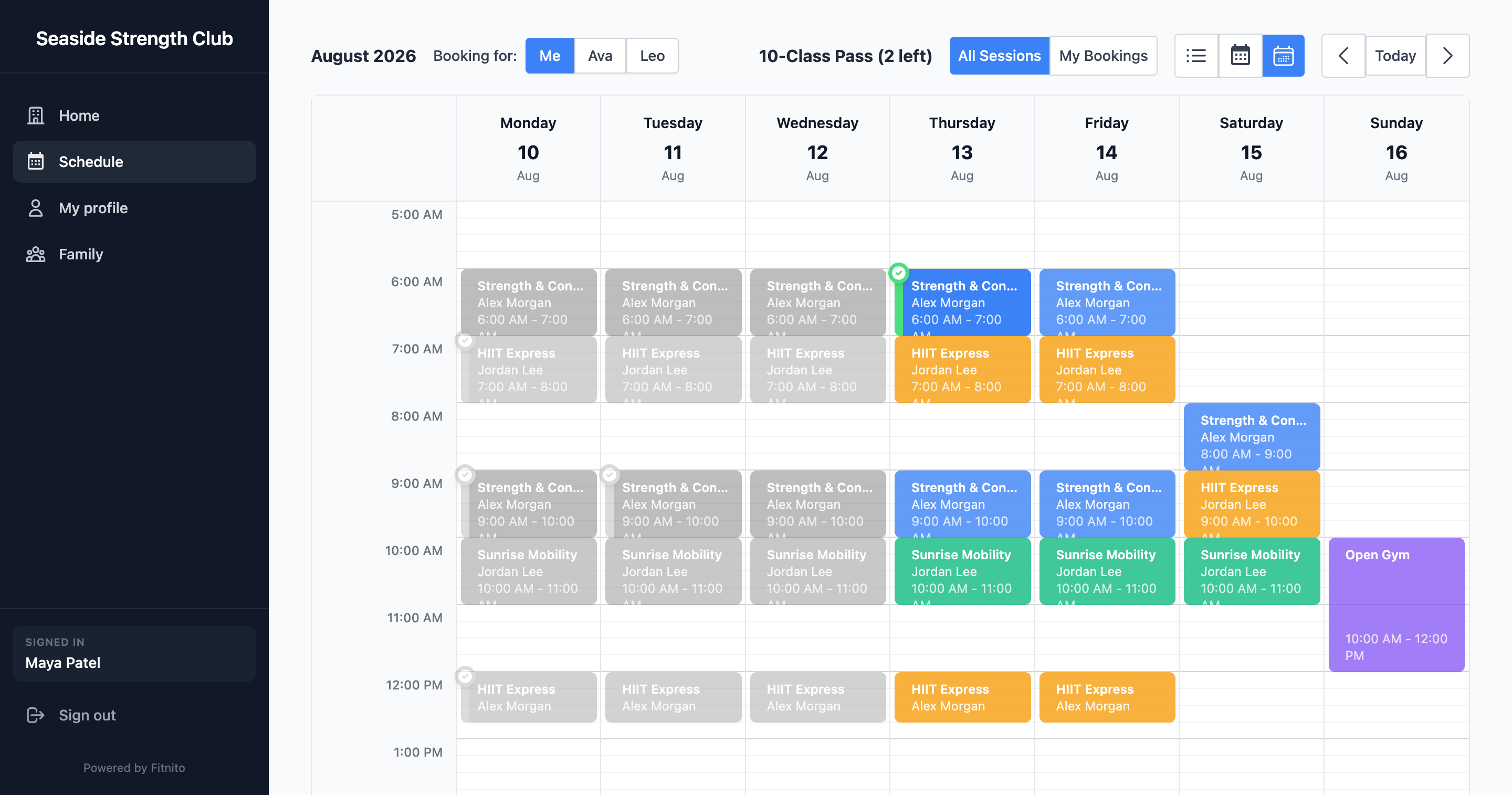
The schedule books for one person at a time. The parent picks a child in the switcher, books, then picks the next child and books again. Each booking uses that child’s own pass.
Youth gyms can set Who members book for to Only people I manage. Then the schedule shows parents their kids, not themselves. Saving a new choice updates everyone on your roster. A member can still change their own choice on My profile.
The parent’s Memberships page shows each child’s passes, plans, and booked sessions in one place.
Shared vs individual memberships
Every membership and pass belongs to one person. Fitnito does not have a shared family membership that several people use.
For a family of four that all train, each person needs a pass or a plan. One parent can pay for all four.
Family vs individual pricing
Fitnito does not price by household. There is no automatic sibling or family discount.
What you can do today:
- Create separate plans with their own prices, for example a lower-priced kids plan. Sell each one to the right person.
- With Fitnito Payments, turn on discount codes. Give a family a Stripe promotion code to type at checkout.
What it does not do yet
- No single membership shared by a whole family.
- No family price or automatic multi-member discount.
- No single combined invoice for the household.
- No booking several kids into a session in one step.
- The parent is marked as payer only for no-email kids linked while Fitnito Payments is on. For anyone else (a partner or teen linked by email, or a kid linked before Payments was on), the parent can still buy their plan, but gets no pause or cancel links for it. Members cannot change this themselves.
- Members cannot remove a family link themselves. Staff do it.
- Not on the free Starter plan.
FAQ
Can parents book classes for several children from one login? Yes. The parent signs in once and switches between kids on the schedule. They book each child one at a time. Each booking uses that child’s pass.
Do kids need their own email or login? No. A child can be a profile with just a name. The parent signs in and books for them.
Can one parent pay for the whole family? Yes, with Fitnito Payments. The parent buys each child’s plan or pack, and pays drop-ins they book for a child if you sell drop-ins. Each membership is billed on its own.
Can a family share one membership? No. Each person needs their own pass or plan. One person can pay for all of them.
Can I offer a family discount? Not automatically. You can make a lower-priced plan for kids, or give the family a discount code at checkout.