
Turn on Fitnito Payments
Connect Stripe, enable member billing, and see what Fitnito takes ($1/member/mo + 1% on a paid plan).
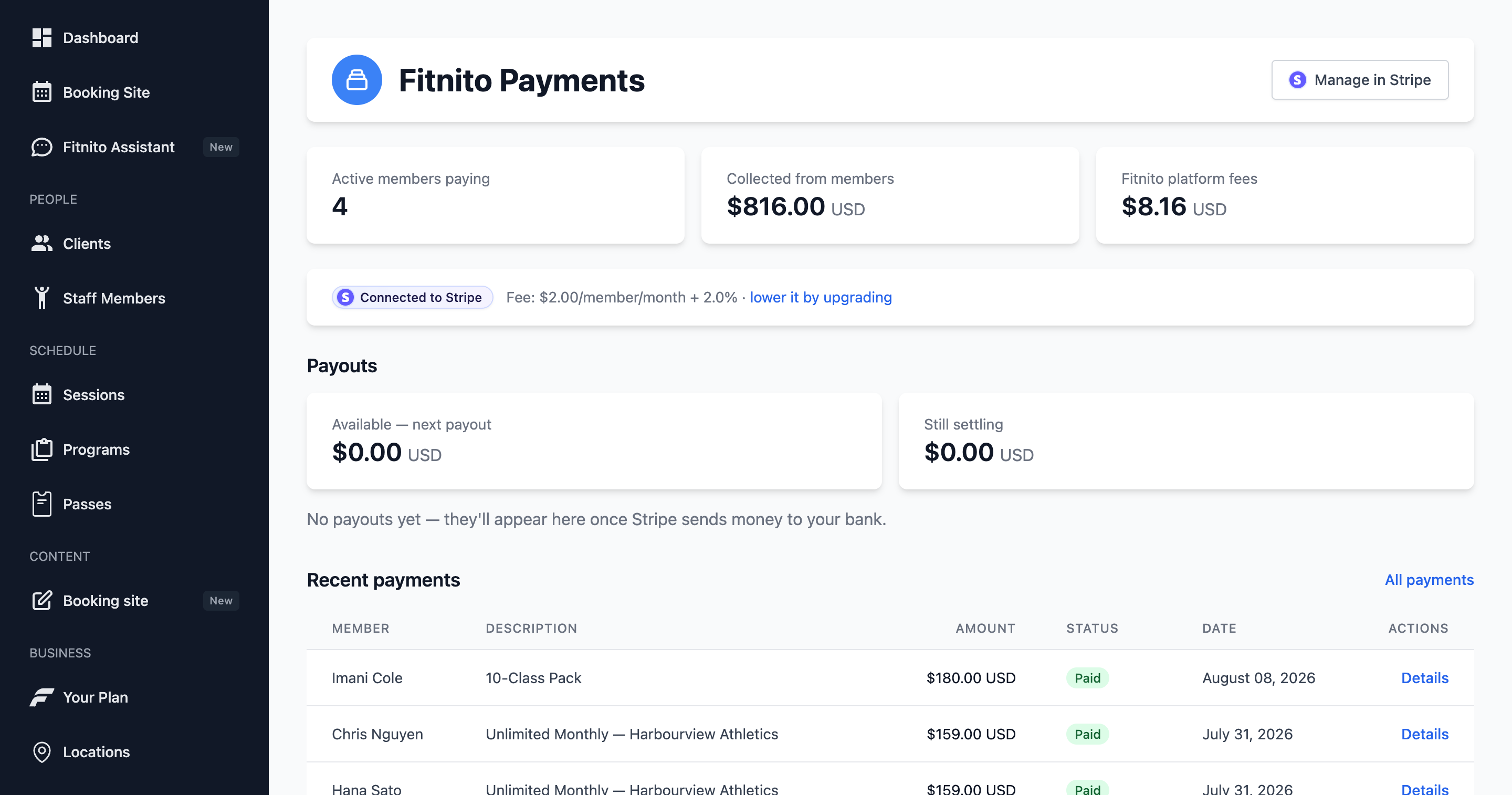
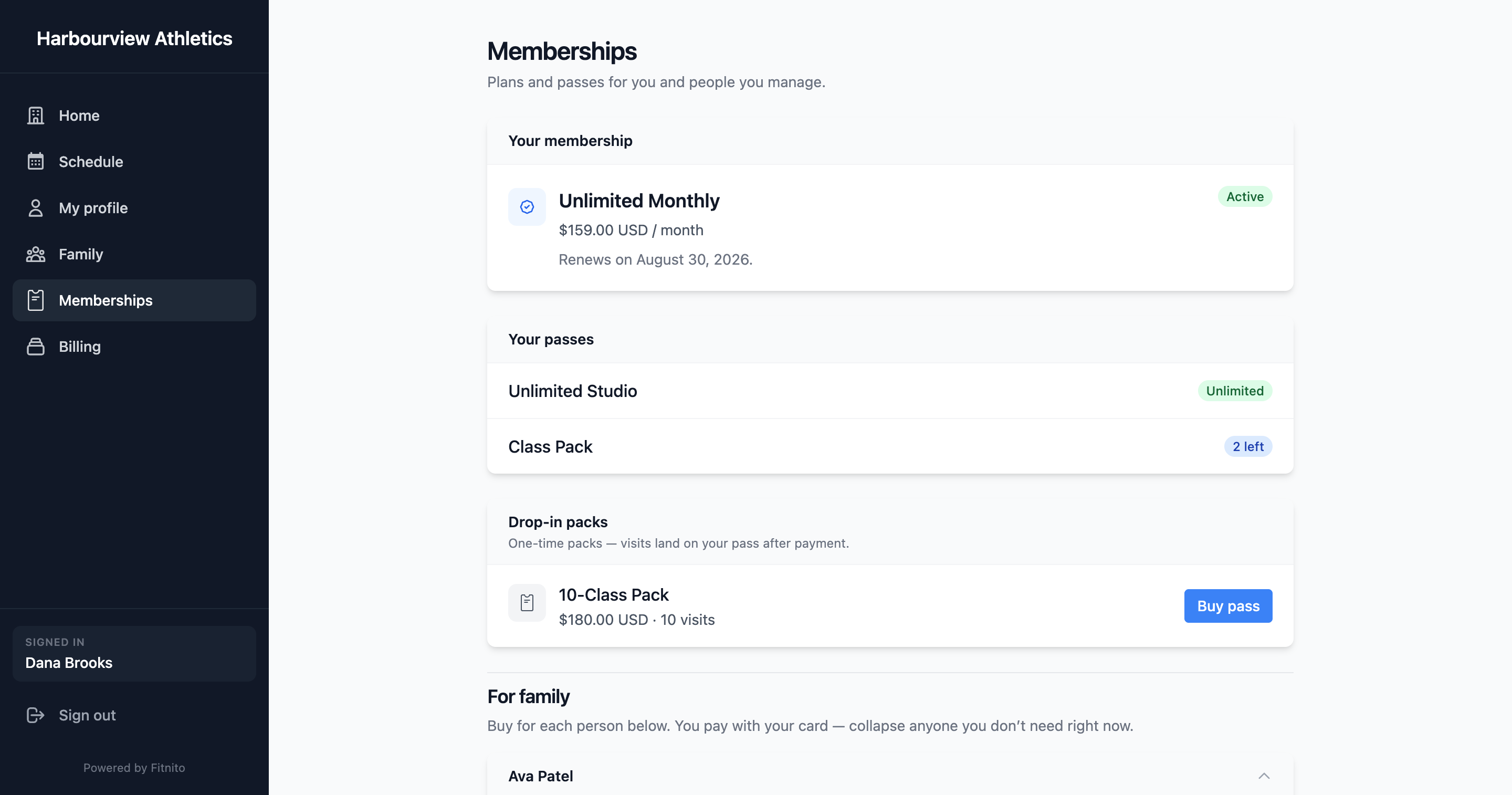
Fitnito Payments is optional. When it is on, members buy memberships and visit packs on your booking site. Money deposits to your bank via Stripe Connect. Fitnito takes a platform fee on those charges. Stripe’s card processing fees are separate and paid to Stripe.
When it is off, you still assign plans and grant packs by hand. That is the self-billing path. You pay no platform fee on money you collect yourself.
What it costs
Two different bills. Easy to mix up.
Your Fitnito plan is the software: $0 on Starter, or $34.95/month / $349.95/year. Canadian gyms pay those amounts in CAD. That bill is on Your Fitnito subscription. It is not this fee.
Fitnito Payments is what we take from member charges that run through Stripe Connect.
On a paid or trial Fitnito plan:
- Memberships: $1 per member per month + 1%
- Visit packs and drop-ins: 1% only (no monthly $1)
On Starter (free):
- Memberships: $2 per member per month + 2%
- Visit packs and drop-ins: 2% only
The $1 (or $2) rides on each membership invoice. A monthly plan is billed monthly, so that is $1 per member per month. A yearly membership invoice pays the fixed amount once, when that invoice runs. Visit packs are one-off, so they take the percent only.
Stripe’s card processing fees sit on top and go to Stripe. Payouts follow Stripe’s schedule to the bank you connected. Fitnito does not hold your member fees.
Posted numbers also live on Pricing. The Fitnito Payments page in the console shows the rate for your gym.
Turn it on
- Open Billing or Payments in the console (Fitnito Payments).
- Connect Stripe and finish Stripe’s onboarding (identity, bank account).
charges_enabledflips on when Stripe is ready. - Enable collecting payments from members.
Both steps are required. Connected-but-not-enabled, or enabled-but-Stripe-pending, means members cannot check out and staff cannot assign a paid plan through Stripe.
What members see after
Your booking site grows Memberships and Billing. They can subscribe, buy a pack, save a card, and open Stripe’s customer portal (card and invoices). Fitnito manages that portal — you do not set it up in the Stripe Dashboard. Cancel in the portal is on by default. Turn it off under Settings → Payments if you want them to request cancel on the booking site. See How members cancel and the member guide: Buy a membership or pass.
What you see after
- Products can be purchased (they need a Stripe price).
- Recent Payments lists payments and refunds.
- Optional discount codes under Products → Discount codes.
Payouts follow Stripe’s schedule to the bank you connected. Fitnito does not hold your member fees.
Tax on receipts
Tax is Stripe Tax on your connected Stripe account — not a Fitnito rate table. Add registrations in Stripe, then Checkout shows GST, HST, PST, QST, or US sales tax on the hosted invoice. Full steps: Tax on member receipts.