
Find and book a class
Use list, day, or week view, open a class, and take a spot.
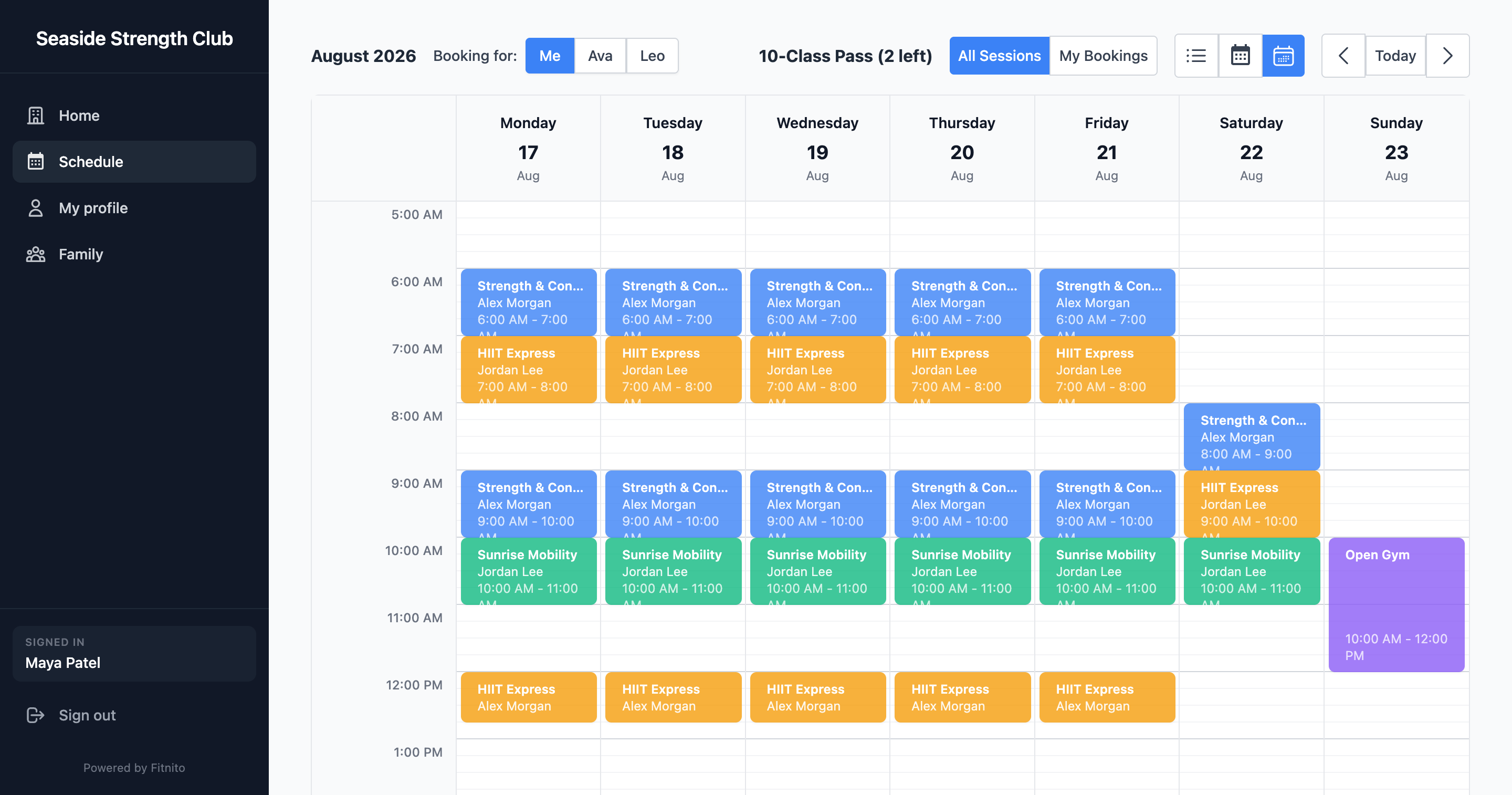
Open Schedule. You can switch list, day, and week. Week view is the one that looks like a calendar; list is easier on a phone.
Book a spot
- Tap a class.
- Confirm you (or the family member you are booking for) want in.
- If you have a valid pass for that program and the class is not full, you are booked.
A visit pass uses one visit. If the pass says it resets on the 1st, unused visits clear then. A top up stays until you use it. An unlimited membership just needs to be active.
If you cannot book
- The class is full.
- It is outside the gym’s booking window (too far ahead).
- You do not have a pass for that program — ask the desk, or buy a plan or pack if the gym takes cards.
- You are looking at the wrong person — switch who you are booking for.
- The gym needs you to agree to a document first (a waiver, for example).
Staff can still add you from their side if they want a walk-in.