
Buy a membership or pass
When the gym uses Fitnito Payments, subscribe or buy a visit pack on the Memberships page. A plan can top up visits or reset them on the 1st. A pack always tops up.
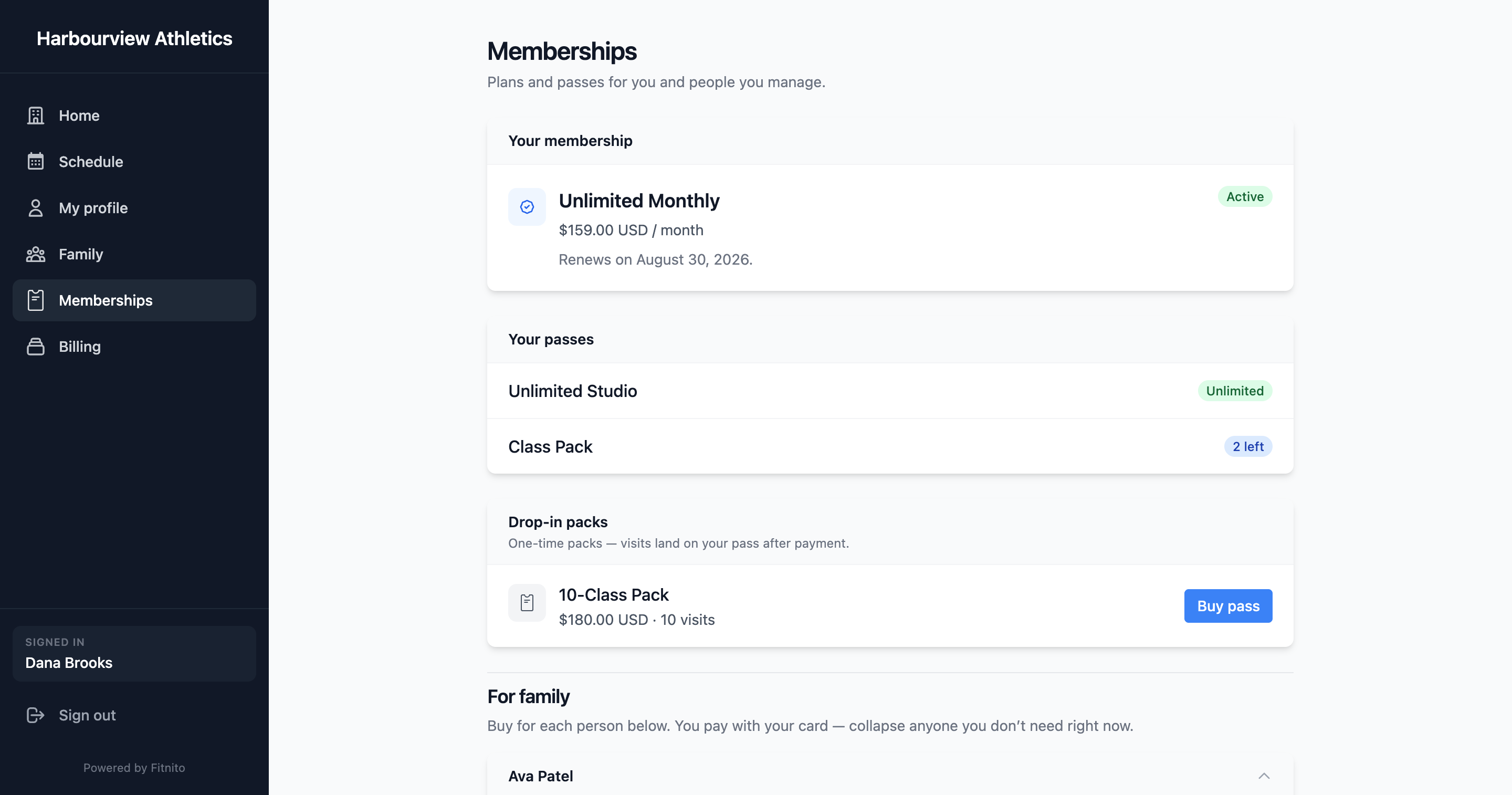
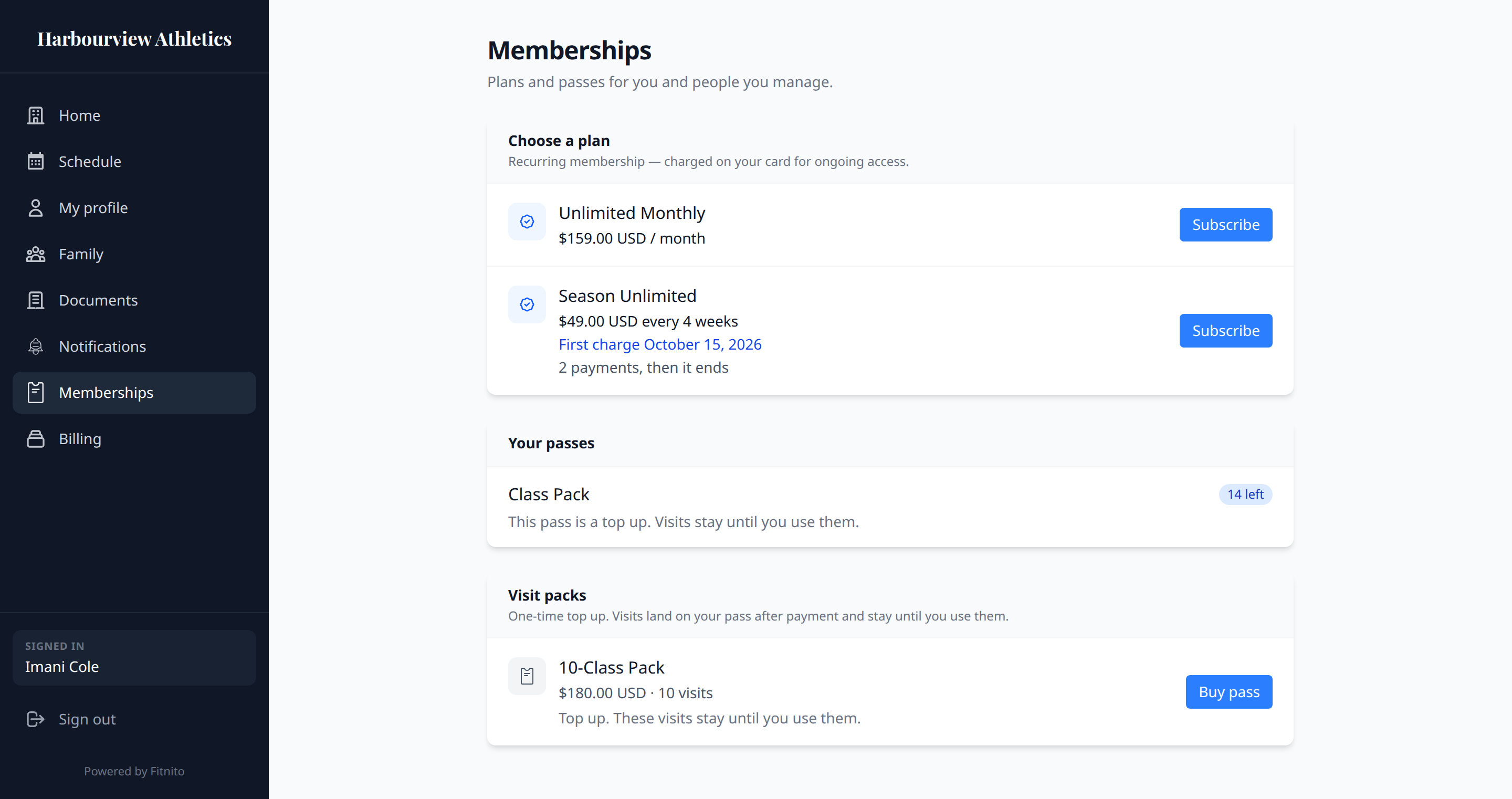
This page applies when your gym collects cards through Fitnito. If you do not see Subscribe or Buy, they bill another way — pay the desk and they will turn your pass on.
Subscribe to a plan
- Open Memberships.
- Pick a plan.
- If the gym has policies to agree to, you will see them before Stripe. See Documents.
- Checkout is Stripe (card form on Stripe’s page). It asks for a billing address. If the gym collects sales tax, the receipt shows those lines. You return to the gym site when you are done.
Access unlocks after payment for a plan that charges now. If the plan has a first charge date (season start), the card is saved now and you can book right away. The gym bills that later date; it is not a trial. Some plans stop after a set number of payments (the plan says so).
If the plan includes a visit count, it says which kind:
- Top up. Each payment adds visits. Unused visits stay.
- Resets on the 1st. Unused visits clear that day. A payment during the month does not add another batch.
An unlimited plan does not say either. You can book as long as it is active.
You can only have one live membership. To move to a different plan, open Memberships → Change plan (when the gym takes cards through Fitnito). Or ask the desk.
The gym assigned you a plan
If the desk put you on a paid plan and Stripe does not have a billing address yet, you get an email and a prompt on Memberships and Billing. Pay there. Checkout asks for your address. The pass stays off until that payment goes through. If the pay link in the email has expired, use Pay now on Memberships.
Buy a visit pack
Same page, under visit packs. One-time charge. Every pack says Top up. Visits land on your pass after payment and stay until you use them. A pack does not reset on the 1st. If you are also on a membership that resets, the 1st still sets that pass back to the plan's number.
The gym assigned you a visit pack
If the desk handed you a priced pack, you get an email and a prompt on Memberships and Billing. Pay there. Checkout asks for your address. The visits stay off until that payment goes through. If the pay link in the email has expired, use Pay now on Memberships. A free pack does not ask you to pay — the visits are already on your pass.
Discount codes
If the gym allows them, Checkout has a box for a promotion code. Ask the desk for the code — they create it in Stripe.