
Documents
Sign policies and waivers from your gym, or re-read what you already agreed to — for you and people you manage.
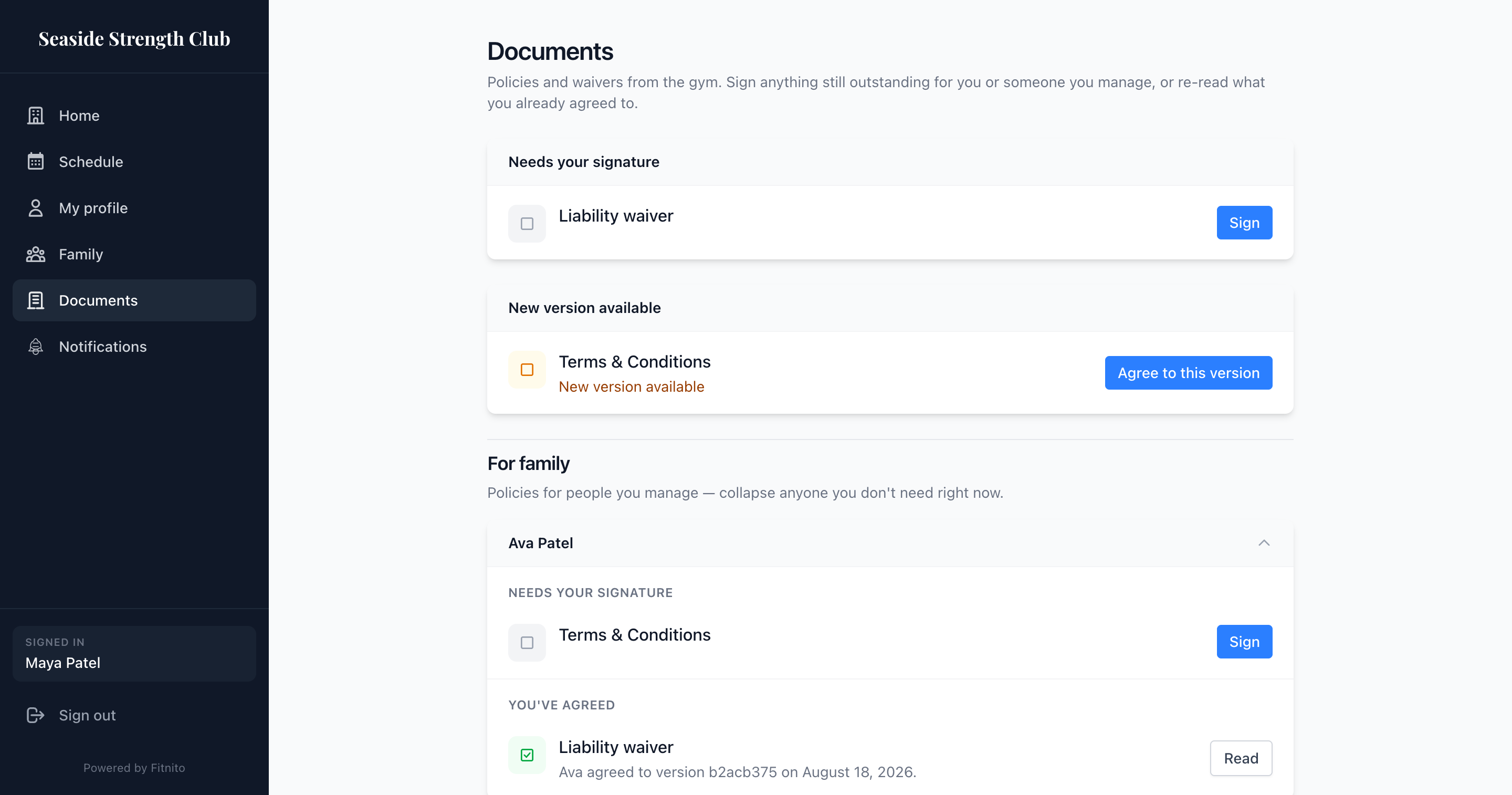
Open Documents on your gym’s booking site. Your gym needs a Premium Fitnito plan for this — if the page is missing, they have not turned it on.
Sign something
- Open Documents.
- Under Needs your signature, tap Sign.
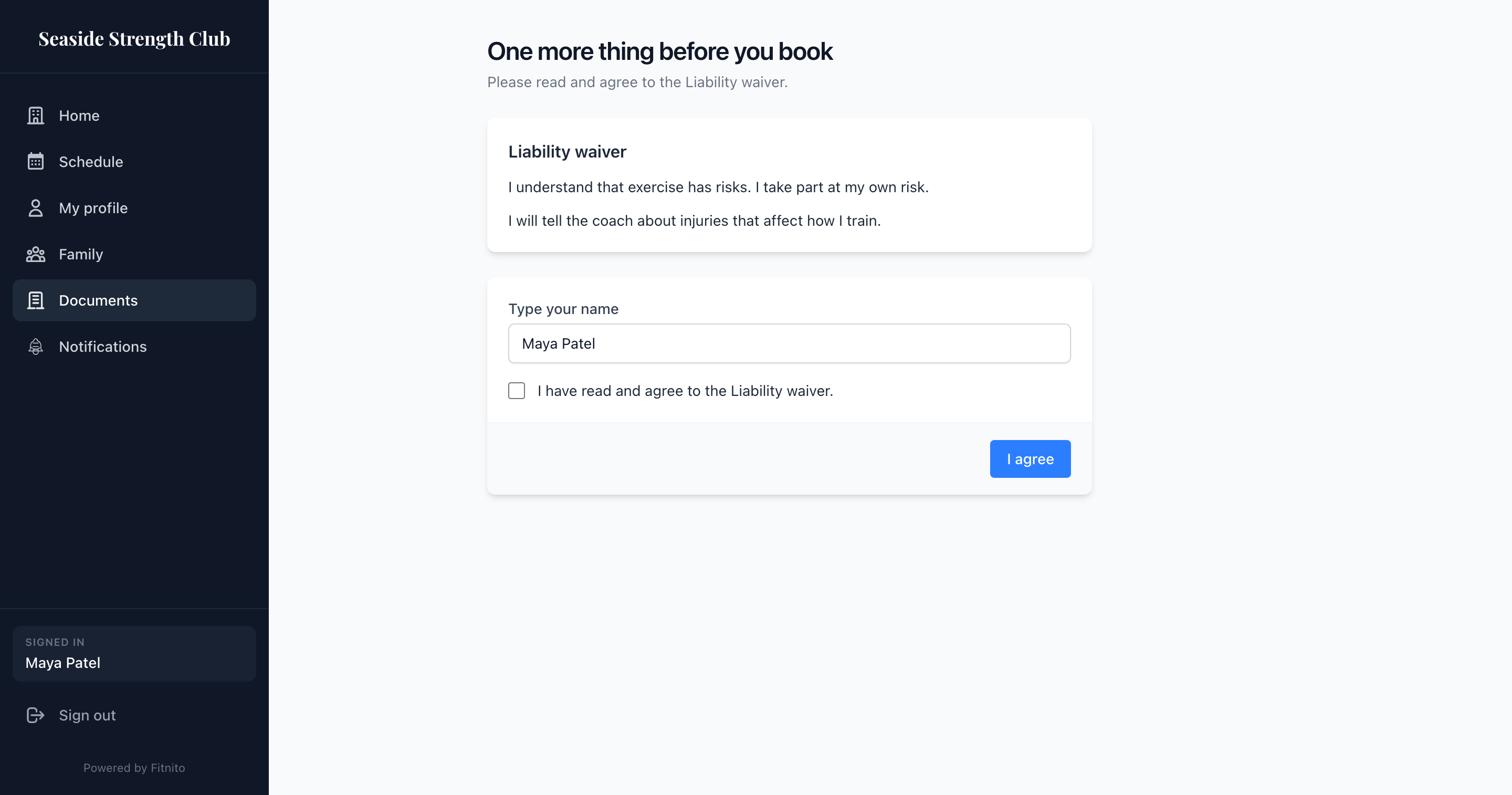
- Read the text. Tick the box. On a waiver you also type your name.
- Tap I agree.
If you manage kids, their documents sit under For family. Sign for them the same way — the gym keeps that you agreed on their behalf.
If the gym requires it at purchase, you will see the same agree step before you pay. If they require it at booking, you will see it before you take a first class.
A new version
When the gym publishes a new version of something you already signed, it shows under New version available. Open it to see what changed, then agree again.
What you already signed
You’ve agreed keeps the version you signed. You can still read it if the gym unpublishes the document later.