
Your memberships and passes
What you have, whether visits top up or reset on the 1st, and when a pass runs out. Change plan moves you without canceling.
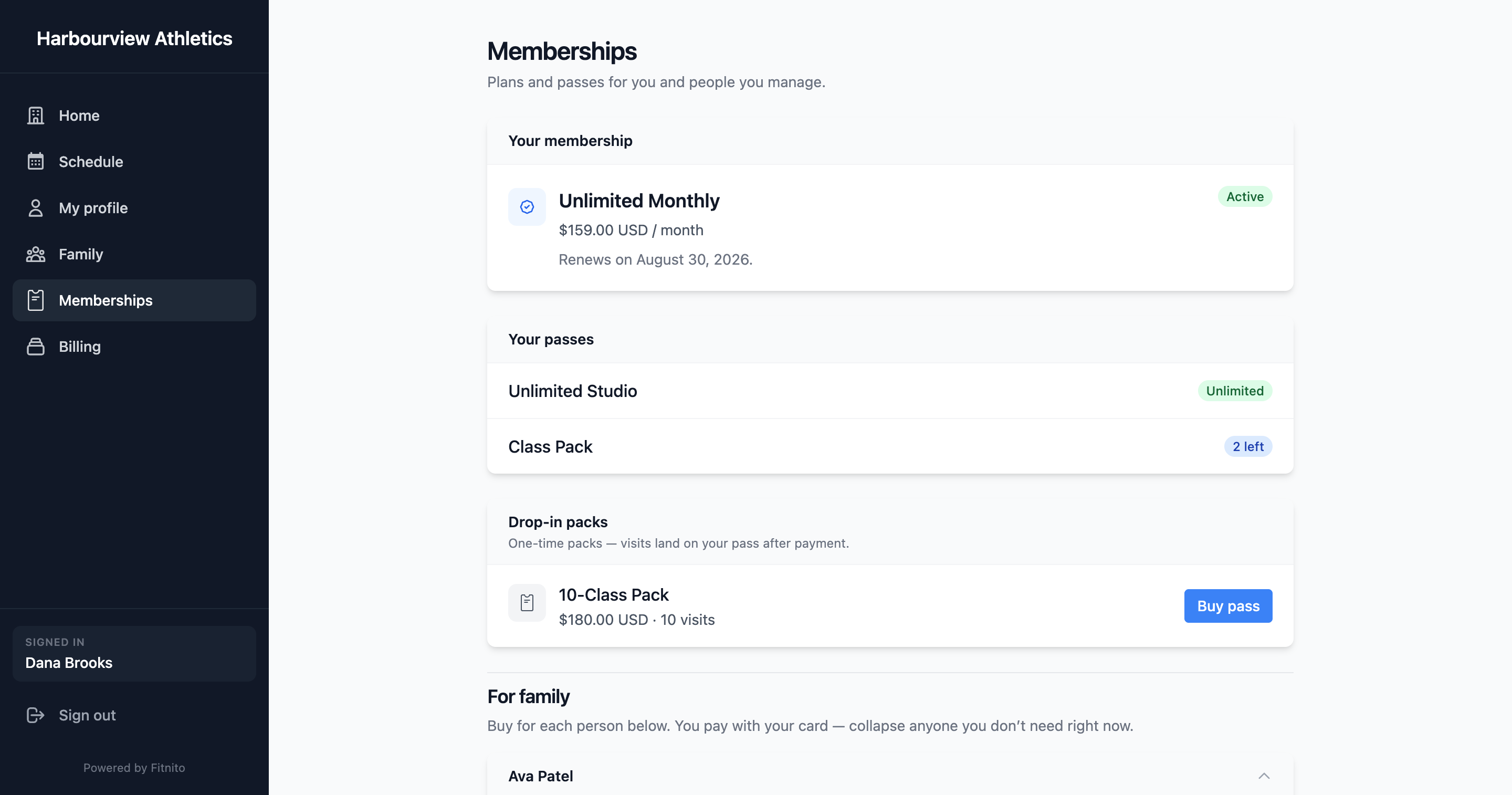
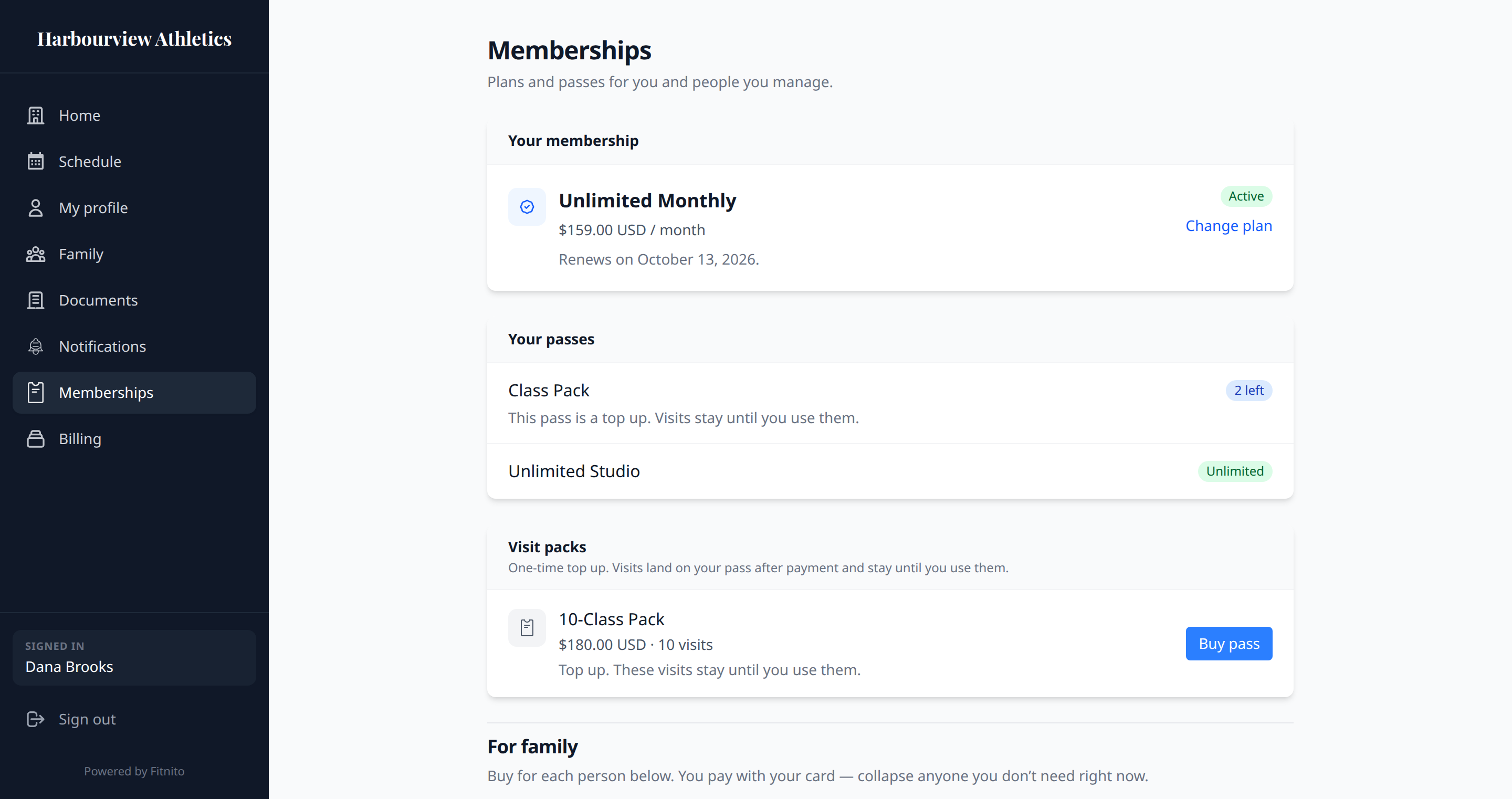
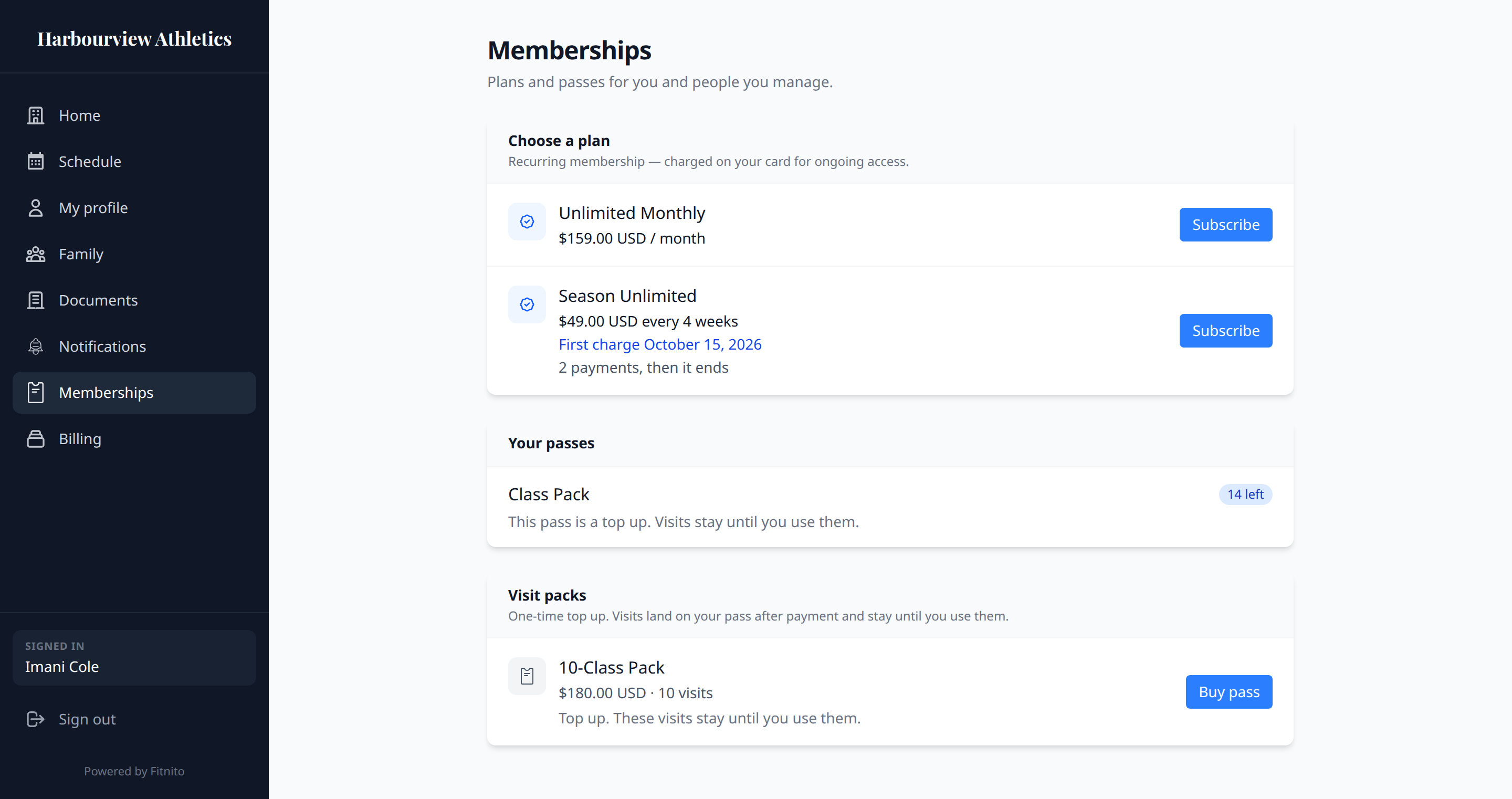
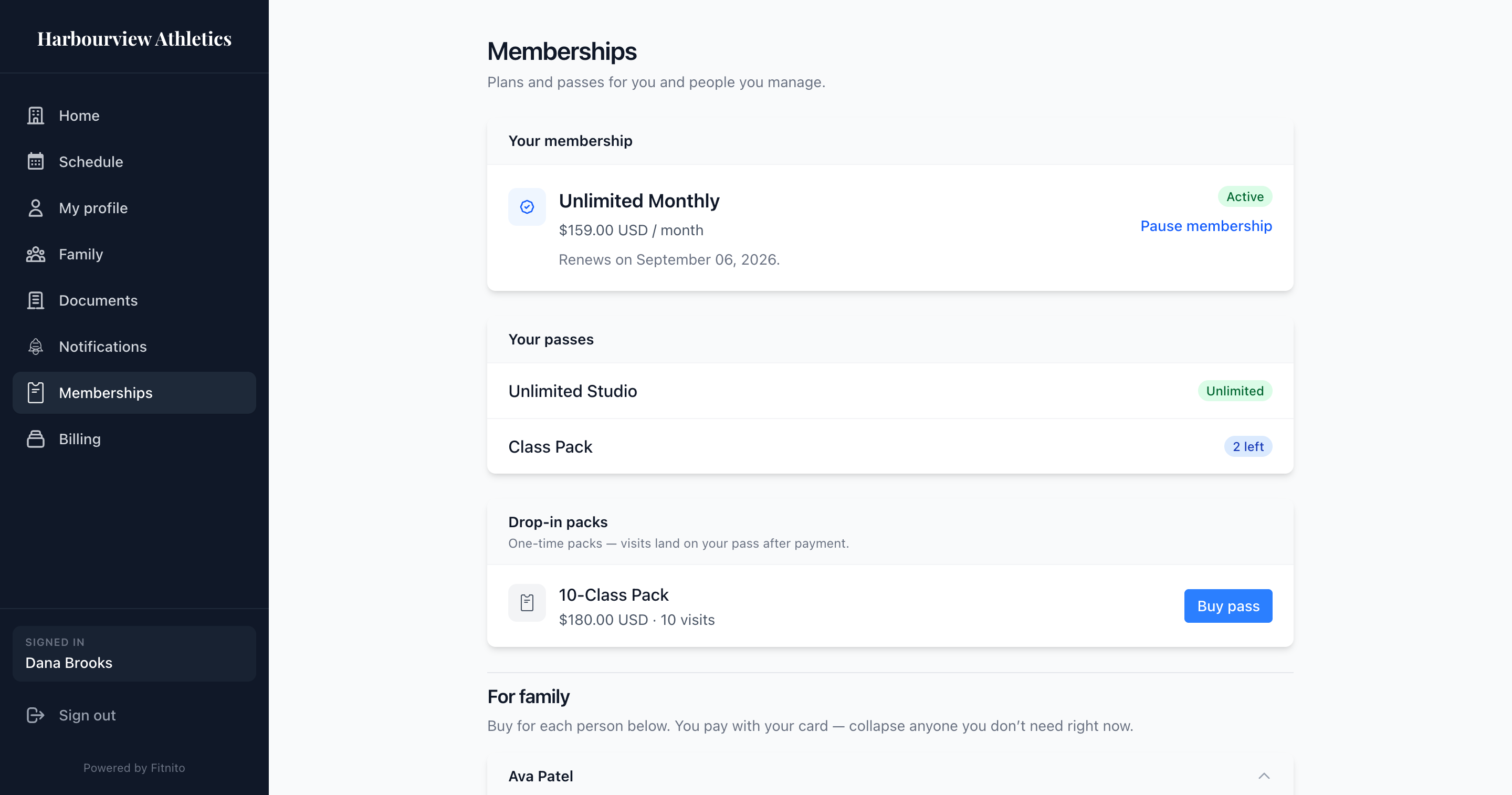
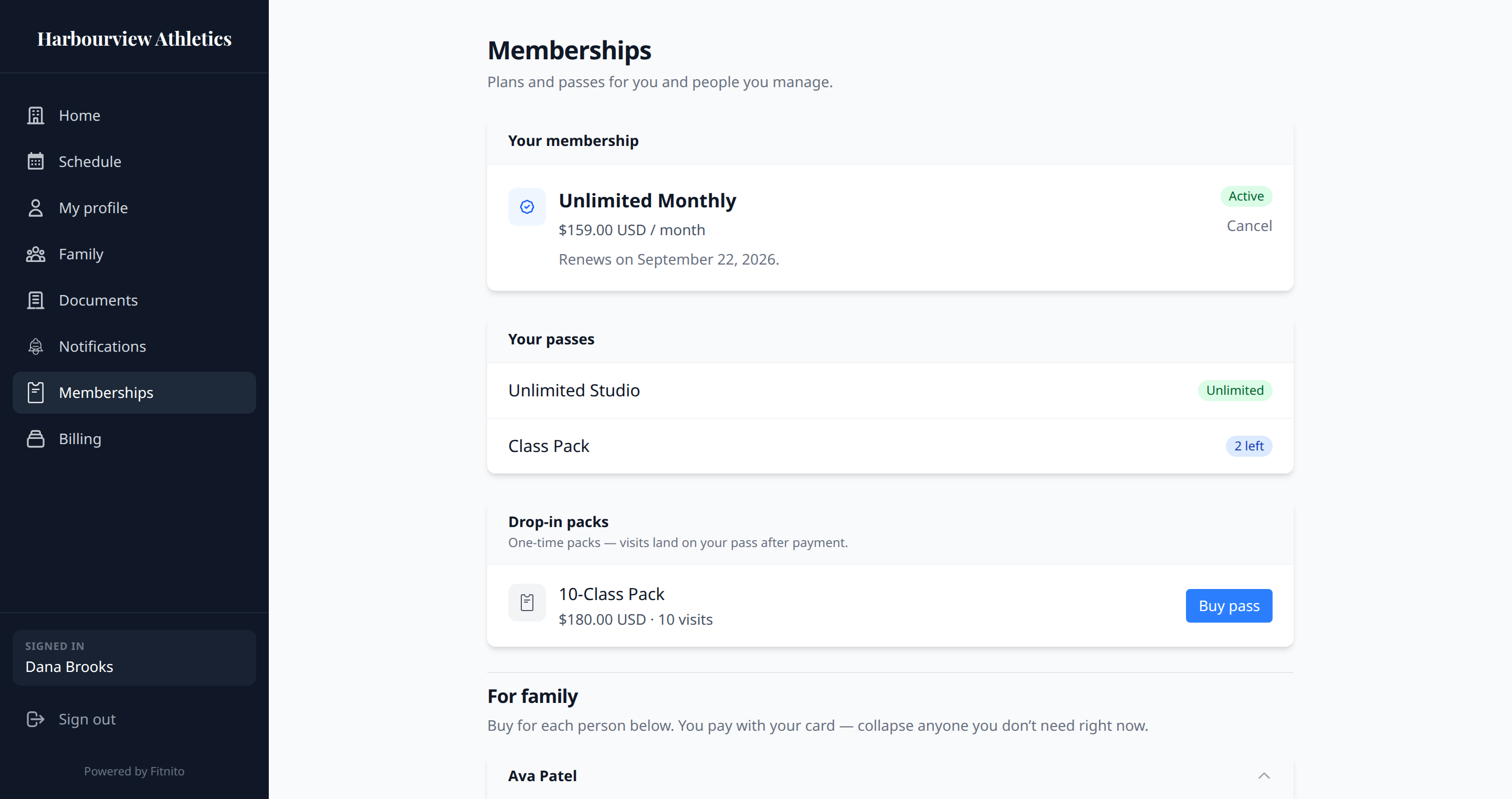
Memberships shows the plan you are on (if any), your passes, and the visit packs the gym sells.
Top up or reset
On a visit pass, you will see one of these:
- This pass is a top up. Visits stay until you use them. A visit pack always works this way. A membership can too: each payment adds more, and unused visits stay.
- This pass resets on the 1st. Unused visits clear. That membership starts the month fresh. A payment during the month does not add another batch.
The same line sits on the plan and on a pack before you buy it. Unlimited plans do not have a visit count.
Unlimited plan
While it is active you can book the programs it includes. If it says first charge on a date, the gym bills then. You can already book. Some plans stop after a set number of payments.
If it says ending, you keep access until the date shown, then it stops.
Change plan
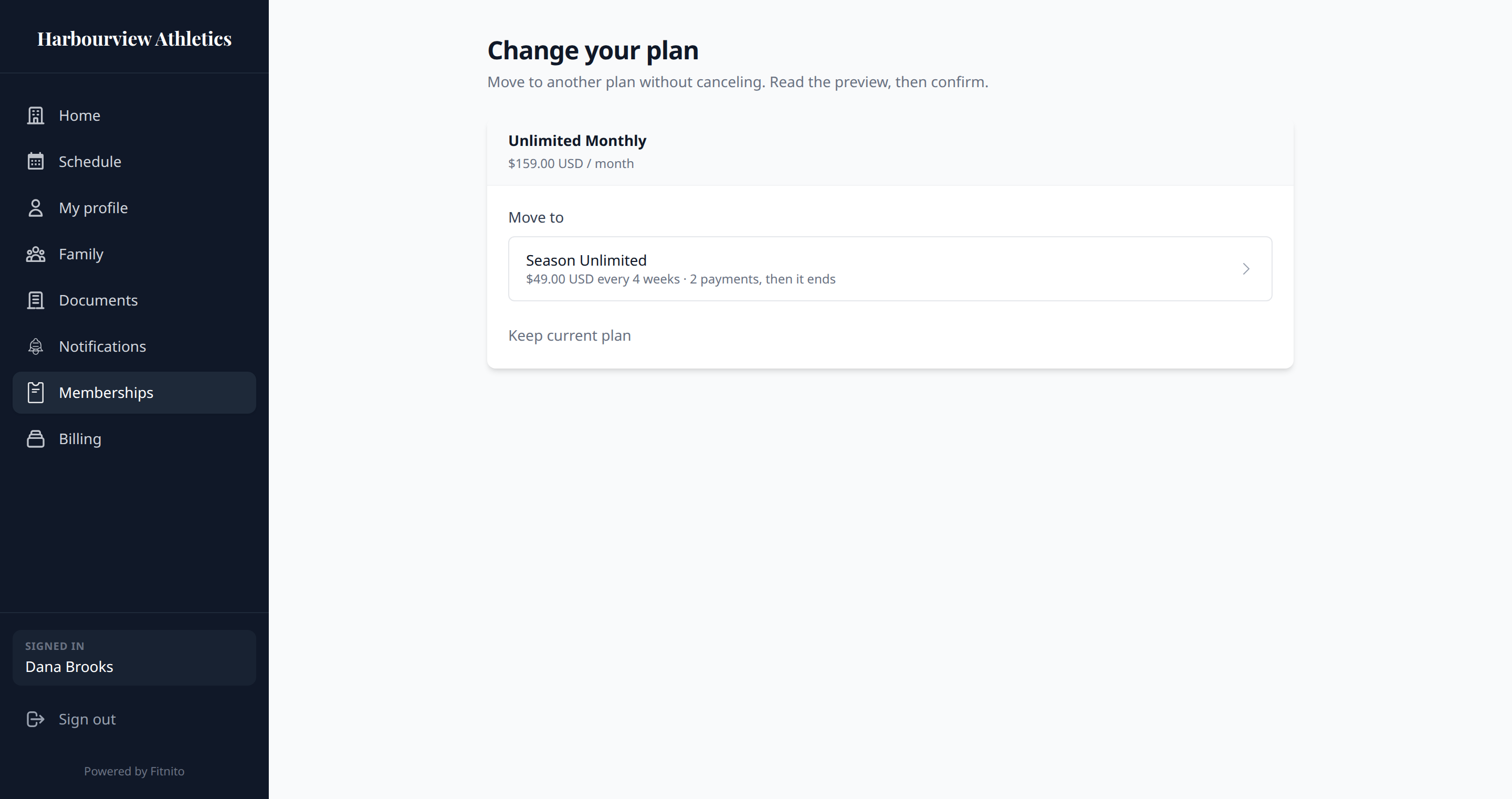
You can only have one live membership. Change plan on Memberships moves you to another plan without canceling first — when the gym takes cards through Fitnito.
- Open Memberships → Change plan.
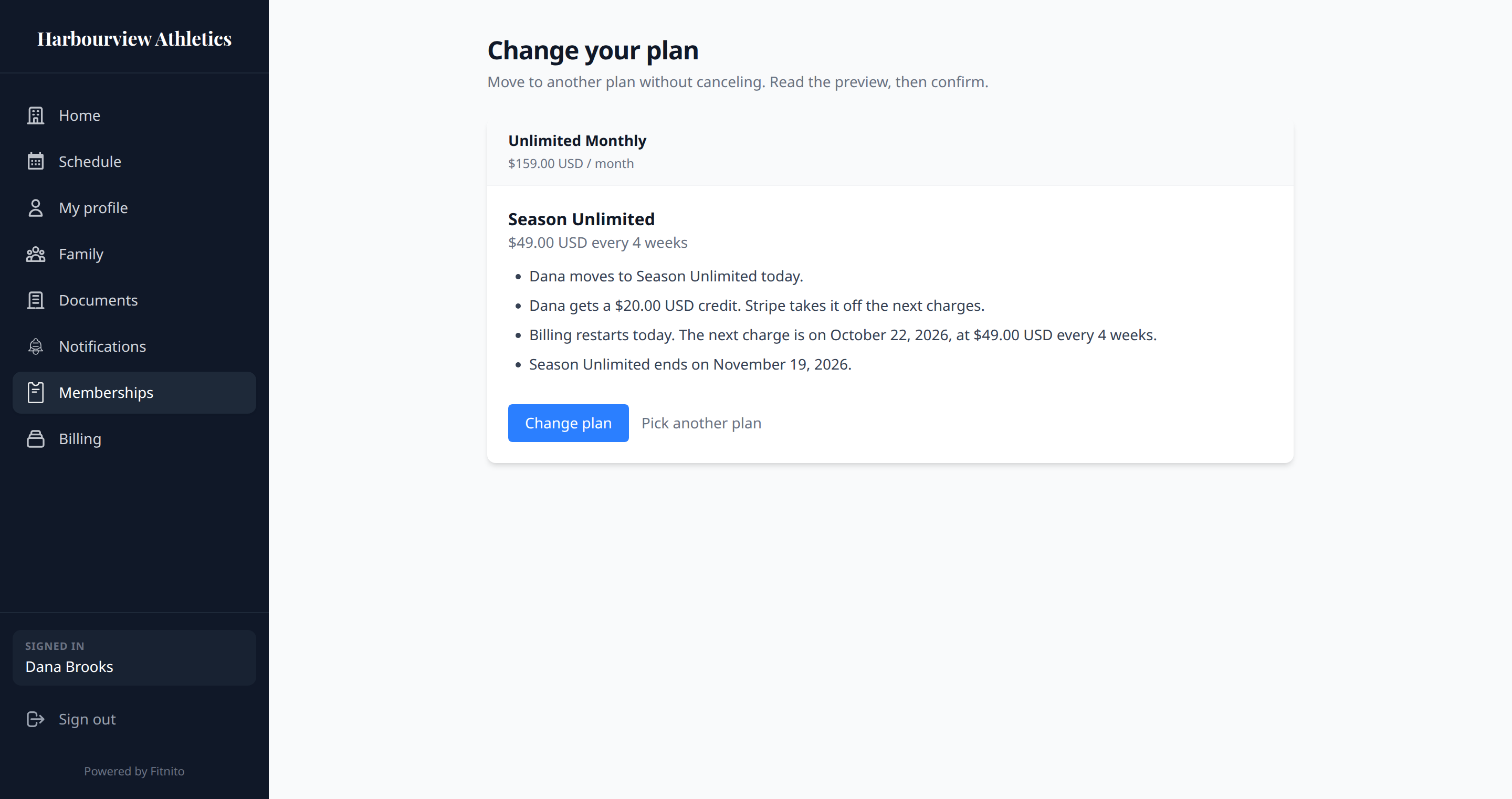
- Pick the new plan. Read the preview. It shows any charge or credit, visits before and after, and the next date.
- Confirm Change plan.
Paused or ending memberships hide Change plan. If the gym bills you outside Fitnito, ask the desk — they change it from your profile.
Cancel
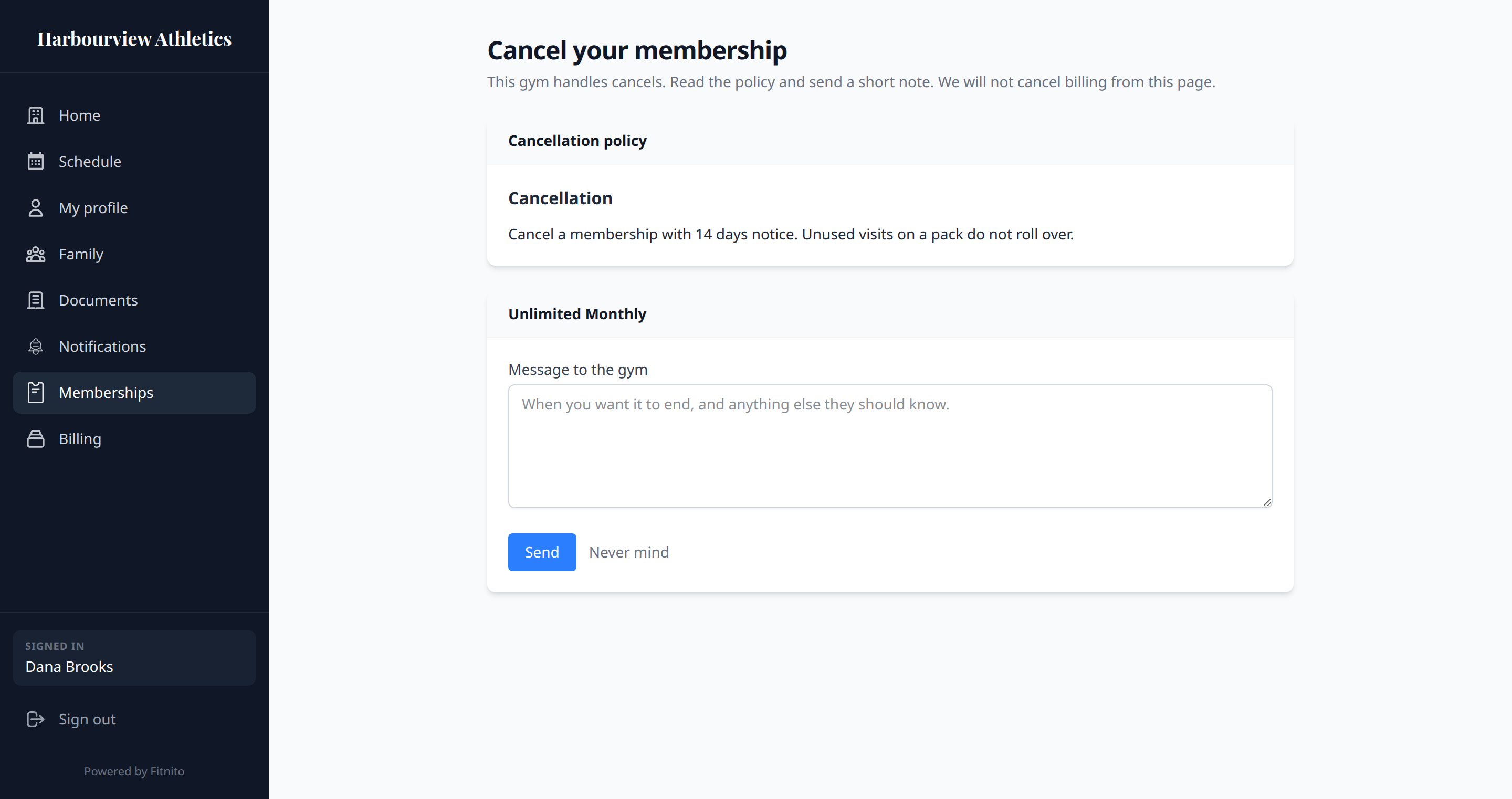
Some gyms let you cancel from Billing → Manage payments (Stripe). Others turn that off. Then Cancel sits on your plan (or a child’s plan you pay for). It shows the gym’s cancellation policy and a form to message the desk. Sending the note does not stop billing — the gym cancels it.
Paused
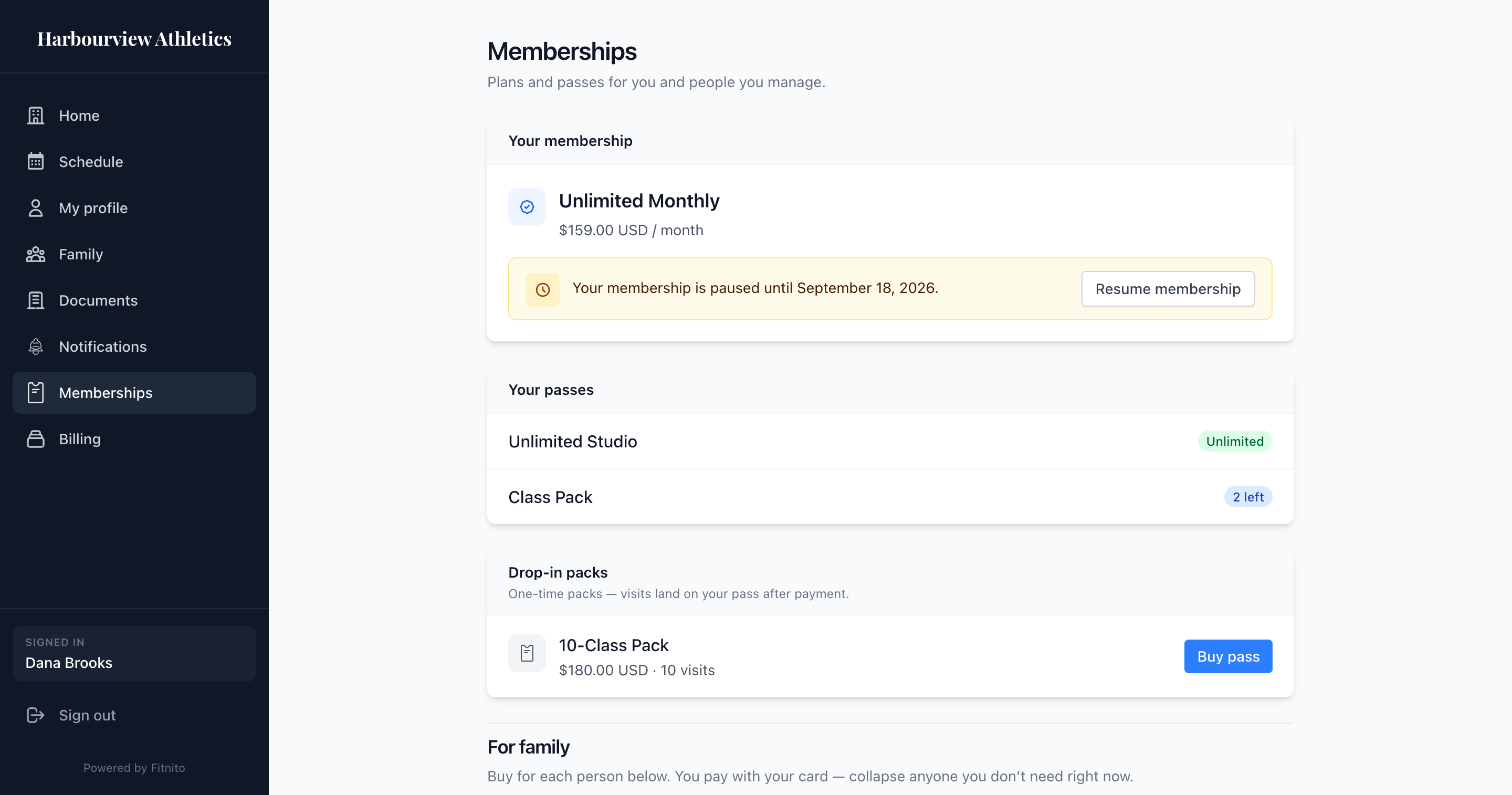
If the gym paused the plan (or let you pause it yourself), you can still sign in. You cannot book until the pause ends.
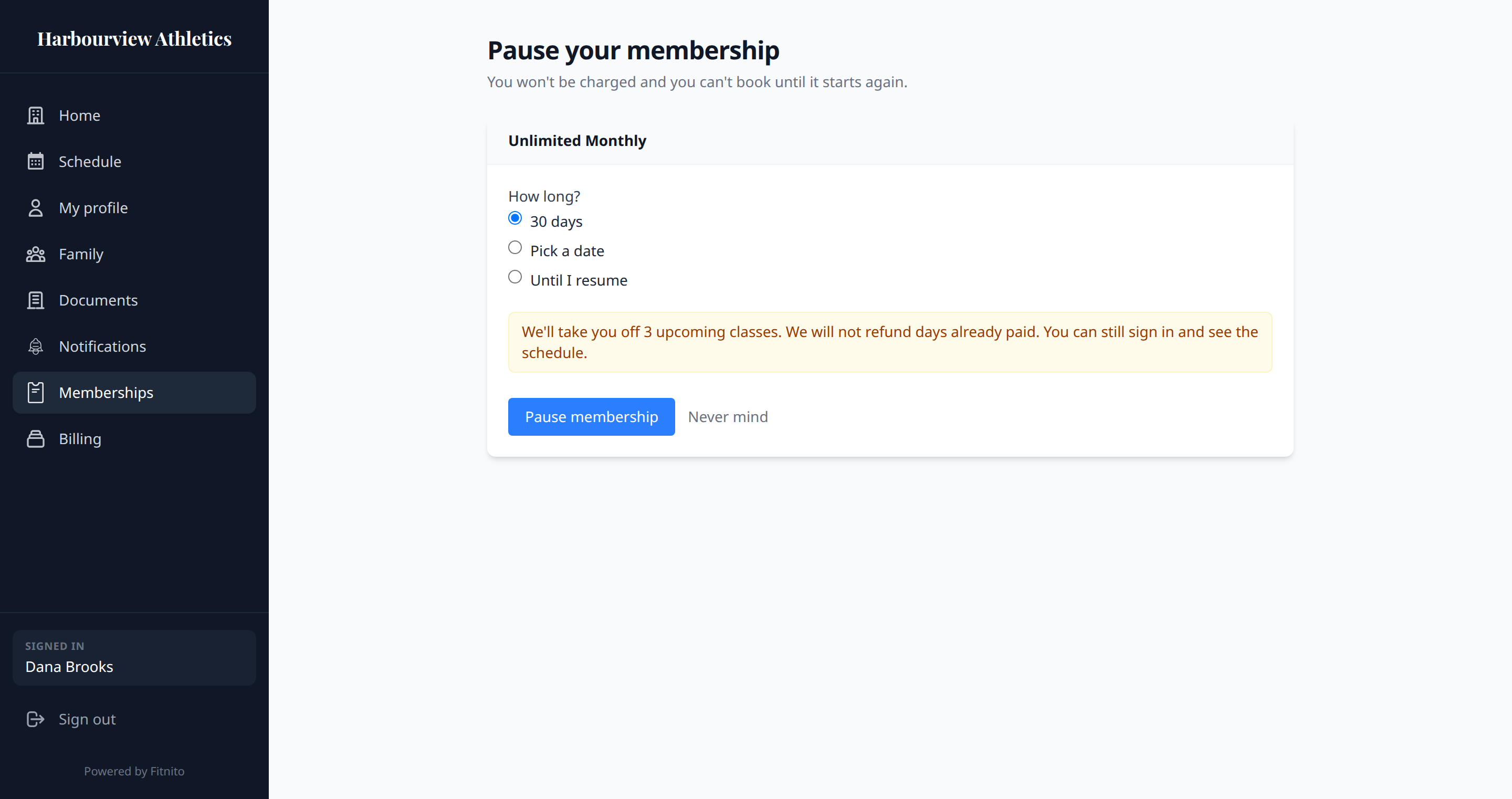
Tap Pause membership on your plan, or on a child's plan if you pay for it. If you pay for more than one, the pause form can pause just that person or everyone you pay for — same dates.
Tap Resume membership when you want booking and billing back on. If more than one plan is paused, the resume form can start just that person or everyone you pay for. If the gym has not turned self-serve on, email the desk.
Visit packs
A visit pack is a top up. It adds visits to a pass. The number left is what you can still book. When it hits zero, buy another pack or ask the desk to grant one. Those visits stay until you use them, unless your membership says it resets on the 1st.
Gyms that do not take cards online
You will still see what you have. You will not see a buy button. The desk assigns a plan or grants a pack after you pay them however they collect.