
Documents library
Paste policies and waivers. Clients agree before they buy or book. Premium.
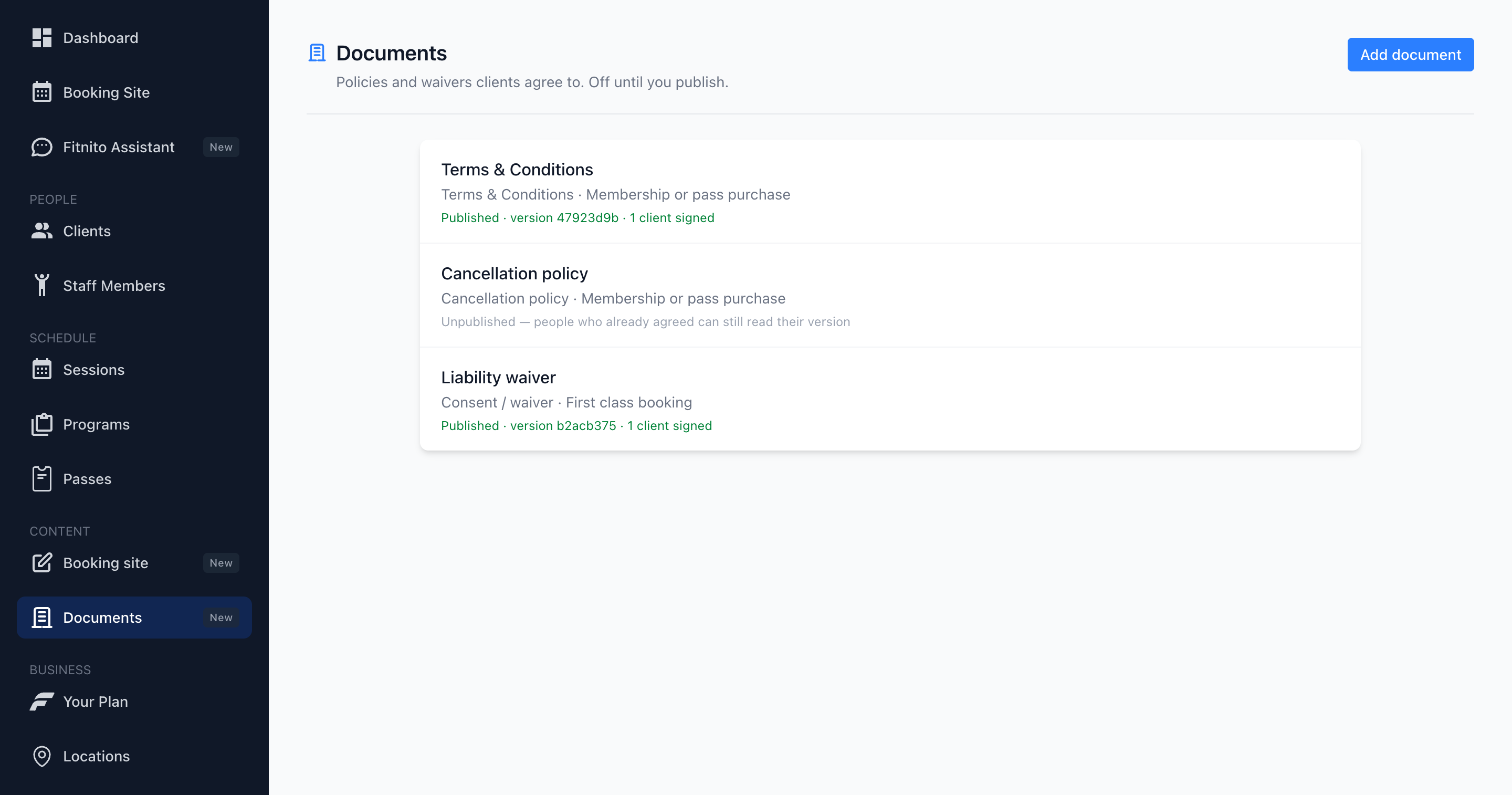
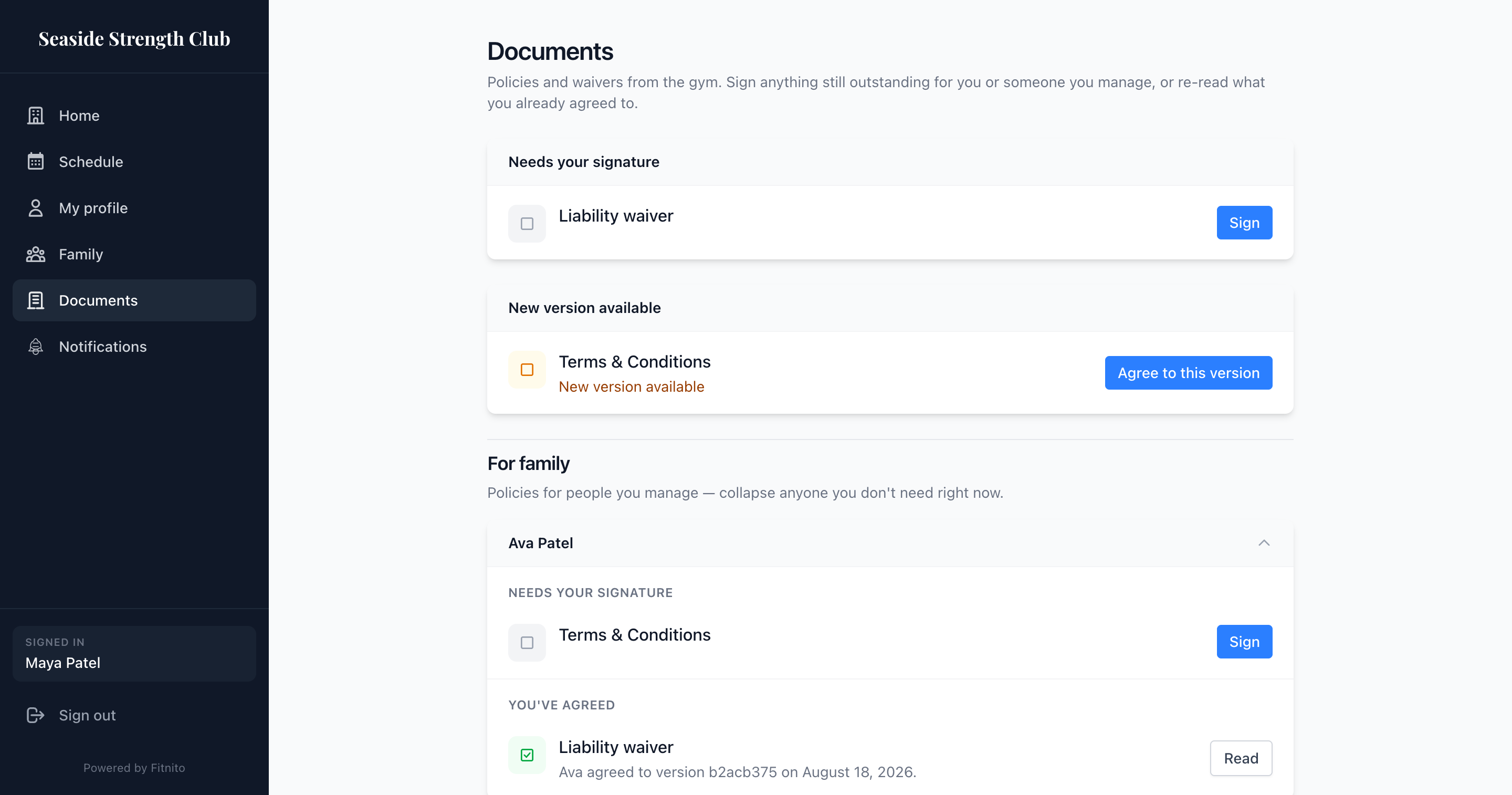
Documents is Premium — paid Fitnito plans and the trial. On the free Starter plan, Content → Documents shows an upgrade prompt instead of the library. Forms and Fields is its own Content item, also Premium — Starter sees the same upgrade wall.
What it is
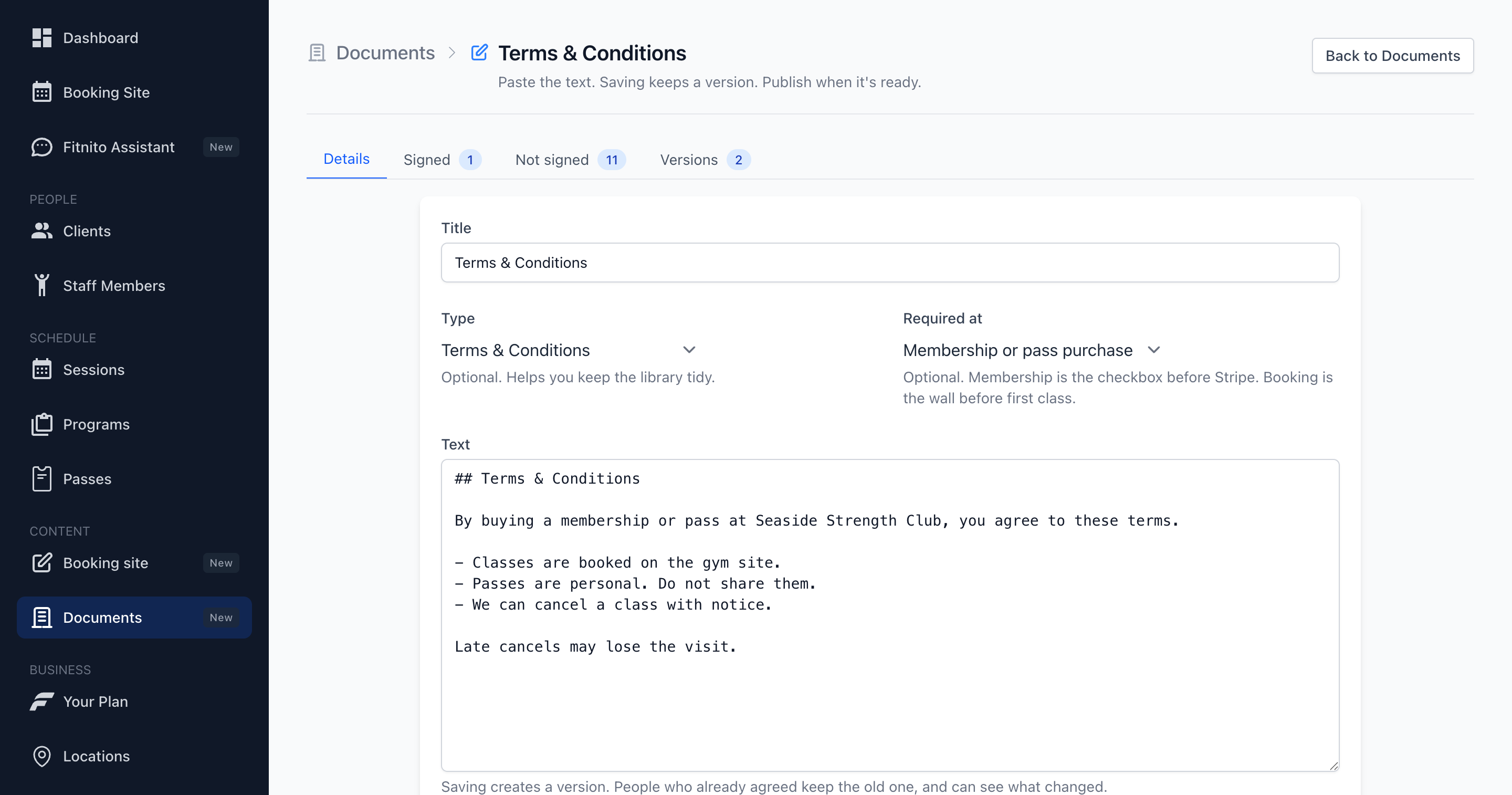
A versioned library of the text clients agree to: Terms & Conditions, cancellation, recurring billing, a waiver. You paste markdown or plain text. Saving keeps a version. Publish when it is ready.
It is not a PDF signer, a CMS, or a website builder.
How to add one
- Open Content → Documents (paid plan or trial).
- Add document. Start from a template or leave Type blank.
- Paste the text. Save. Publish when it should count.
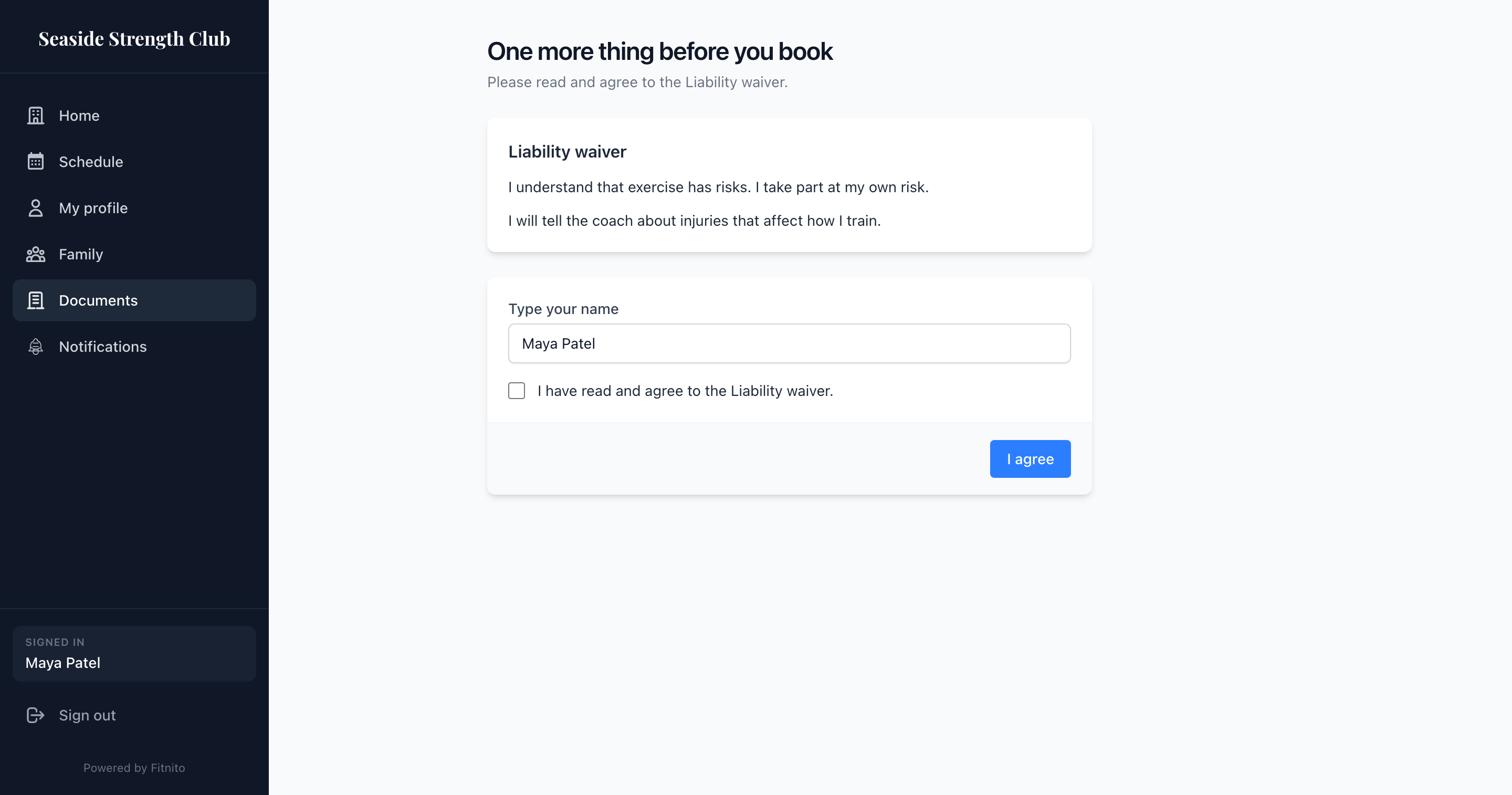
Required-at membership turns on the checkbox before they pay. Required-at booking stops a first class until they agree. Off until you publish. A published cancellation document also shows on the booking-site cancel-request page when you turn off Members can cancel their membership.
Who agreed
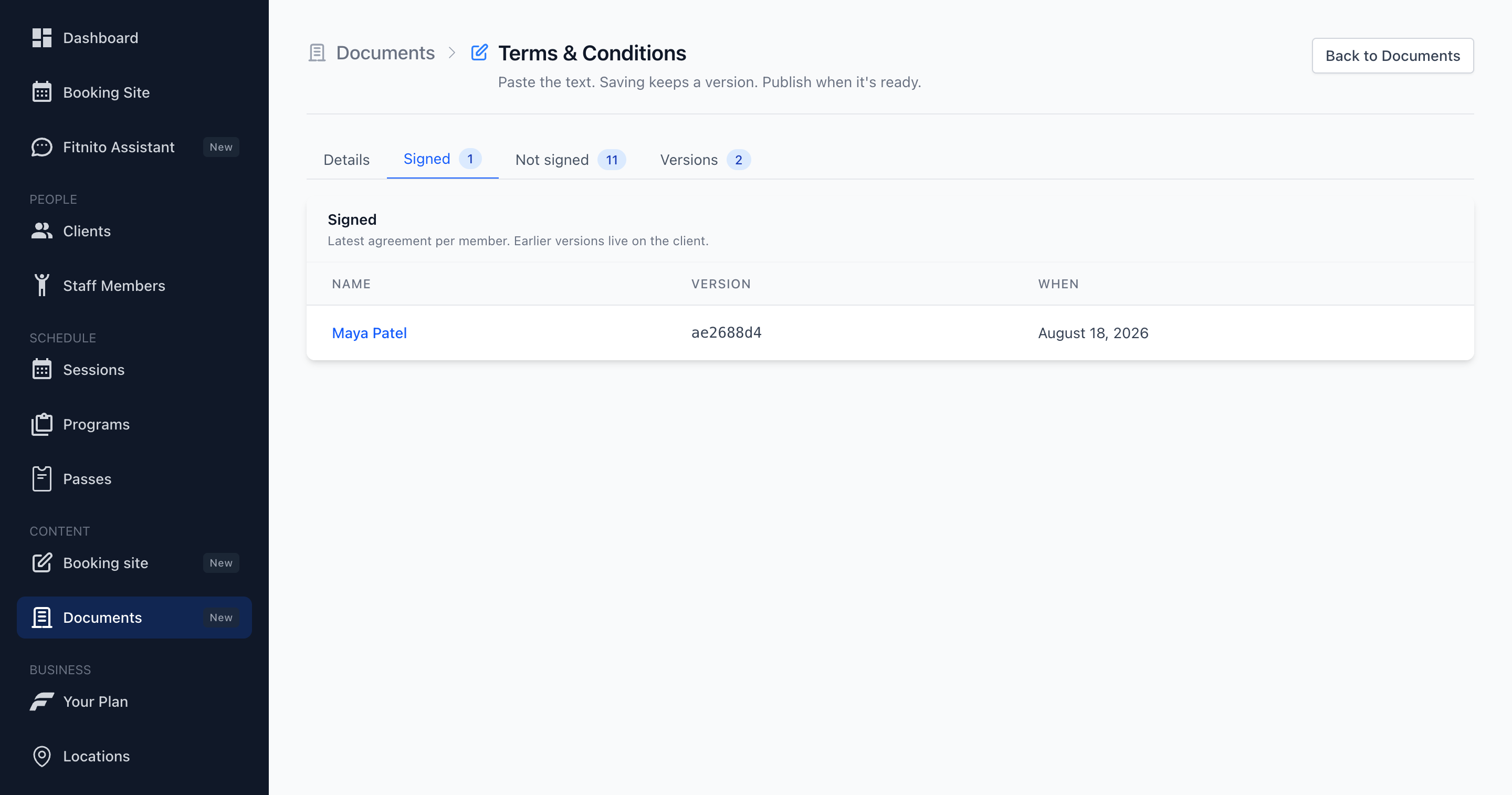
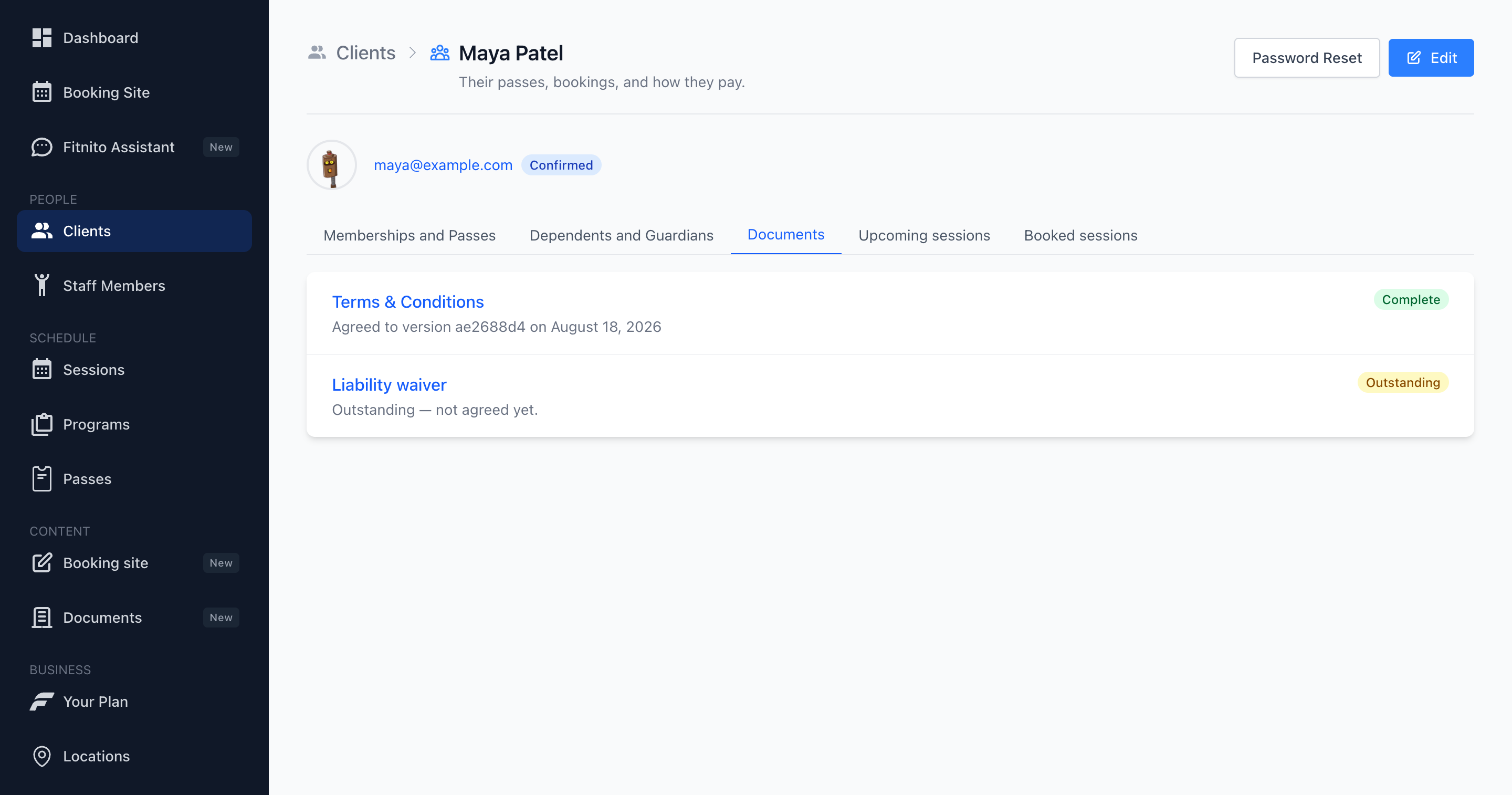
Each document has Signed and Not signed lists — latest agreement per member. A parent can sign for a child they manage. Earlier versions live on the member’s Documents tab.
Clients have their own Documents page on the booking site when you are on Premium — themselves first, then people they manage.
See Your Fitnito subscription to upgrade.