
Set up your gym
Use the onboarding chat to add a location, program, pass type, and your first classes.
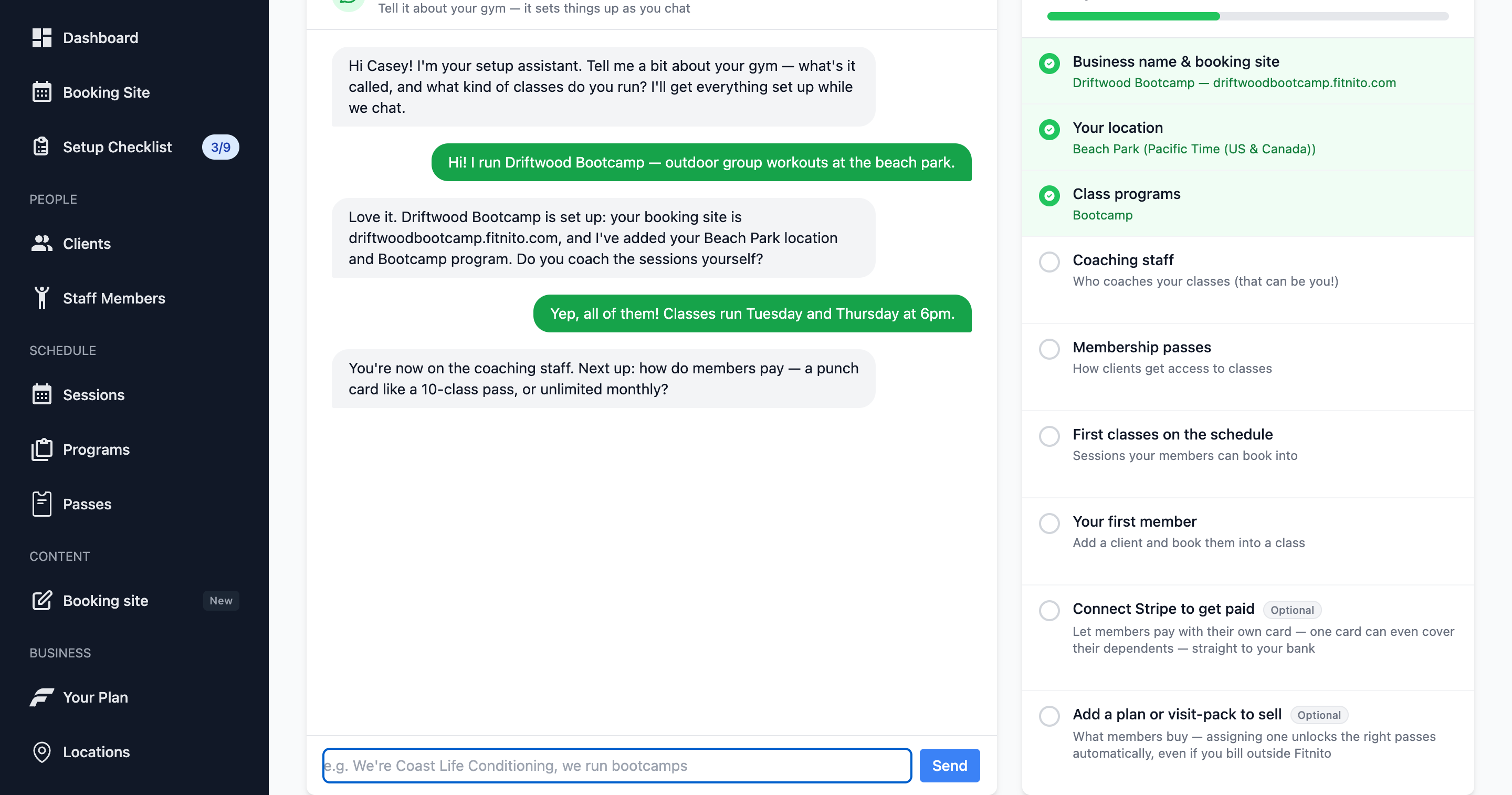
New gyms open on Onboarding. It is a chat with the Fitnito Assistant that creates real records as you talk — not a slideshow.
What setup covers
The checklist is the minimum to take a booking:
- A location (the room or park you teach in).
- A program (Strength, Yoga, Kids — whatever you call a class type). Give it a color and an icon; members will see that color on the week view.
- A pass type so members have something that unlocks booking.
- At least one class on the calendar.
- A booking site subdomain so members have a URL.
You can skip the chat and click through Locations, Programs, Pass types, and Sessions yourself. The checklist updates either way.
Tips that save rework
- Give each program a distinct color. The member week view — and Sessions → On the Calendar — paint classes with those colors. The program form has a mini calendar so you can check first.
- Start with one location if you teach in one room. Parallel classes at the same time need a second location.
- After you have a pass type, add a product that sells it: a membership can include several passes; a visit pack points at one pass (change that on the pack). The pass page’s Sold through Products tab shows what you attached.
- Decide now whether members will buy online or you will assign plans by hand. You can change later.
After the checklist is done
Onboarding stays available, but day-to-day questions belong in the Fitnito Assistant from the nav. You can still add locations, programs, and classes the long way.