
Assign a membership yourself
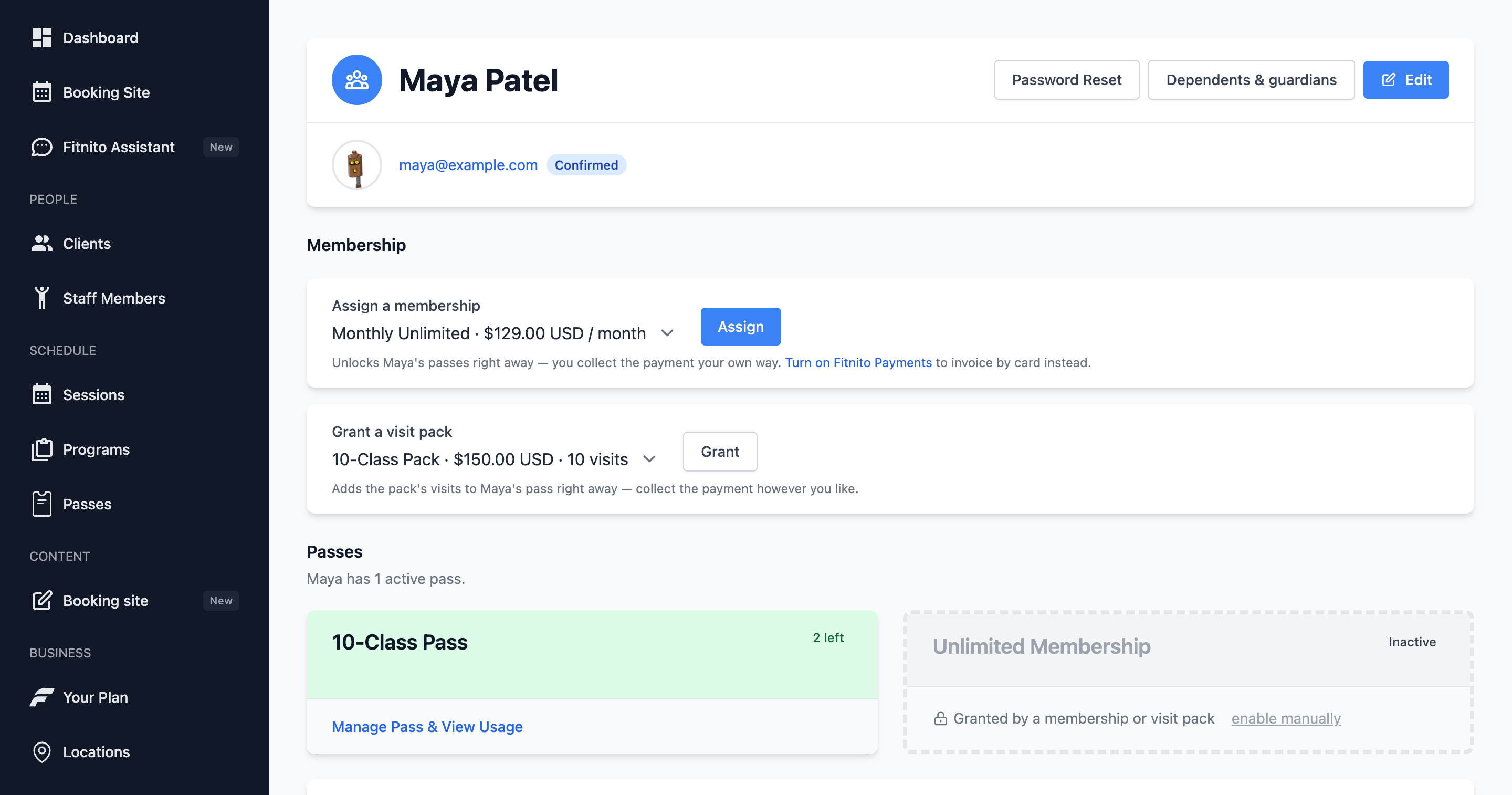
Put a member on a plan from their profile when you bill outside Fitnito, or to comp access. Change plan moves someone who already has one.
Not every gym collects cards through Fitnito. Plenty of owners invoice, take e-transfer, or run a different processor. You can still give people the right access.
Self-billing gyms (Fitnito Payments off)
- Create a membership plan under Products → Memberships. No Stripe price needed.
- Open the member → assign the plan.
- Fitnito records an active membership billed outside Fitnito and enables the pass immediately. You collect the money yourself. If the plan uses a monthly start, they get that month's visits now. The 1st sets the count again.
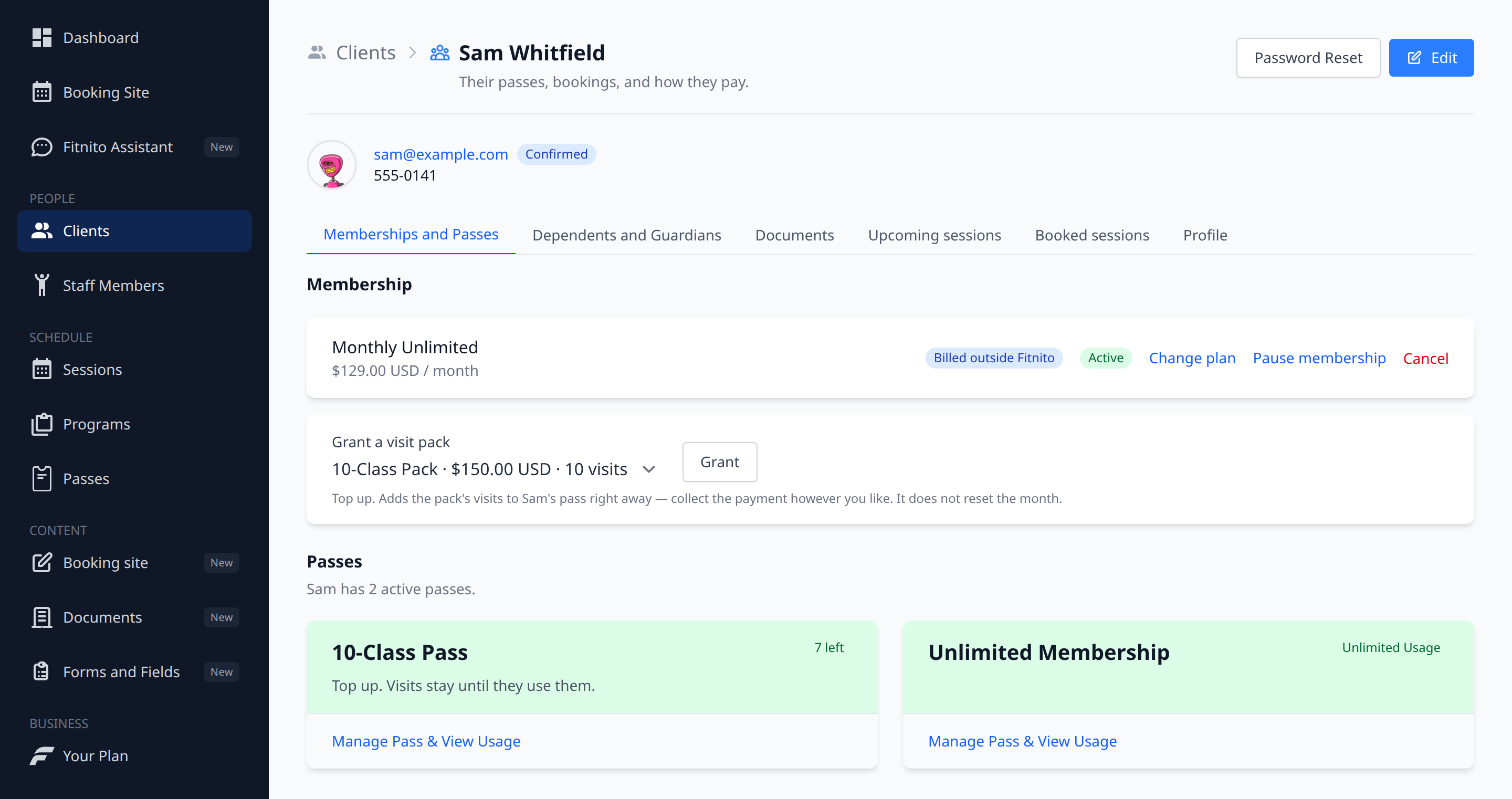
Canceling that membership on the profile ends it now and disables the passes. To move them to another plan instead, use Change plan on the membership card.
Fitnito Payments gyms
Assigning a paid plan does not turn the pass on until they pay.
- If Stripe already has a billing address for them, we create a subscription and Stripe emails an invoice (due in 7 days, or on the plan's first-charge date).
- If Stripe does not have an address it can tax, the assign still goes through. We email them a link to pay. Checkout collects the billing address. The same prompt shows on Memberships and Billing on the booking site. The pass stays off until that payment lands.
Free ($0) plans still grant immediately, no Stripe.
If Stripe Connect is not finished, paid assign is blocked (a local row would never invoice). Finish connecting payments first.
Change plan
A member can only have one live membership at a time. Change plan on the membership card moves them to another plan. You do not cancel first.
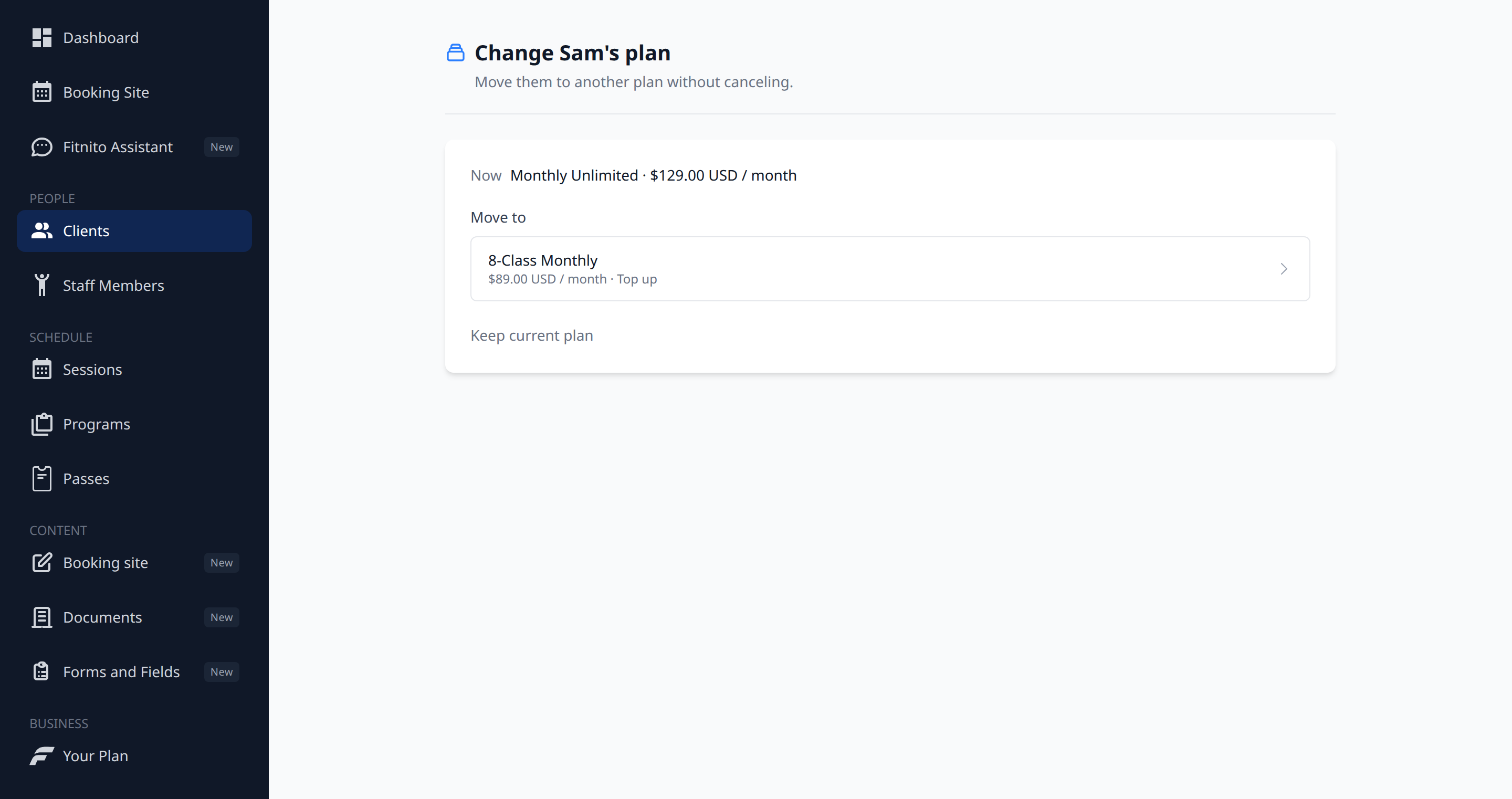
- Open the member → Change plan.
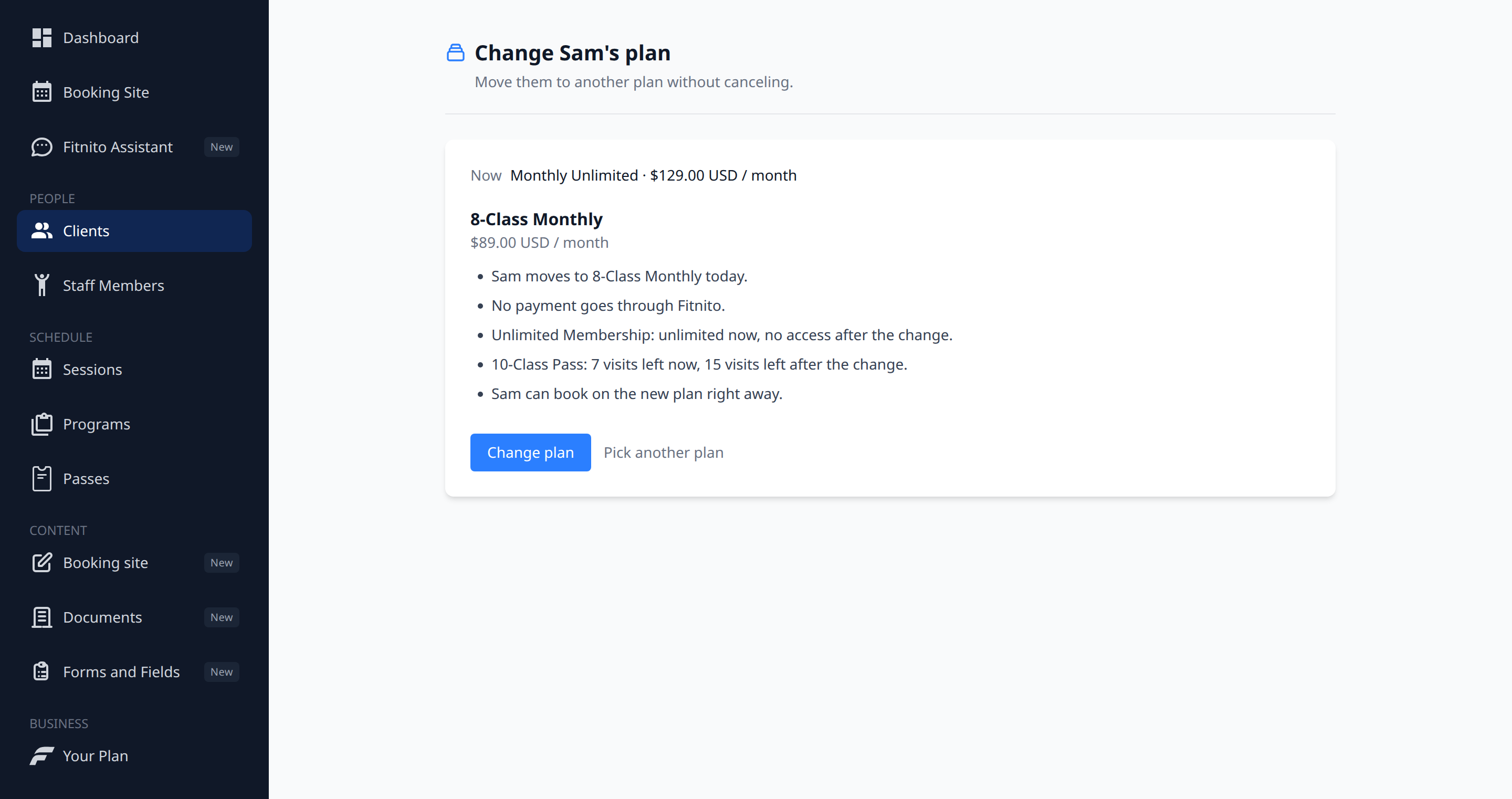
- Pick the new plan. Read the preview. It lists the money and any change to visits.
- Confirm Change plan to apply that preview.
If you bill outside Fitnito, you still collect the money yourself.
Paused or ending memberships hide Change plan until you resume or the period ends. If the last payment did not go through, pay it before you change the plan. The Assistant can preview a change, then apply it after you agree. Members on Fitnito Payments can also Change plan themselves from Memberships on the booking site.
You cannot switch in place when one plan is billed in Fitnito and the other is not, or when the two plans use different currencies. Cancel the membership, then assign the new plan.
Canceling a trial or unpaid membership stops Stripe from charging. A paid membership ends when the current paid period finishes.
To hold access without ending the plan, pause the membership (Premium).