
Sell a pass
Make a pass and the membership or visit pack that sells it, on one page.
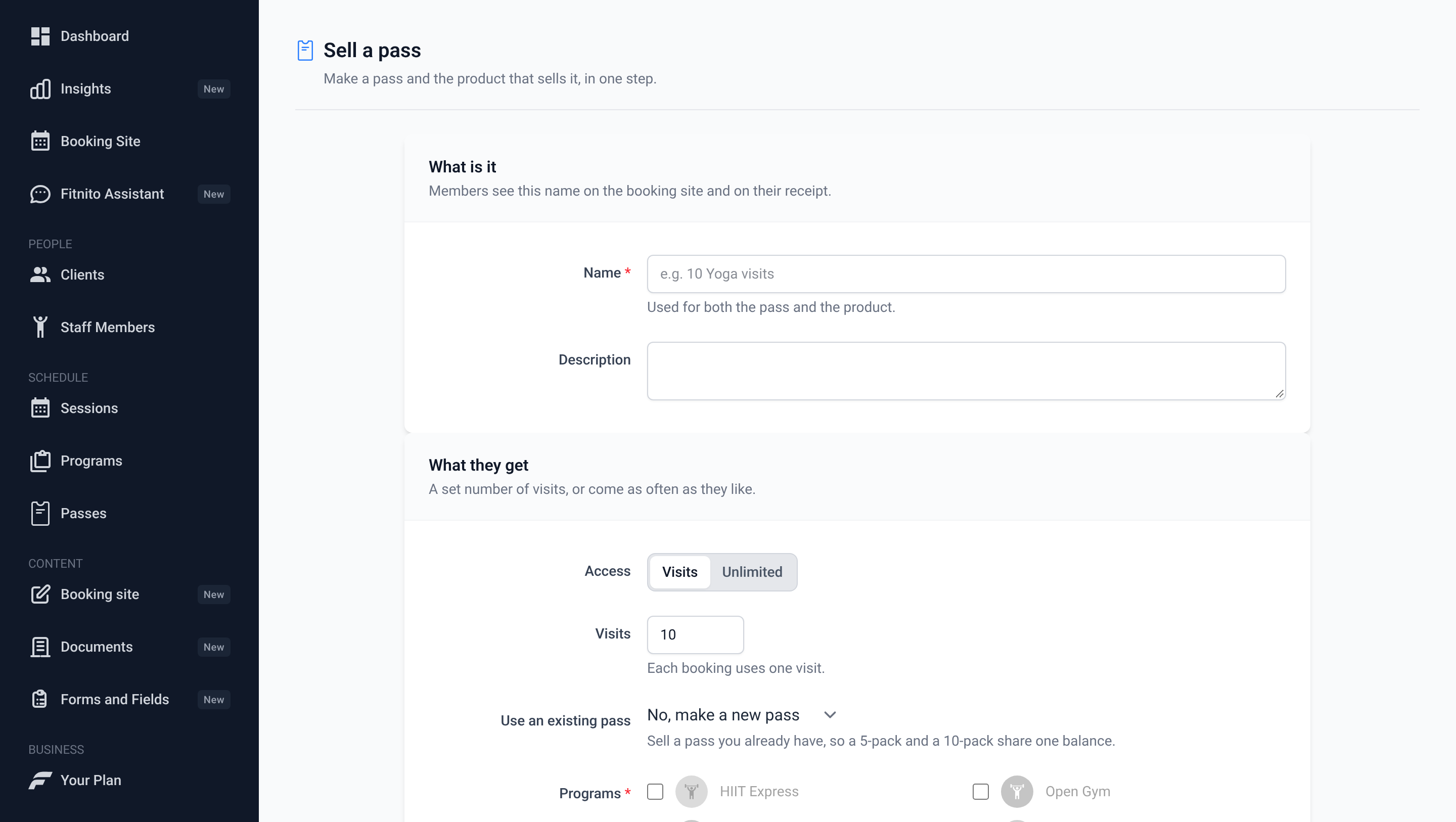
Sell a pass makes the pass (what members can book) and the product (what they pay) in one step. Use it for the common case: one pass, sold one way. Open it from Products or Passes.
The four sections
- What is it — the name members see. It names both the pass and the product.
- What they get — Visits (a set number; each booking uses one) or Unlimited. Pick at least one program the pass opens.
- Price — Pay once or Repeats. Repeating plans bill every period you choose. With visits, the visits refill each billing period or on the 1st of the month. Unlimited paid once is a fixed term: access lasts the period you set.
- Selling — Show on booking site lists it on your public Memberships page. The status says whether members can buy it now.
A sentence under the form says what members get, for example “Members pay $120.00 USD once and get 10 visits to Strength and Yoga.”
What it makes
| What they get | Billing | Makes | |---|---|---| | Unlimited | Repeats | A pass and a membership | | Unlimited | Pay once | A pass and a one-time membership (fixed term) | | Visits | Pay once | A pass and a visit pack | | Visits | Repeats | A pass and a membership with visits each period |
Use an existing pass
Pick a pass under Use an existing pass to sell it again instead of making a new one. A 5-pack and a 10-pack of the same pass then share one balance for the member. The pass decides visits or unlimited and which programs it opens, so those fields follow it.
Status
- Live — Stripe is connected, so members can buy it. With Show on booking site on, it is listed on your public Memberships page.
- Waiting for Stripe — Stripe is linked but its setup isn't finished. Finish it on the Payments page, then members can buy it and staff can assign it.
- Draft — not for sale until you connect Fitnito Payments. Staff can't assign a paid draft either.
- Billed outside Fitnito — you collect payment yourself and assign it from a member's profile.
- Free — a $0 product that staff hand out.
If Stripe has a problem when you save, the product is kept as a draft and the page shows what Stripe said. Open it under Products and save it again to retry. It can't be sold or assigned until then.
After you save
The next page links to assigning it to a member, viewing it on your booking site, and adding a discount code.
To change it later, or for a membership that opens several passes, use Pass types and Products.
On the Free plan, the pass limit still applies to new passes. You can always sell a pass you already have.