
Visit packs for sale
One-time top up — how many visits, which pass, what they cost. A pack does not reset on the 1st.
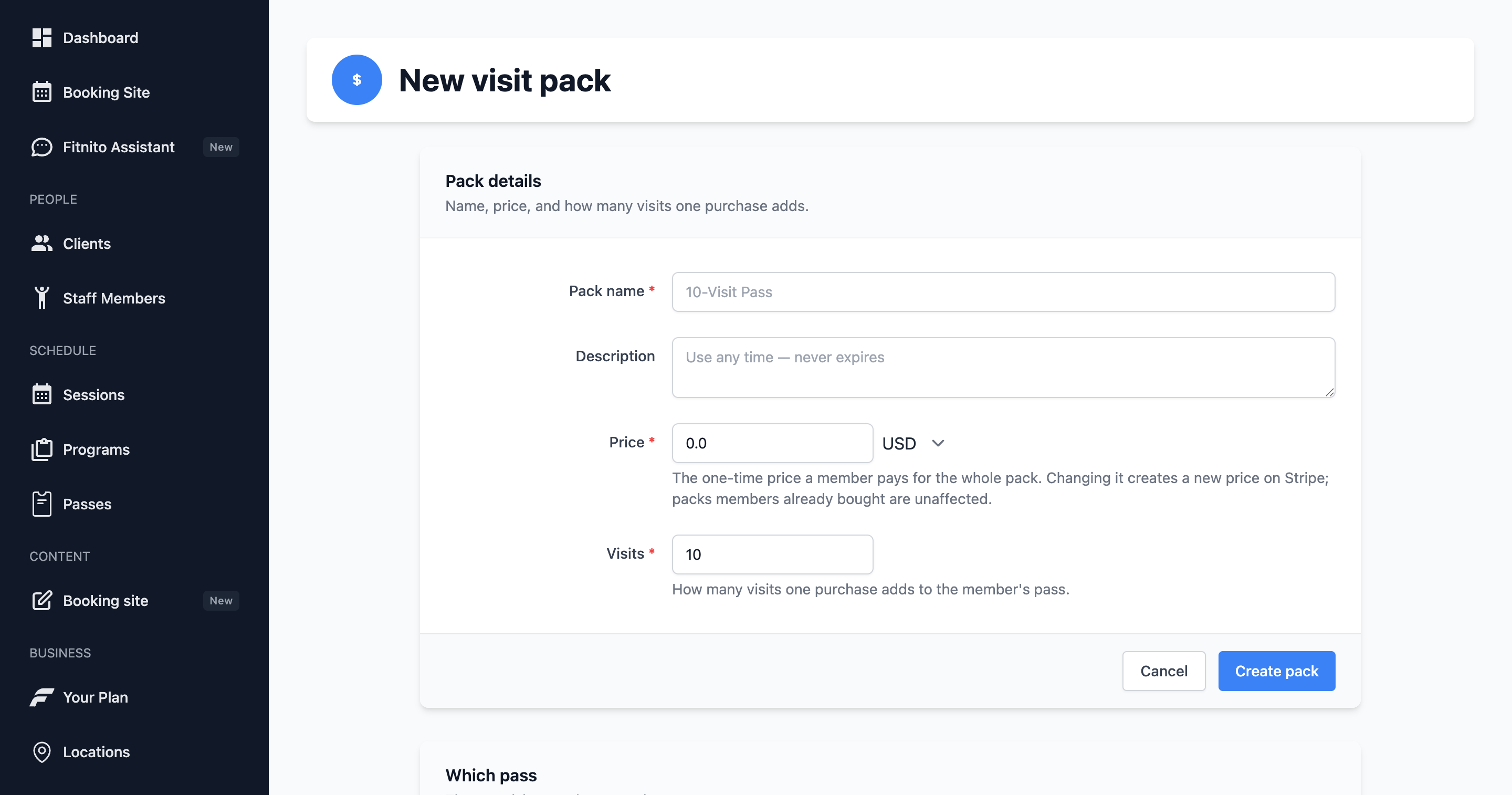
A visit pack is a top up. It is bought once. Completing the purchase (or granting it at the desk) adds those visits to one per-visit pass — the pass you pick on the pack. Unused visits stay until they are used. A pack does not reset on the 1st.
A monthly start is a different choice, and it lives on a membership plan, not on a pack. On that plan, visits reset on the 1st. A pack you sell beside it still adds visits; the 1st then sets the pass back to the plan's number.
When a member buys a pack through Fitnito Payments, Fitnito takes the percent only — 1% on a paid plan, 2% on Starter. There is no monthly $1. A pack is not a subscription. Stripe’s card fees are separate. Granting a pack at the desk (no card through Fitnito) has no platform fee.
A pack belongs to one pass at a time. Change that pass on the pack itself (Products → Visit packs). Do not reassign packs from a pass page. One pass can have more than one pack (5 visits and 10 visits, for example). Unlimited passes do not use visit packs.
Create a pack
- Products → Visit packs → New visit pack.
- Name (“10-Class Pack”), price, how many visits, and the Linked Pass those visits apply to. Open that pass from the pack if you need to jump over.
- Save. To point the pack at a different pass later, edit the pack on Products.
Members only see packs they can actually buy: Payments is on, the pack has a Stripe price, and the price is not $0. Free packs are staff grants.
Top-ups stack
Buying two 10-packs means 20 visits (plus whatever was left). Each completed purchase adds another batch. Stripe retries do not double-grant.
On the booking site, a pack says Top up. Members see the same words on the pass it lands on, unless they are on a membership that resets on the 1st.