
Membership plans
Recurring products — bill every N day/week/month/year, grant passes, top up visits or reset them on a monthly start, optional deferred first charge, optional stop after a set number of payments.
A membership plan is a recurring product. While it is live, it grants one or more pass types (unlimited and/or visit top-ups each period).
Create a plan
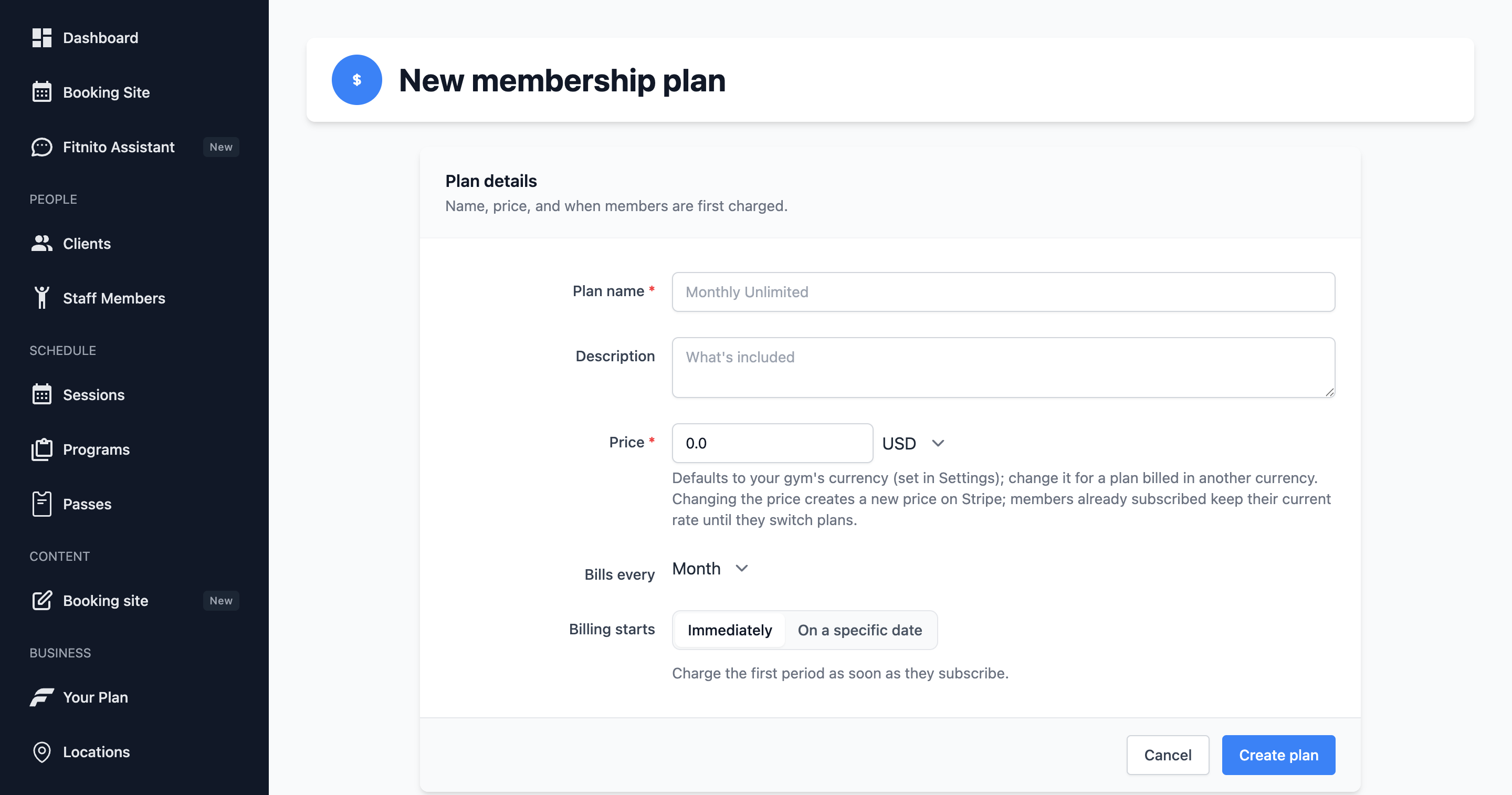
- Products → Memberships → New membership plan.
- Name, price, currency, and Bills every — a count and a unit (day, week, month, or year).
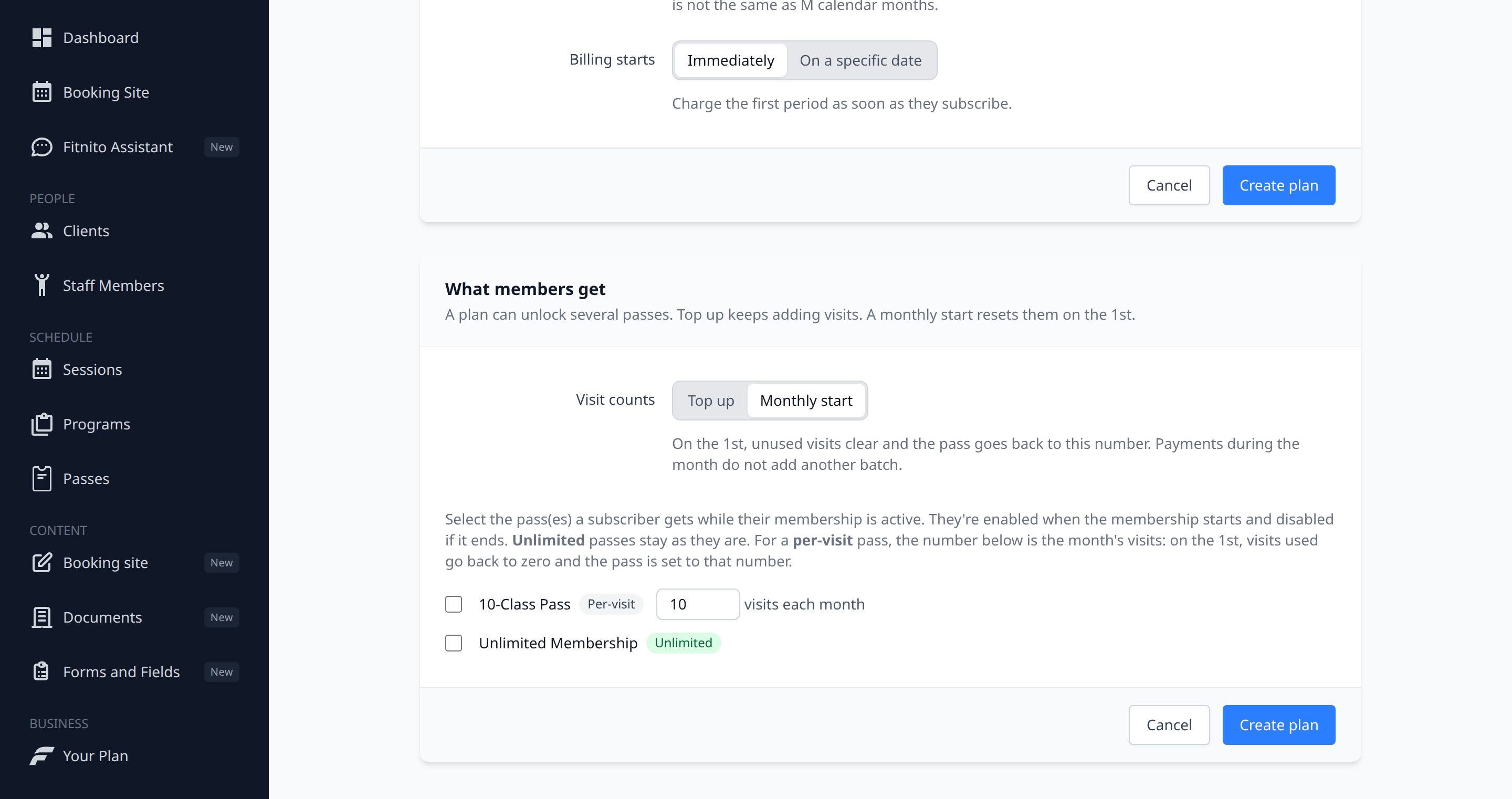
1and week is weekly;Nand week is every N weeks. - Attach at least one pass type — a plan with no pass cannot book anything. A plan can grant several passes. For a visit pass, set how many visits they get, and choose a top up or a monthly start.
- Save.
Top up or monthly start
Under What members get, pick one:
- Top up — the usual choice. Each payment adds the visits for that period on top of whatever is left. Unused visits stay.
- Monthly start — on the 1st, in your gym's timezone, visits used go back to zero and the pass is set to the number on the plan. A payment during the month does not add another batch. Unlimited passes are unchanged. A paused membership is left as it is until you resume it.
The first time a monthly-start membership turns on, they get that month's visits. After that, the 1st owns the reset.
People already on the plan keep the visits they have until the next 1st. Switching a plan back to top up means the next payment adds visits on top of what's left.
You can mix plans. One membership can start fresh on the 1st while another still tops up on each payment.
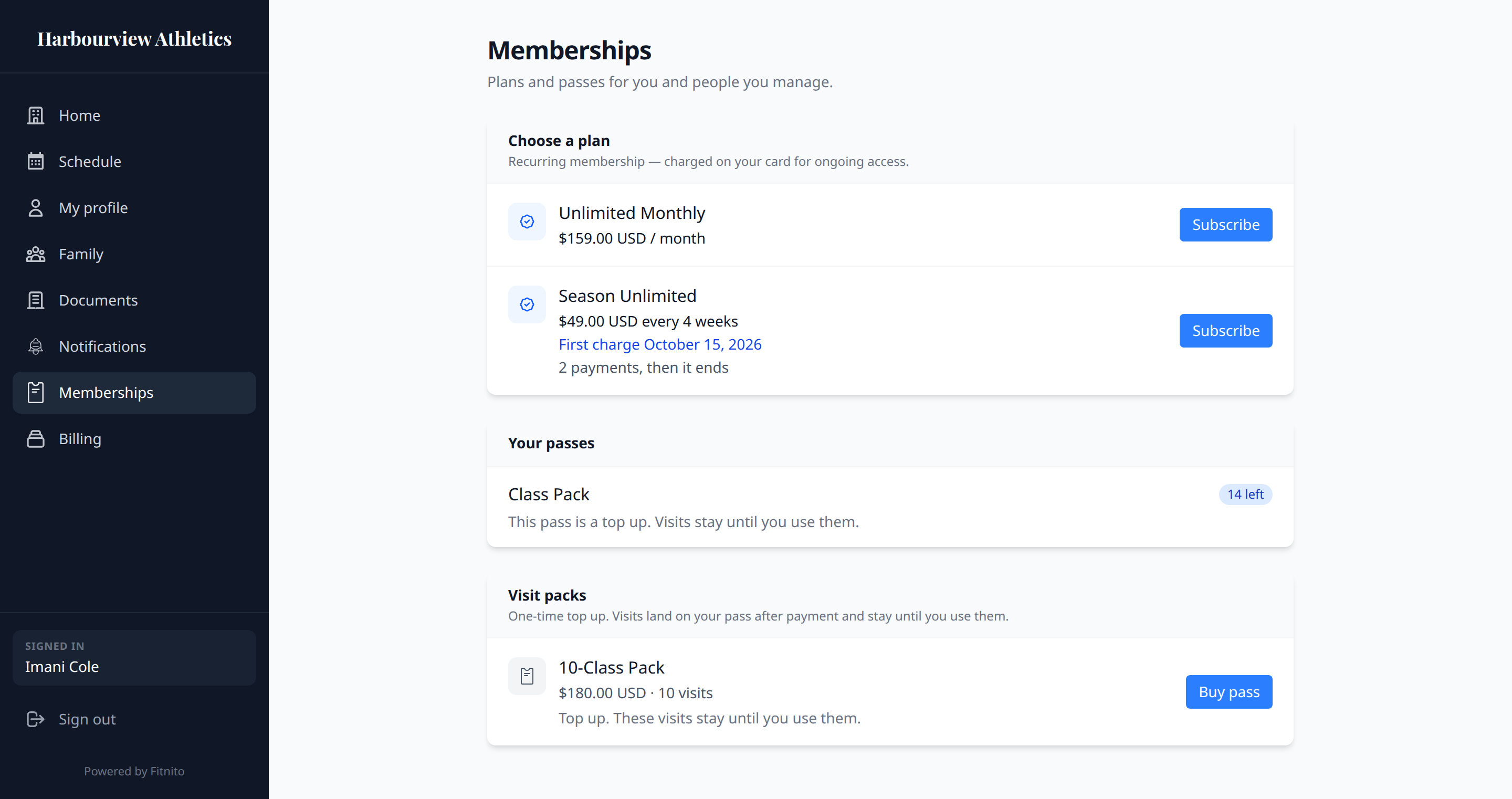
Members see the same choice on Memberships. A top-up plan says each payment adds visits and unused visits stay. A monthly start says visits reset on the 1st. A visit pack is always a top up. It is not a monthly start.
You can also add this plan to a pass later: open the pass → Sold through Products → Sell this pass through a product. That only attaches the pass; visit counts stay on the plan.
On a Payments gym, Fitnito creates the Stripe product/price so members can subscribe. On a paid Fitnito plan we take $1 per member per month + 1% on those membership invoices (Starter is $2 + 2%). Stripe’s card fees are separate. Details: Turn on Fitnito Payments.
On a self-billing gym, skip Stripe; assign the plan from the profile. No platform fee on money you collect yourself.
Deferred first charge
For a season start, set Billing starts to On a specific date, then pick First charge date. The member’s card and rate lock at signup. Stripe does not take the first real charge until that day. Copy on the member site says “First charge September 9”, not “trial”.
They can book as soon as they subscribe. Signup still creates a $0 enrollment invoice that turns the pass on. The later charge is only money. We do not email a “you paid” receipt on that $0 invoice.
Stripe needs the first-charge date at least two days out. If you pick tomorrow, Fitnito charges immediately instead of failing checkout.
Someone who joins today and someone who joins next week both first-bill on that same calendar day.
How many payments
Leave How many payments blank to keep today’s behavior: bill until they cancel.
Enter a number to stop automatically after that many real charges. No one on staff has to cancel it. Use this for season programs and other fixed-length plans.
The gap between those charges is Bills every (a count and a unit) together with How many payments. You pick both. Every N weeks, M payments is not the same calendar as M monthly charges:
- Bills every
1month, How many payments2→ charge, about a calendar month later, charge, then stop. - Bills every
Nweek, How many paymentsM→ charge every N weeks, M times, then stop. Same idea with day or year. - One eight-week shape: Bills every
4week, How many payments2(any price — e.g. $175 plus tax). Charge 1 on week 1 covers weeks 1–4. Charge 2 four weeks later (beginning of week 5) covers weeks 5–8. Then it stops. There is no third charge.
Example: Bills every 4 week, How many payments 2, Billing starts October 21. Signup is $0 with a card on file. They can book that day. Charge 1 on October 21. Charge 2 four weeks later. Then the plan stops. That is not the same as two monthly charges.
For a season or other fixed-length plan with a deferred first charge:
- Set Bills every to the gap you want (count + unit).
- Set How many payments.
- Set Billing starts to On a specific date, then First charge date.
- Signup is $0. Card on file. They can book that day.
- Charge 1 on that date.
- Charge 2 after one billing period (the Bills every gap — e.g. four weeks later if Bills every is 4 weeks).
- After the last payment, Stripe ends the subscription. There is no extra charge.
Works for any gym on Fitnito Payments, any price, any count and unit. Payment 1 is the first money charge, not the $0 signup invoice.
Changing these fields on a saved plan does not rewrite members already subscribed. New signups pick up the new schedule.
Tax and Fitnito’s platform fee stay the same as any other membership invoice.
Free plans
A $0 plan is a comp. It never goes through Stripe. Assigning it enables the pass immediately.