
Your dashboard
What you see when you sign in to the gym console, and what to do first.
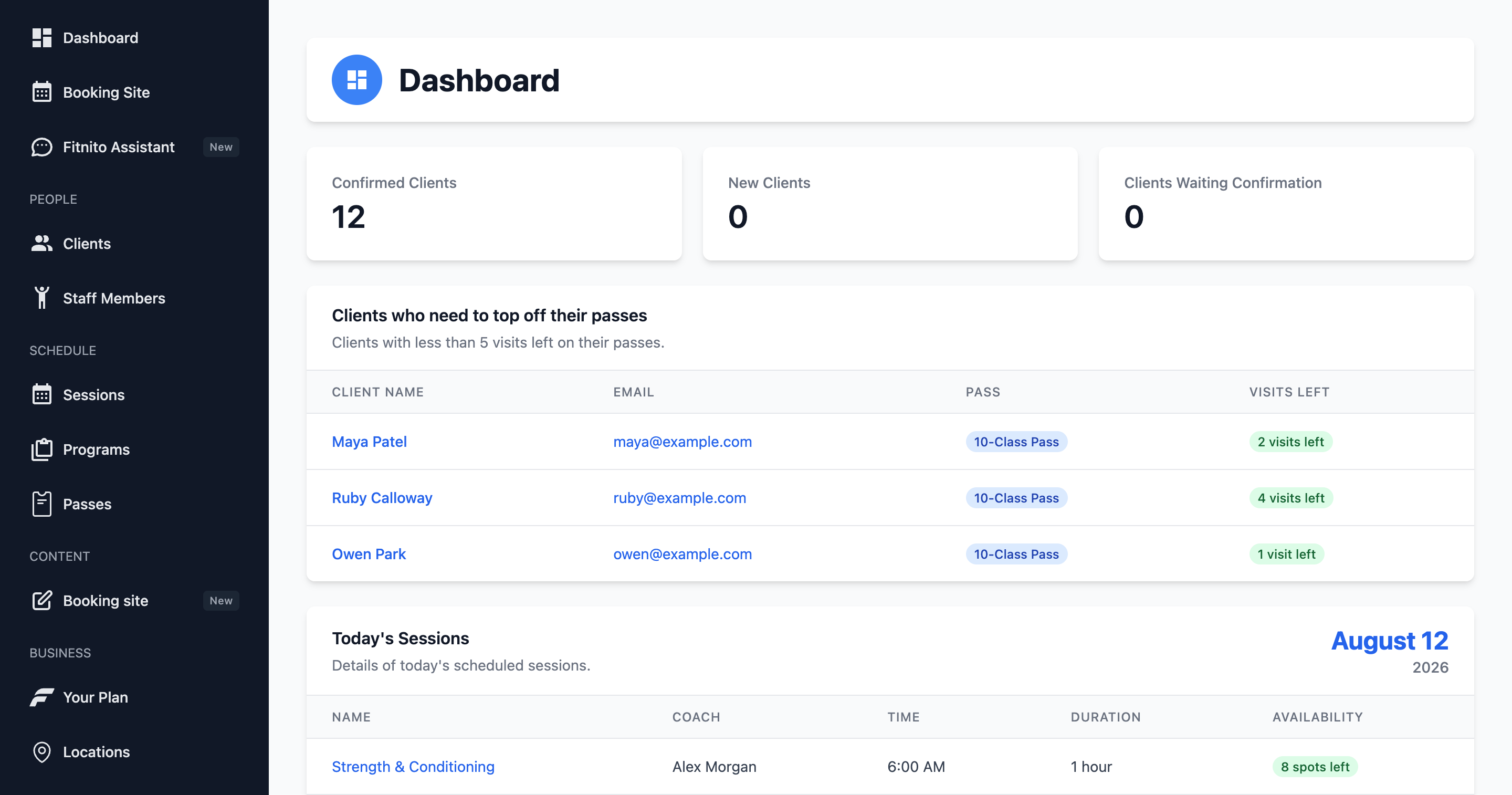
When you sign in at app.fitnito.com, the dashboard is home. It is built for a quick look at today, not a report warehouse.
What you will see
- Today’s classes — who is coaching, how full each class is, and a link into the session.
- Members to follow up — people whose visit pack is running low or has run out. Handy if you bill outside Fitnito and still need to sell the next pack.
- Shortcuts into Clients, Sessions, and the Assistant.
Click a class to take attendance or add a walk-in. Click a member to open their profile and grant a pack or assign a plan.
Finding your way around
The left nav stays highlighted for the section you are in, so you know which hallway you are in. The page header is the trail itself — Clients → Maya Patel — with the same icons as the menu. A short line under the current title says what that screen is for.
On lists, search lives on the table: click the magnifying glass, type, done. Pages with tabs keep that glass on the right of the tab row.
The greeting at the bottom of the nav follows the gym’s clock, not yours — Morning, Afternoon, Evening, or a plain Hello.
If the dashboard looks empty
A new gym will look quiet until you add a location, a program, a pass type, and at least one class. The setup chat walks through that, or do it by hand from the left nav.
Related
Owners who take card payments will also see paying members and invoices under Products and Payments. The dashboard itself stays the same either way — it is about the day, not the ledger.