
Insights
A read on the gym. Running low and nothing booked are free. Gone quiet and late cancels are Premium.
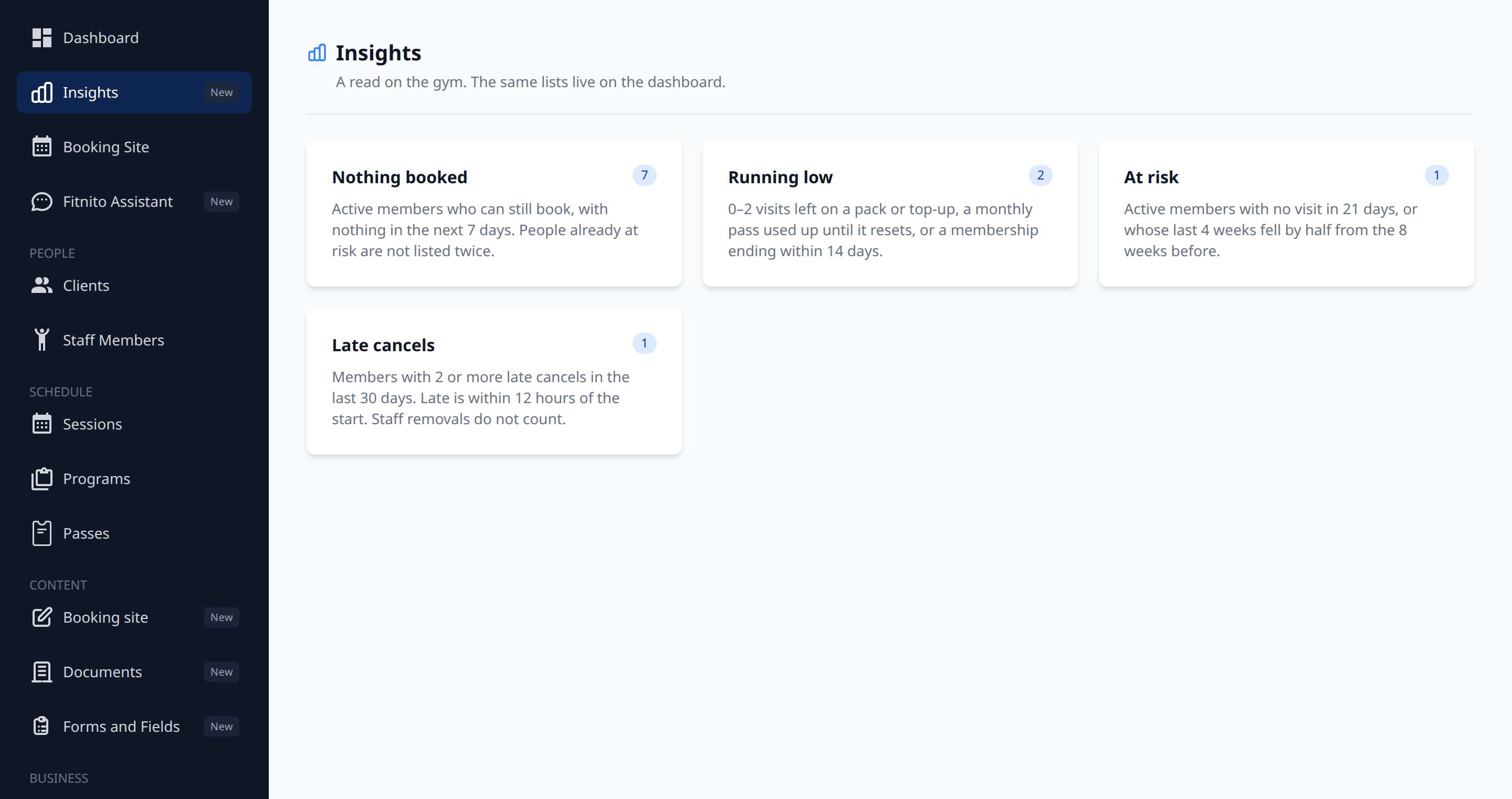
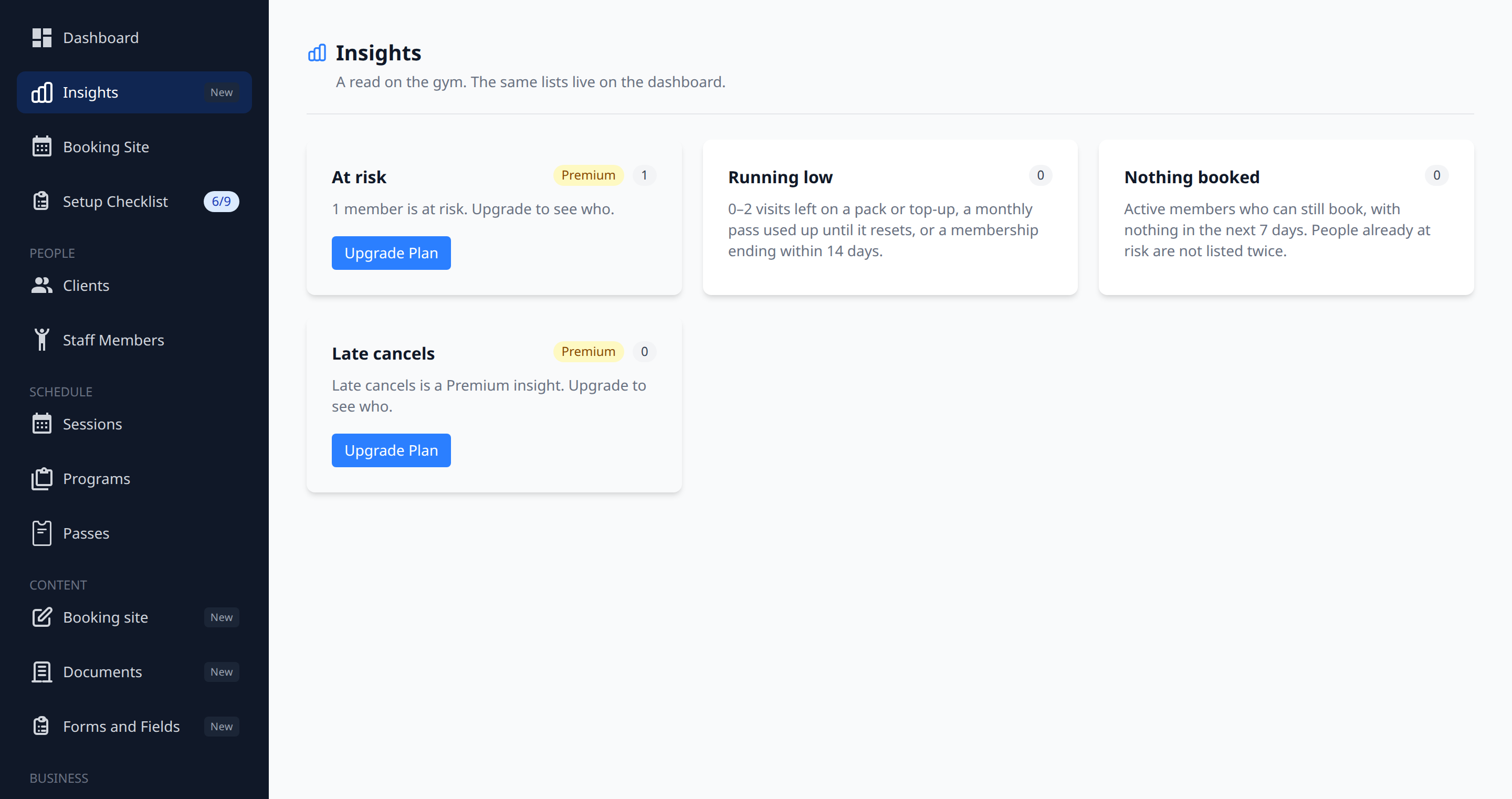
Insights sits in the left nav beside Dashboard. It is a read on the gym, not a tab on the members list.
Running low and Nothing booked are on every plan.
At risk and Late cancels are Premium (a paid plan or the trial). On Starter those two cards stay on the page. You see how many people are on the list, a Premium tag, and Upgrade Plan. You do not see who. The sentence is the count, like “4 members are at risk. Upgrade to see who.” The dashboard shows the free highlights, then one of those locked cards. Opening a locked list shows the same upgrade. Hide for 30 days on a locked list does nothing until you upgrade. A trial that ends, or a subscription that lapses, locks the cards right away. People you had hidden stay hidden. Gyms that were already using At risk on Starter lose the names at this change. There is no grace period.
On a paid plan or a trial, the dashboard shows the signals with the most people, each with a count and a name or a one-line reason, plus See all insights. Coaches do not see Insights.
A visit is a booking on a session that has already started and was not cancelled. Fitnito does not take attendance, so that past booking counts. A drop-in counts the same way. A dependent is their own member. The row does not name their parent. That lives on the member’s Family tab.
Days follow the gym’s timezone.
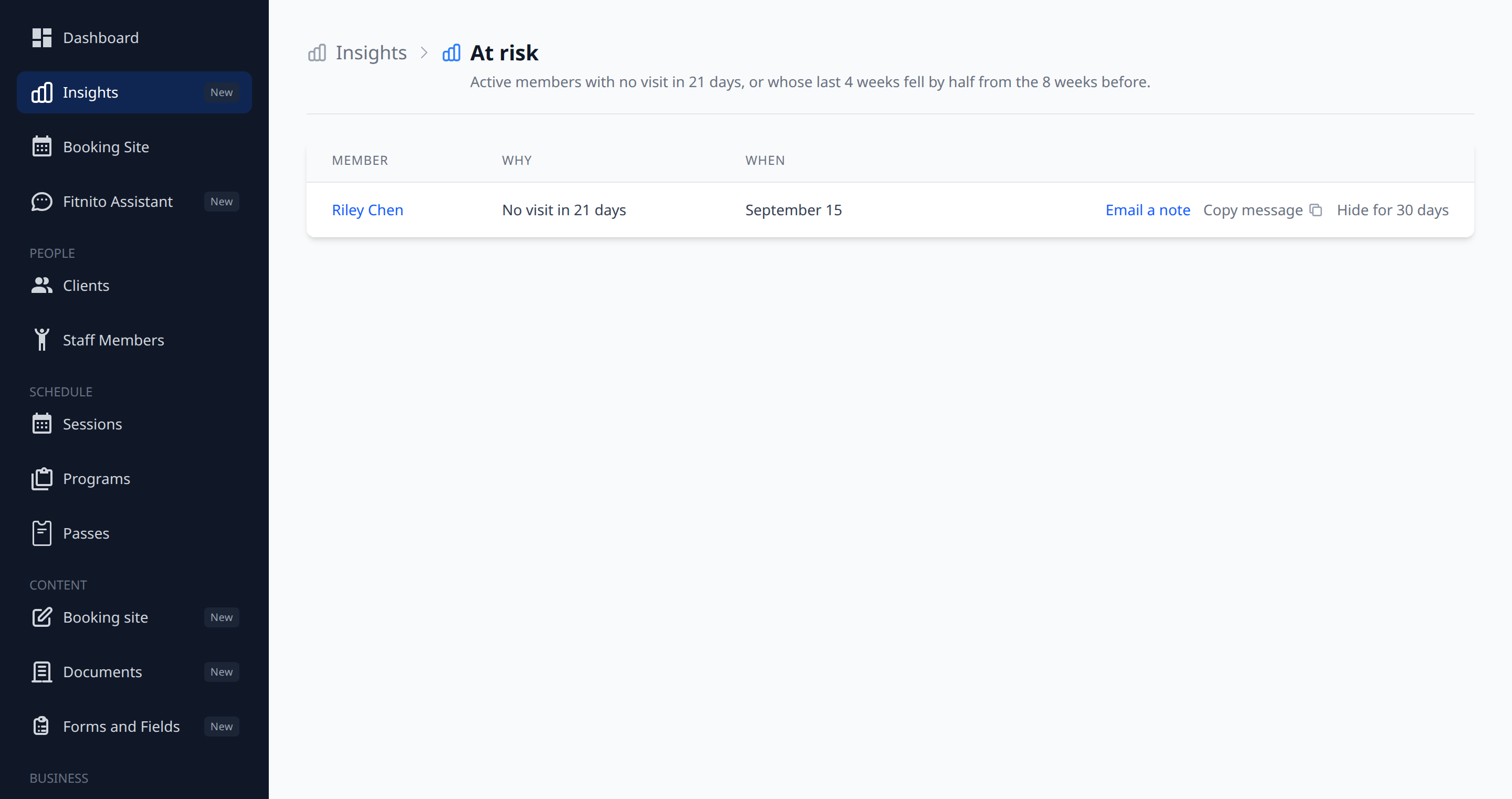
At risk
Active members who have gone quiet, or whose recent pace fell off.
Active means they have visited at least once, and they still have a live membership that is not paused, an enabled pass with visits left (or unlimited), or a visit in the last 90 days. A paused membership stays off this list even if they were in yesterday.
Someone is at risk when either of these is true:
- No visit in the last 21 days.
- Visits in the last 4 weeks are down by half or more from their pace over the 8 weeks before that, and those earlier 8 weeks had at least 4 visits.
If both are true, the row says they have not visited. Otherwise it says visits are down by a percent.
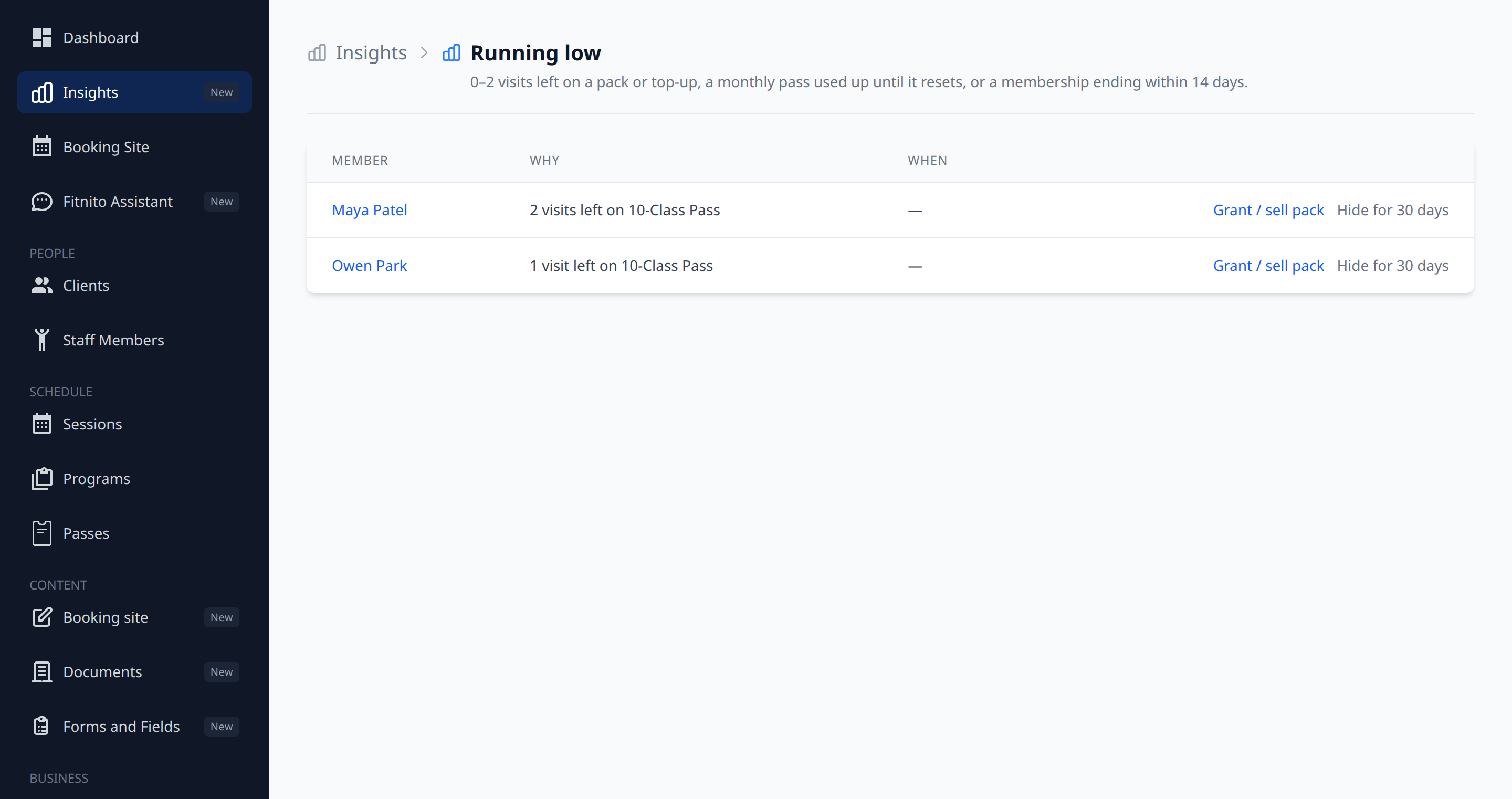
Running low
The same active members, when something is about to run out. Someone who has not been in for months, with an old empty pack and no current membership, stays off this list.
- 0, 1, or 2 visits left on a visit pack or a top-up pass.
- A monthly-start pass with nothing left until the next reset.
- A live membership that is ending, with the period end inside 14 days (or no end date).
The row says what is running out and when. Soonest date first. A row with no date sits at the bottom. Grant / sell pack opens the visit-pack form on their profile.
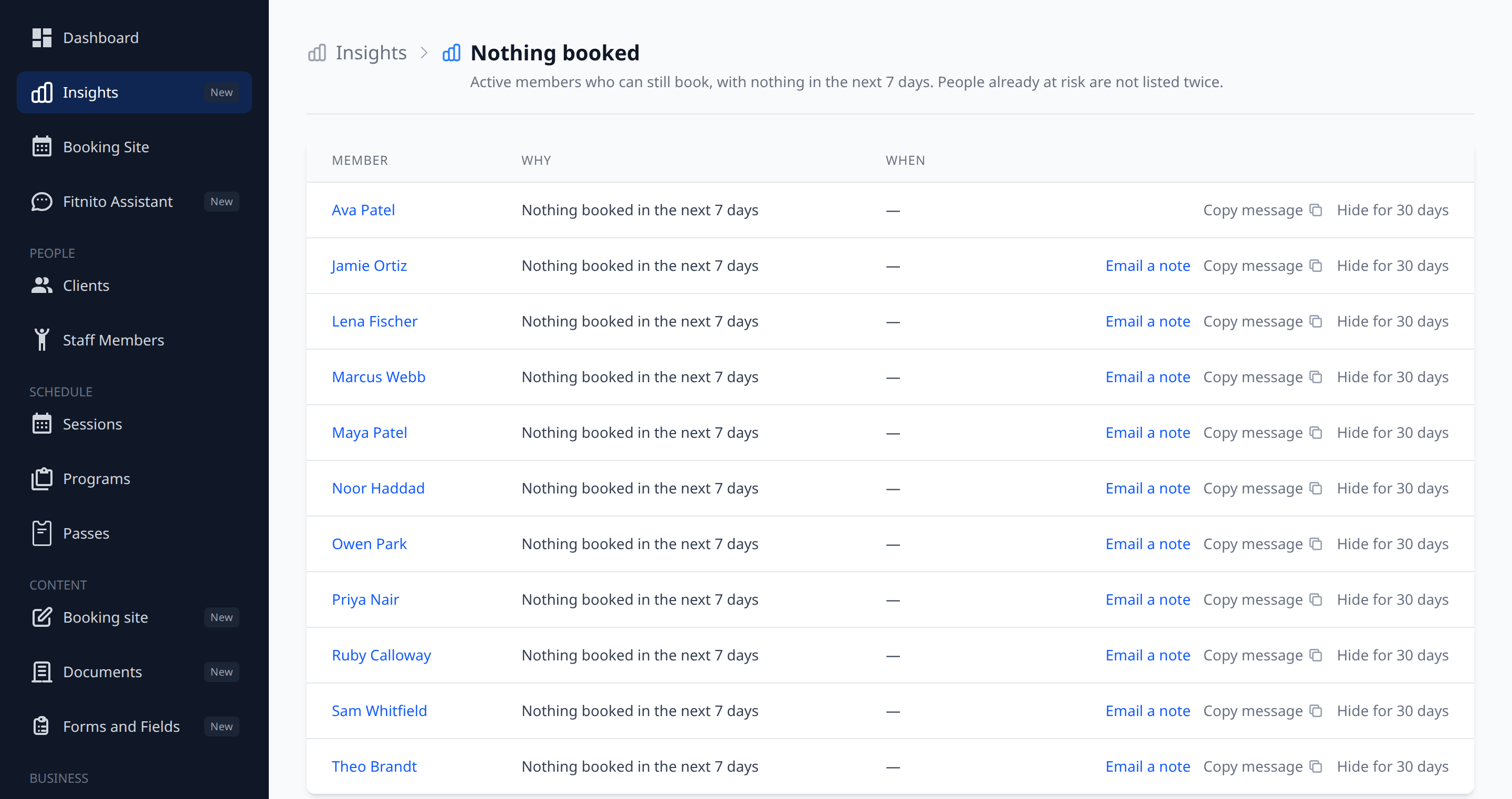
Nothing booked
Active members who can still book (a usable pass, or a live membership that is not paused) and have nothing in the next 7 days.
Anyone on At risk is left off this list, even if you hid them from At risk.
Late cancels
Premium, same lock as At risk. Running low and Nothing booked are not.
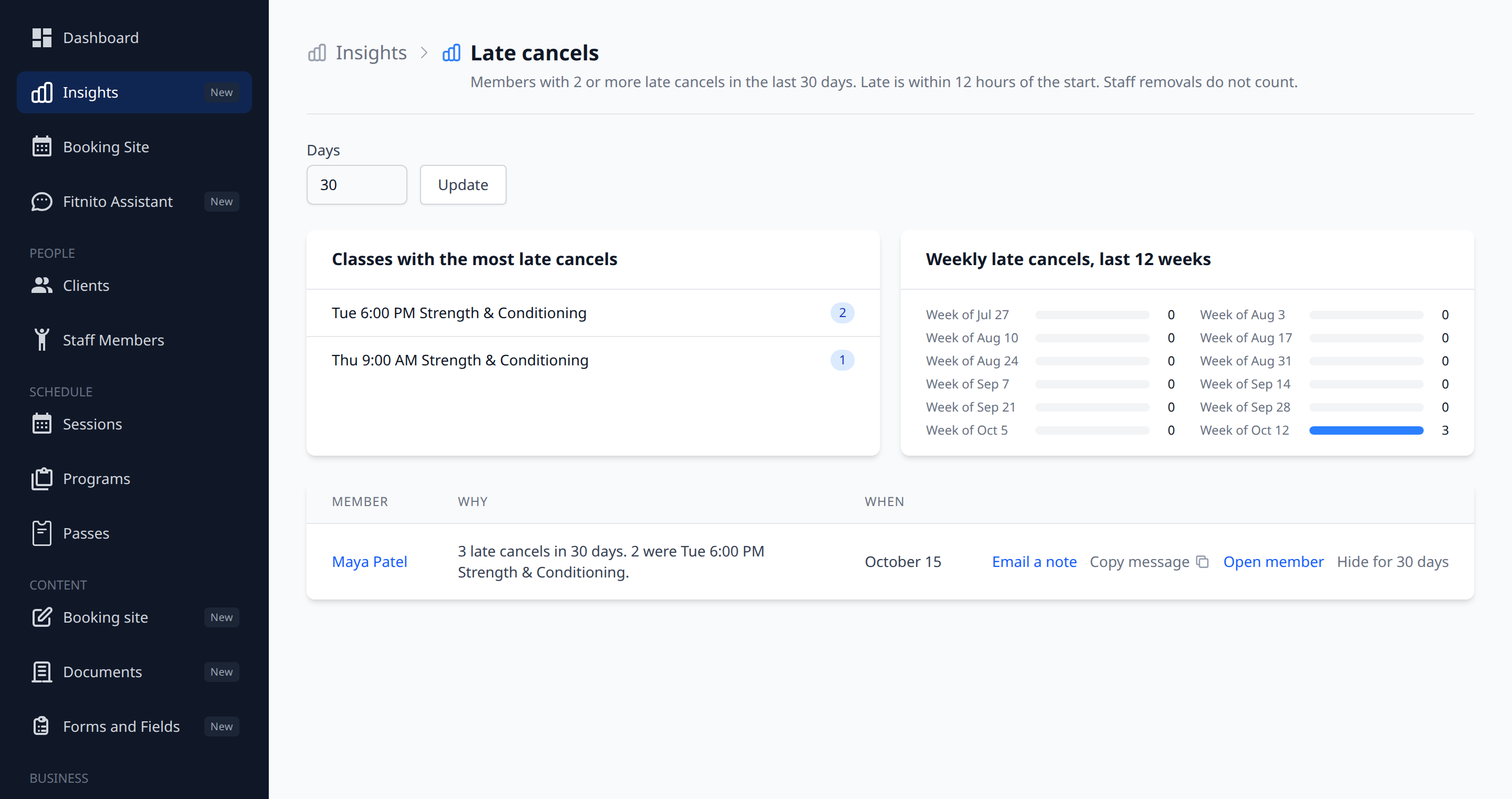
A late cancel is a drop the member makes inside the gym’s late-cancel window. The default is 12 hours. Change it under Settings → Booking (0 to 72, and 0 turns it off). A program can use its own number. See Late cancels.
The list is members with 2 or more of those in the last 30 days. Days on that page changes the window, from 1 to 180. The row says how many, and which session took the most when one session has 2 or more.
What counts:
- A drop the member makes on the booking site, from their own assistant, or from the booking-page tools.
- A parent dropping a child. The row is the child. It does not name the parent.
- A paid drop-in. The card charge is unchanged.
What does not count:
- Staff removing someone, from the session page or the Assistant. Fitnito still saves that drop.
- A cancel they undo by booking the same session again.
- A session the gym cancels or deletes before it starts.
- A second late cancel of the same session by the same member. One session counts once.
Under the list, Sessions with the most late cancels groups a weekly series together. A session that is not part of a series groups by program, weekday, and time. Weekly late cancels, last 12 weeks is a bar for each week. Those bars stay on 12 weeks when you change Days.
On a paid plan or a trial, the member profile shows Late cancels (90 days) and links back here. A row that still has the visit kept has Give visit back. On Starter that line is not there. Coaches do not see Insights. Keeping the visit is Premium. The window itself is on every plan.
What you can do
Open the name to see the member.
On At risk, Nothing booked, and Late cancels, Email a note opens your own mail with a short message, and Copy message puts that text on the clipboard. Fitnito does not email the member. A dependent with no email of their own has no mail button. Fitnito does not fall back to the parent’s address. Late cancels also has Open member.
Hide for 30 days takes that person off this list only. They can still match another insight, and a hidden At risk member still stays off Nothing booked.
From chat
The Assistant and a connected AI agent read the same lists. Ask what the gym is telling you. The overview has the counts, and whether each list is locked. Running low and nothing booked include the people on every plan. On a paid plan or a trial, at risk and late cancels do too: the reason, and the suggested action. For late cancels that also includes the count, the total cancels, the sessions, and 12 weekly counts. On Starter those two still answer. Each comes back locked, with the count and an empty set of people, plus a link to upgrade. It does not email the member. Coaches do not get the tool.