
Member passes
See who holds which pass, add or subtract visits, and enable or disable access.
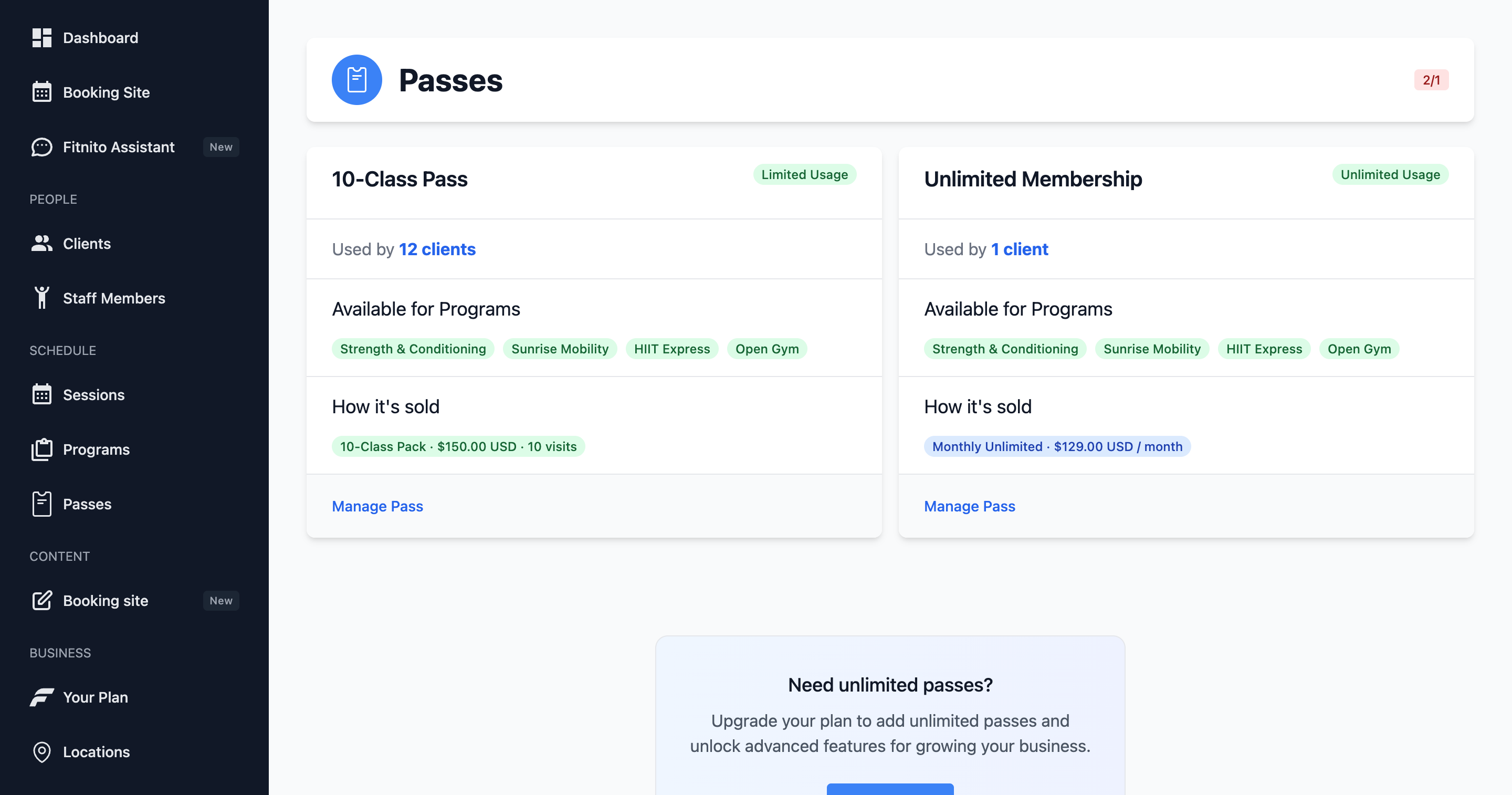
Passes in the console is the list of pass types (the access rules). Each row shows the programs it unlocks and how it is sold. Click the magnifying glass when you have more than a handful.
Open one to see Linked Clients (who holds it) and Sold through Products (what sells it).
A member’s own pass of that type is what they book with. Open a client to add or subtract visits or turn that person’s pass on or off.
On that profile, a limited pass says Top up or Monthly start. Top up means visits stay until they are used, and a payment or a pack adds more. Monthly start means the pass resets on the 1st. Members see the same split on their Memberships page: top up, or resets on the 1st.
Add or subtract visits
Open a per-visit pass, then the member. Add visits when you sold them a pack at the desk or comped a makeup. Subtract visits if you need to correct a punch.
Unlimited passes do not use a visit count — enable or disable them instead.
Enable and disable
Disabling a pass stops booking immediately. Use this when a membership ends, a cheque bounces, or someone is on pause. Enabling it restores access.
When you assign a membership or they pay through Fitnito Payments, Fitnito enables (or tops up) the pass for you. You still use this screen for corrections.
Low visits
The dashboard calls out members who are almost out. That list is the nudge to sell the next pack — especially if you bill outside Fitnito.