
Grant a visit pack yourself
Hand a member a visit pack from their profile. On Fitnito Payments a priced pack waits until they pay. A $0 pack adds visits now.
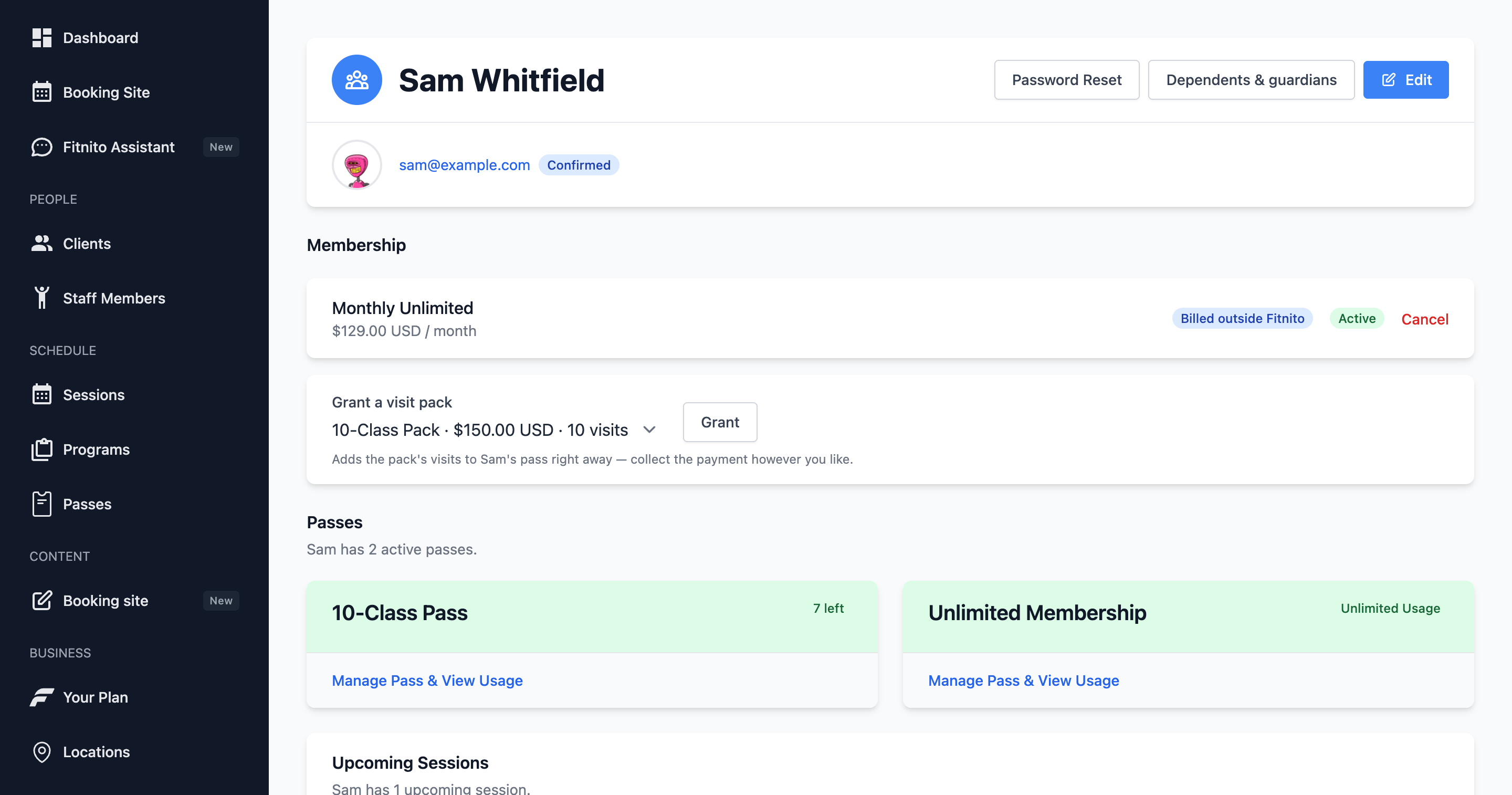
A visit pack is a one-time product (“10 visits for $120”). It adds visits to the member’s pass of that pack’s pass — the one chosen when the pack was created. On Fitnito Payments a priced pack is a real charge: visits stay off until they pay. A $0 pack adds the visits now. That is the only grant with nothing to pay.
When Fitnito Payments is on
- Open the member.
- Choose Grant a visit pack and pick the pack.
- We email them a link to pay. Memberships and Billing on your booking site show Pay now too.
- Checkout asks for a billing address, the same way a membership does.
- Visits land after that payment. The pay link in the email lasts about a day. Pay now on Memberships keeps working after that.
- If you granted the wrong pack, Cancel request on the profile. No visits were added.
A $0 pack skips all of that and adds the visits immediately.
If they already paid you cash and you do not want another charge, use a $0 pack, or add visits on the pass. Granting a priced pack always asks them to pay through Fitnito.
When you bill outside Fitnito
Open the member → Grant a visit pack → pick the pack. Visits land on their pass right away. You collect a priced pack yourself. A $0 pack is free. The note under the list says this is a top up: it does not reset the month. A reset lives on the membership plan (monthly start).
When they buy online
If Payments is on, members can also buy packs themselves on your booking site. The payment webhook grants the visits. You still use this button when you want to hand them a pack and have them pay.
Create packs under Products → Visit packs — see Visit packs for sale.