
Late cancels
Set how close to class a drop counts as late, and whether a limited pass keeps that visit. Premium for keeping the visit.
A late cancel is a drop the member makes close to the start. You choose how close, and what happens to the visit.
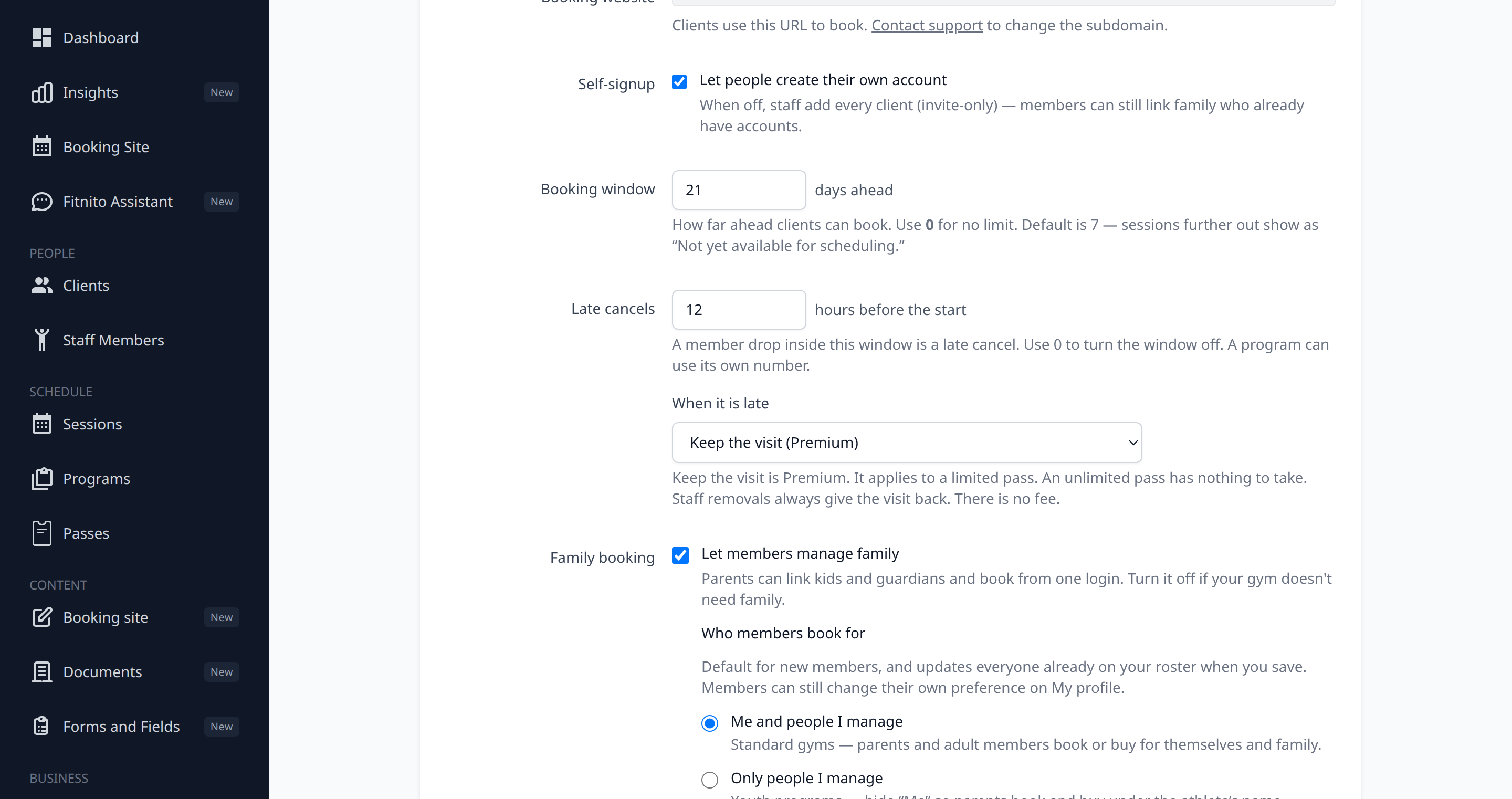
Set the window
- Open Settings → Booking.
- Under Late cancels, set the hours before the start. The default is 12. The range is 0 to 72.
- Save.
0 turns the window off. Drops are not marked late, and the visit comes back.
A program can use a different number. On Programs → Edit, Late cancel window overrides the gym. Leave it blank to use the gym setting. 0 turns the window off for that program only.
The window and the warning are on every plan.
Keep the visit (Premium)
When it is late has two choices.
- Give the visit back is the default. A late cancel still frees the spot, and the visit returns to the pass.
- Keep the visit is Premium (a paid plan or the trial). A limited pass does not get that visit back. An unlimited pass has nothing to take. The spot still opens.
On a free plan the choice is locked on Give the visit back. The rest of the page still saves. If a gym later drops to Starter, members get the visit back. A saved Keep the visit comes back on its own after an upgrade.
There is no fee. A paid drop-in keeps the punched visit. The card charge stays. Refund it from Recent Payments if you want the money back.
What the member sees
Outside the window, Cancel drops them right away and the visit comes back.
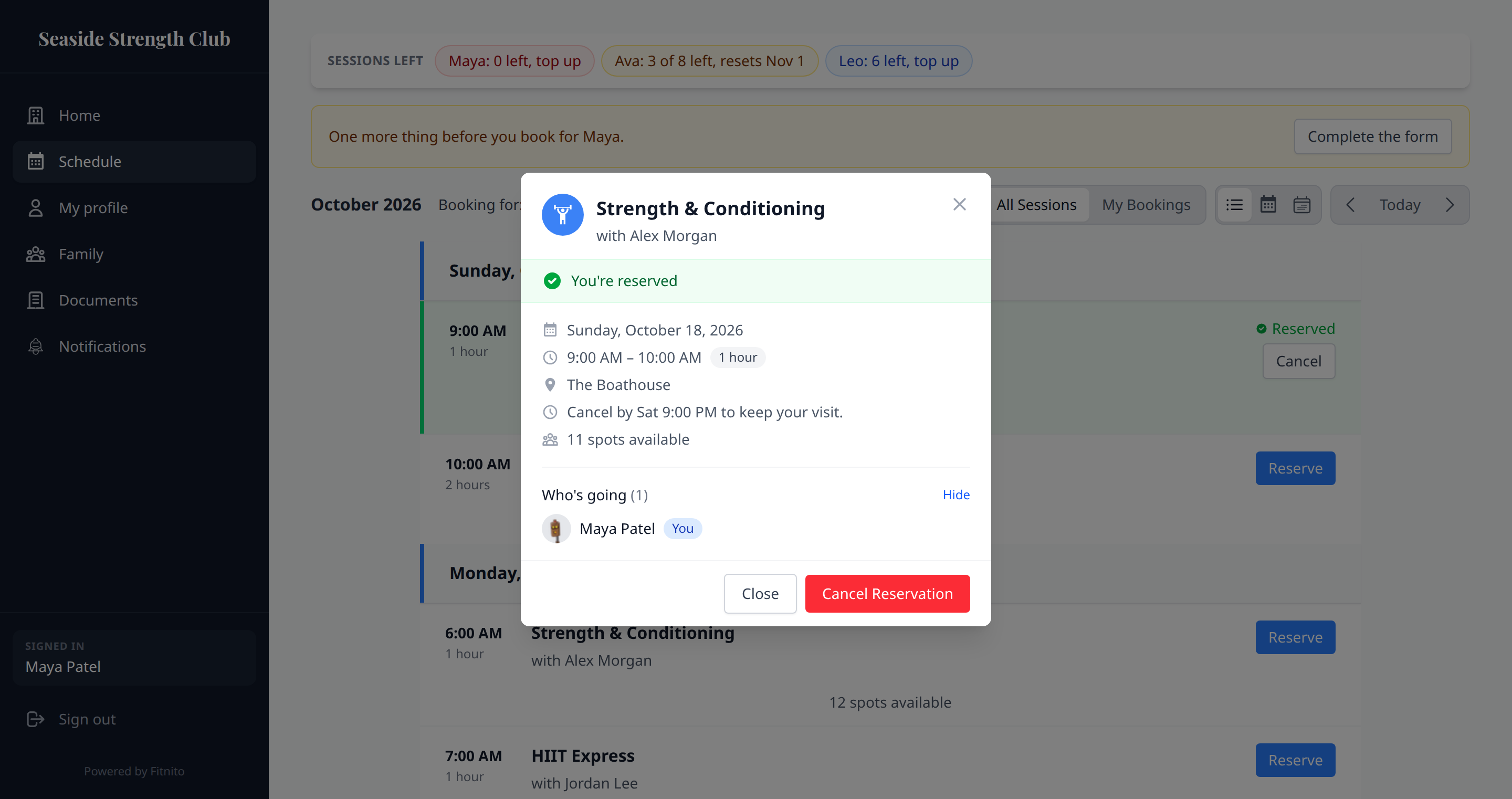
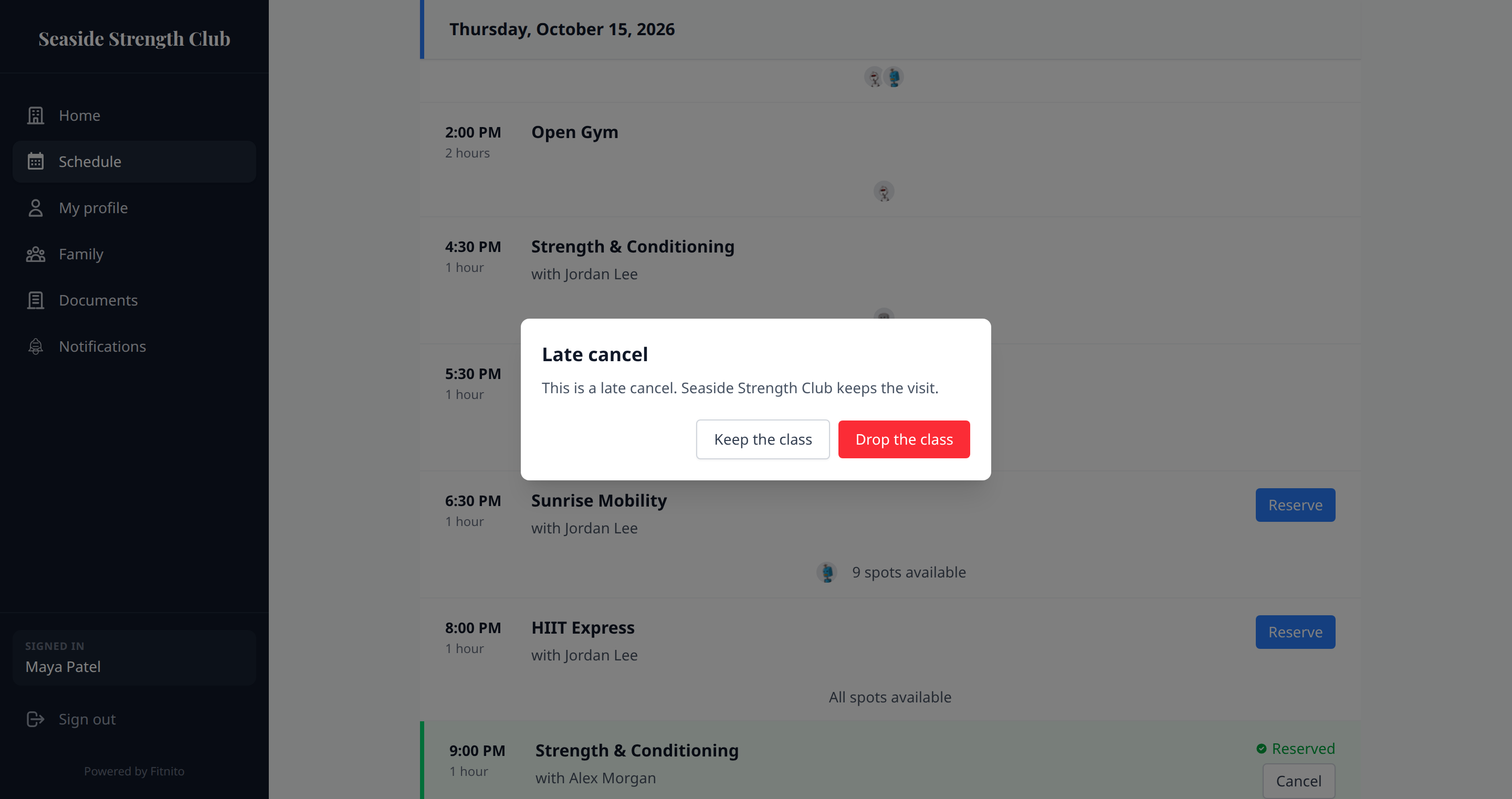
Inside the window, Fitnito asks first. Nothing is dropped until they confirm. When you keep the visit, the question says the gym keeps it. The class panel also says the deadline, like “Cancel by Tue 6:00 am to keep your visit.”
The first 15 minutes after they booked are not late. The visit comes back, and Fitnito does not ask the extra question.
After the class has started, Cancel is gone. They talk to the desk. Staff can still remove them from the class page, and that removal gives the visit back. It is not a penalty.
Give a visit back
On the member profile, Late cancels lists the ones from the last 90 days. Give visit back puts that visit on the same pass and marks the row waived. The late-cancels insight has the same button on a row that still has a visit kept.
The Assistant can do it too. Ask it to give the visit back. Confirm first. Coaches cannot.
If you cancel or delete the class before it starts, a visit you had kept goes back on its own. That is not a waiver. Deleting a class that already happened does not put visits back.
The owner email
When Someone cancelled a booking is on, a late drop is marked late and the note says whether the visit stayed used. The hours in that note are this setting, not a fixed 12. See Email notifications.
From chat
update_gym_settings sets the window and the penalty (none or forfeit_visit). update_program sets a program’s window. Pass -1 to clear it and use the gym setting. get_gym_overview includes the window, the saved penalty, and whether keeping the visit is actually on. waive_late_cancel gives a visit back. A member’s cancel quote includes late, late_cancel_deadline, penalty (kind and visits; amount and currency are empty), and visit_returned. Pass penalty back when they confirm. If the penalty changed after the quote (for example, the class moved into the window and the gym keeps the visit), you get a new quote and nobody is dropped. When nothing is kept, a confirm without penalty still drops. A class that already started cannot be dropped by the member. Staff unbook_client still can, and it does not keep the visit.