
Sessions and the weekly schedule
The week on a grid, then lists for what’s next, what already happened, and the classes that repeat.
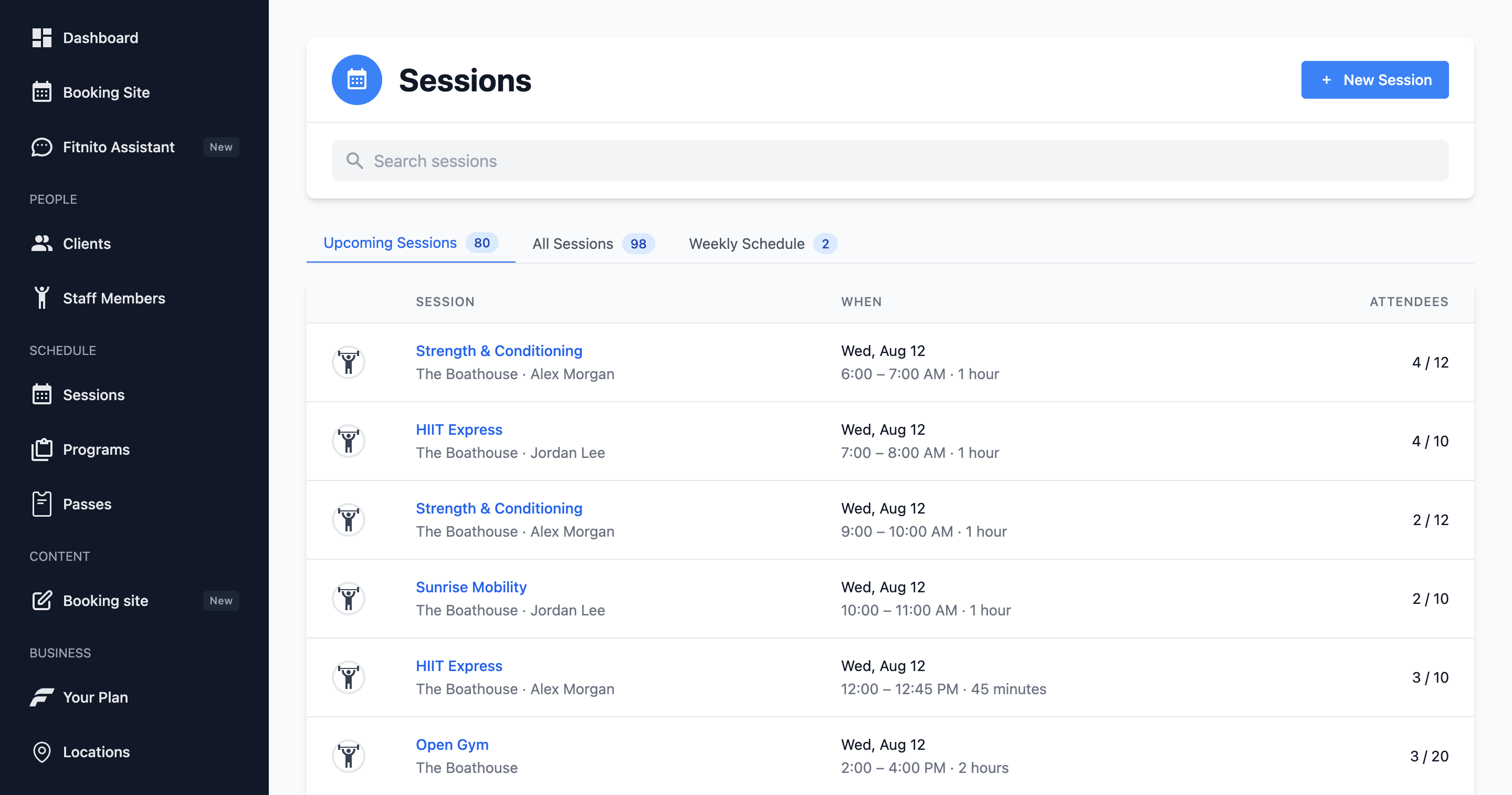
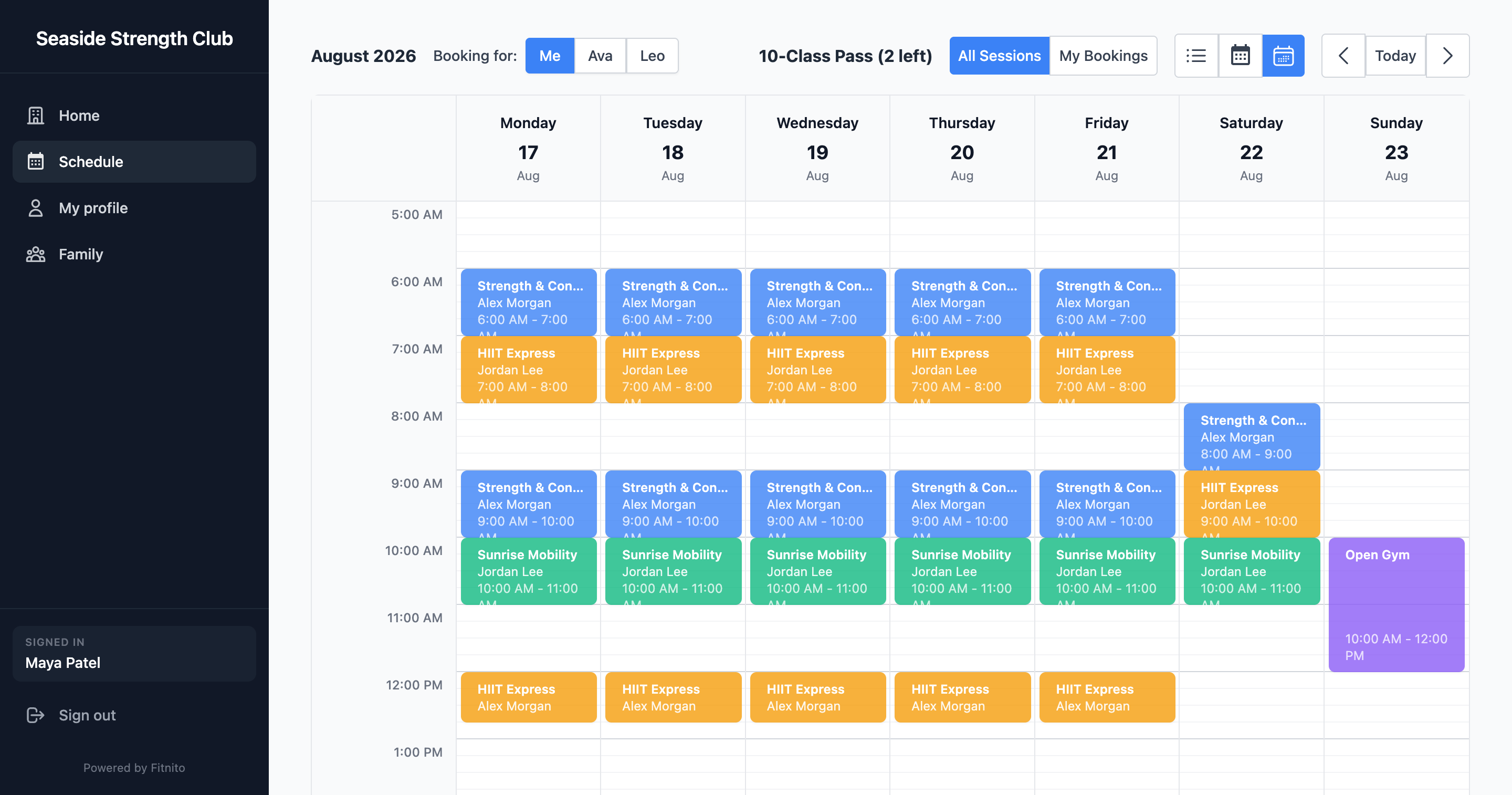
Sessions is the whole calendar. There is no separate “recurring sessions” section anymore.
The four tabs
- On the Calendar — Monday–Sunday, colored by program. This is the wall calendar, if the wall could click. Flip week to week. Click a block to open the class.
- Upcoming Sessions — what is next, good for the front desk today.
- All Sessions — every session, including the past.
- Weekly Schedule — the repeating templates (Tuesday 6 PM that never ends). Members never see this tab; they see the dates it generates.
A magnifying glass sits on the right of the tab row. Click it when the list gets long.
Open a class
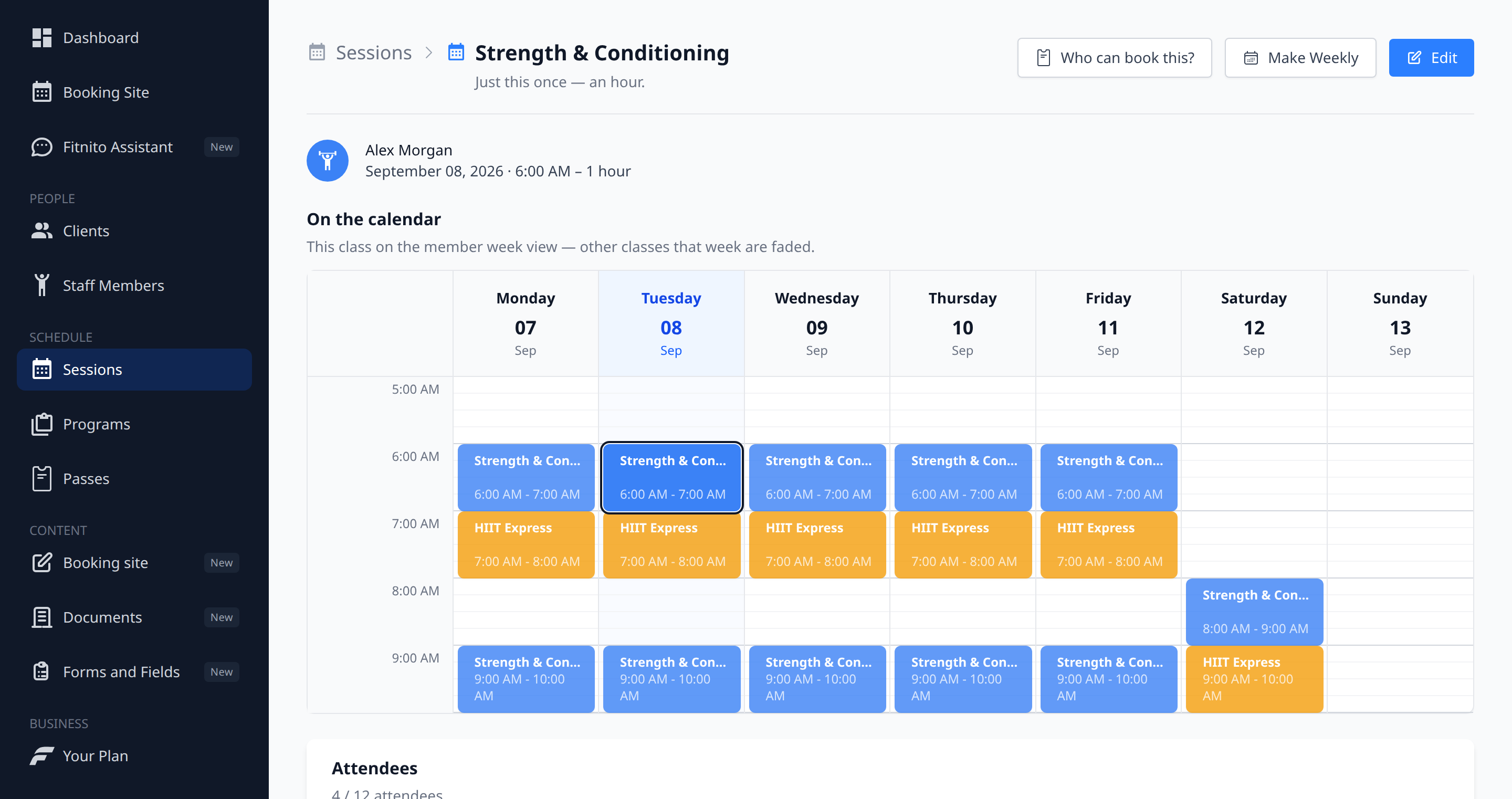
The header tells you if this date is a one-off or part of a weekly series, and how long it runs. Below that is the week grid again — this class is outlined, the rest of the week is still there so you can see the shape of the day.
From here you can take attendance, add a walk-in, Make Weekly, or ask Who can book this? That last one opens Booking Access for the program.
Times and rooms
Session times are the gym’s wall-clock time. Two classes cannot overlap at the same location. If you run two rooms at 6 AM, add a second location — Fitnito will say no to a double-booked room, and that is a feature.
Attendance
Add a walk-in or remove a booking. Adding someone punches their pass when the pass is per-visit. Unlimited passes just need to be enabled.