
Notifications
Booking emails stay off until you turn them on. Low-session emails are on when the gym sets a number, and you can hide sessions left on the schedule.
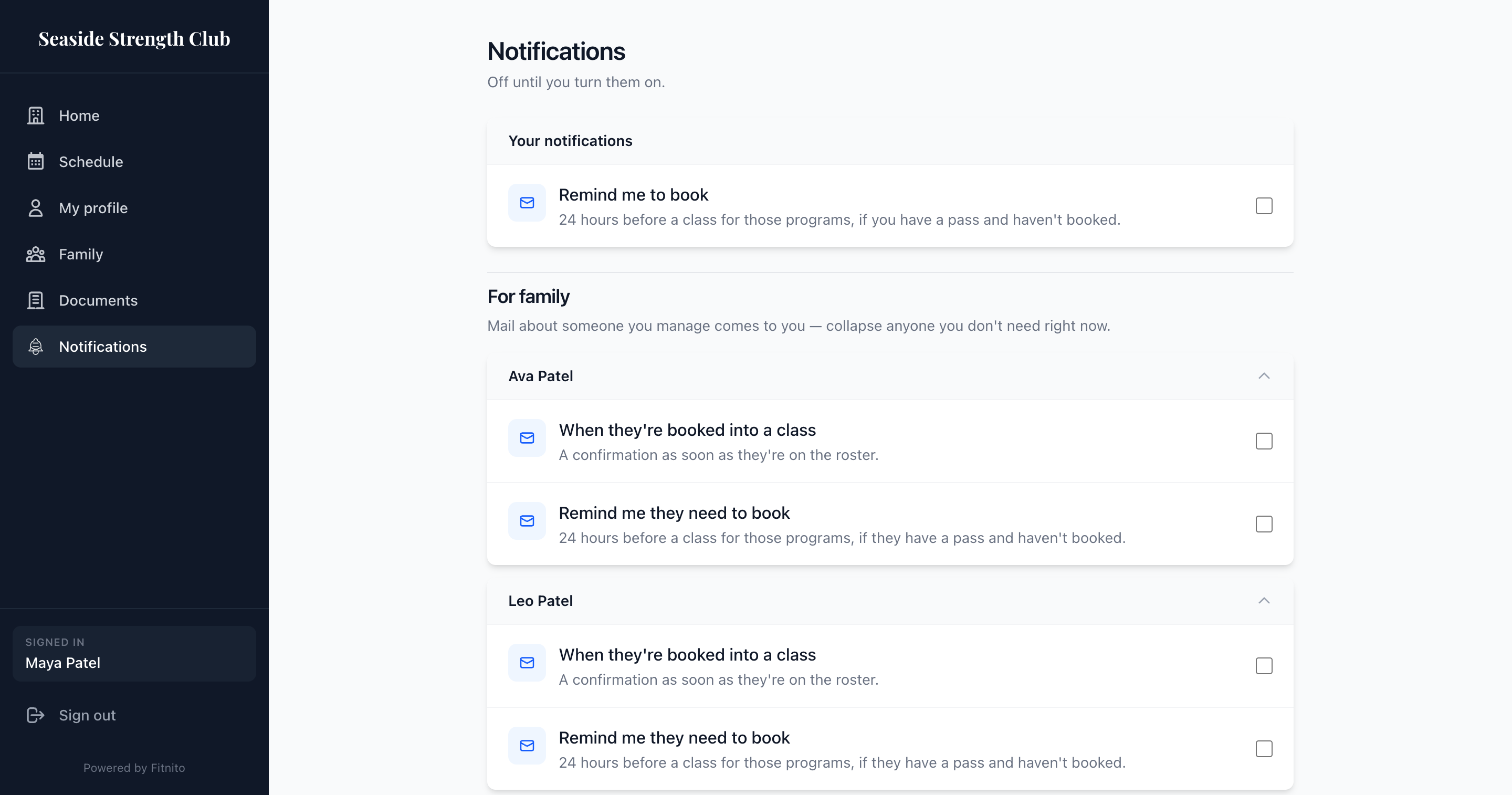
Open Notifications on your gym’s booking site. The menu is there on every plan.
Booking emails (a reminder, or a note when someone you manage is booked) need a Premium Fitnito plan, and the gym has to turn reminders on. Those start off.
Email me if I'm marked a no-show is on until you turn it off. It shows here when your gym is on Premium. The gym chooses each time whether to send it. The note includes a link to book again. For someone you manage who has no inbox of their own, the mail comes to you if you left it on. A profile with no login is never emailed.
Two session settings are on until you turn them off, on every plan:
- Show sessions left on the schedule — the line above Schedule. Hide it here.
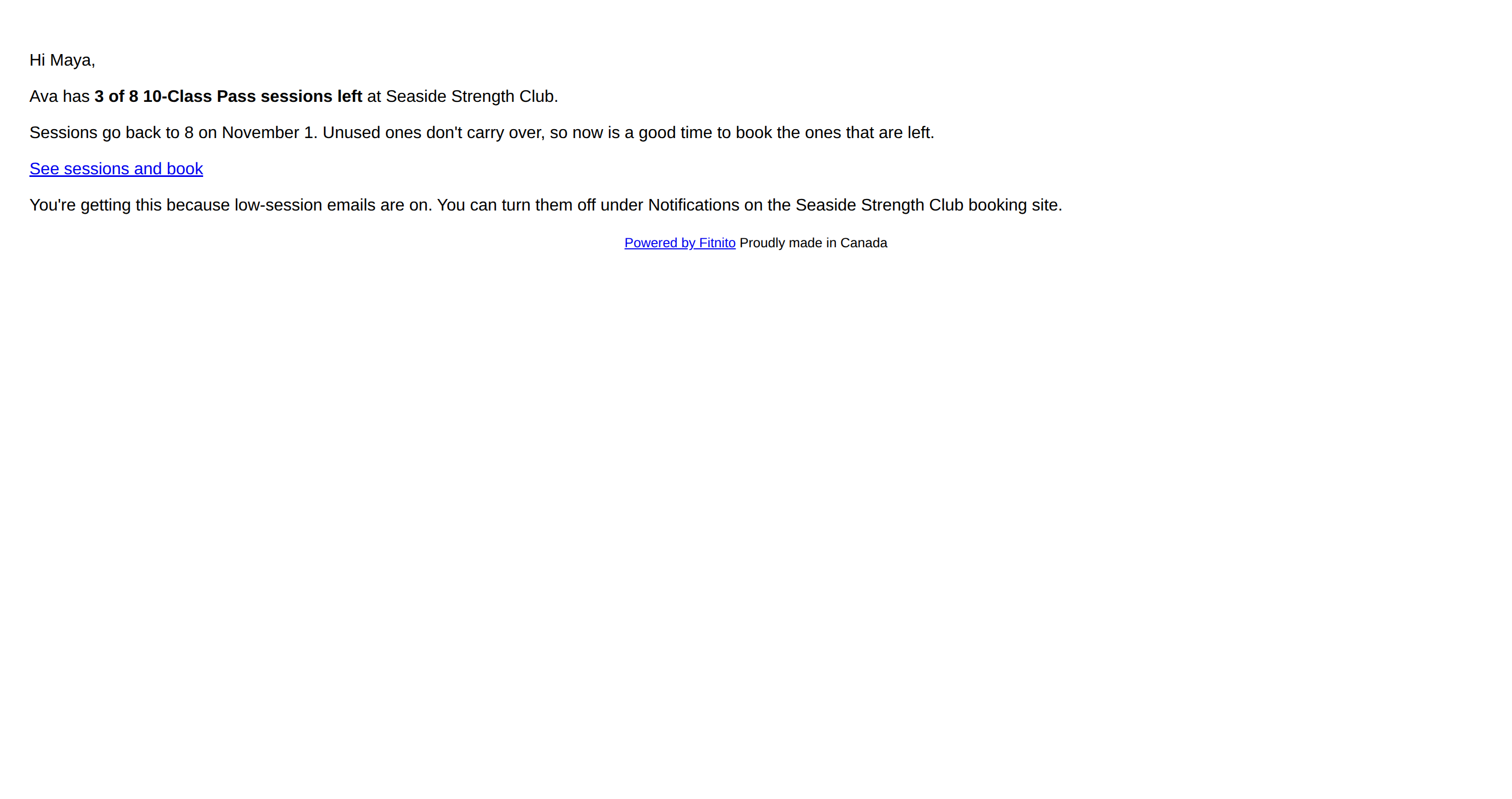
- Email me when my sessions run low — one email when a pass hits the number the gym set. At most once a month, or once per pack. Nothing sends until the gym sets that number. For someone you manage, the mail comes to you. The parent who pays is first; another linked parent gets it if the payer turned theirs off.
For you
Remind me to book — one email about 24 hours before a class, if you have a pass for that program and have not booked yet. The gym chooses which programs can remind.
We do not email you a confirmation of your own booking. You just booked it.
For people you manage
If you manage kids or a partner under Family:
- When they're booked into a class — a confirmation as soon as they are on the roster. That mail comes to you, not to them.
- Remind me they need to book — the same 24-hour nudge, for them, still to your inbox.
You can collapse extra people when the list gets long.